Lisa Compact 98
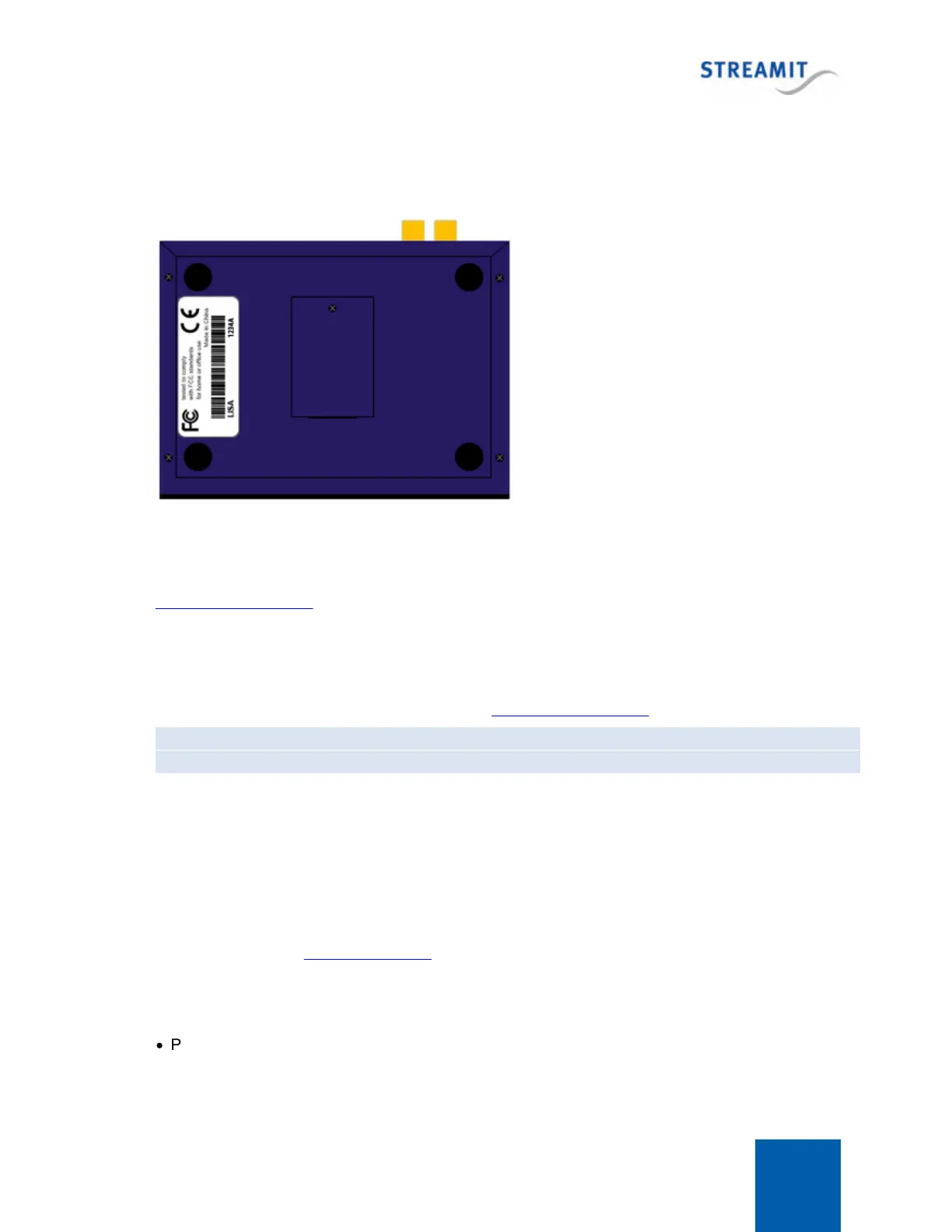
22.3 Find the serial number
The serial number of the Lisa is printed on the sticker on the bottom of the device and on the gift box.
22.4 Forcing an update when RSU is disabled
In case the Remote Software Update feature has been disabled, updates can still be performed using
Lisa Configuration Tool.
22.5 Manual device activation
The activation process for a Lisa device can be initiated from any of the available command interfaces,
by issuing the respective command. At this stage Lisa Configuration Tool will most probably be used.
Command: getlic
Description: Start activation process
After the command is issued, the device contacts the activation server and receives the appropriate
code.
22.6 Monitoring logging on the platform
If available, the remote monitoring logging on the platform (Device portal, Streamit Audio Distribution
Platform, or a custom-built platform) is a great source of information on what happens with the Lisa 'in
the field'. The section Remote Monitoring provides information on the conditions under which monitoring
is available and how the monitoring logs should be read.
The basic principle is that the Lisa has two types of log messages:
·
Periodic log messages that are status updates and that signify that the Lisa still is functioning and
connected to the network


 To Next Page