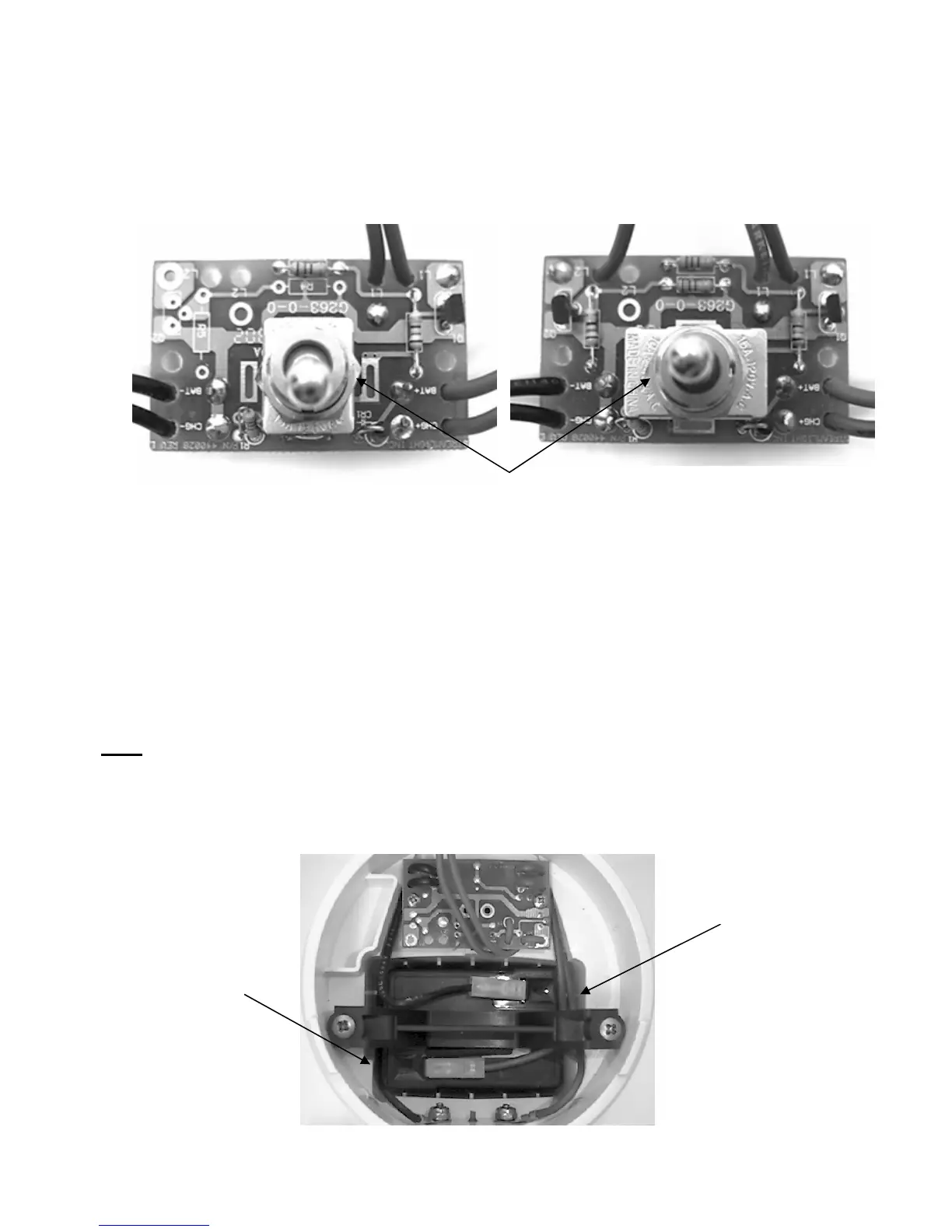
Toggle Switch/PCB Installation
A. Obtain a replacement toggle switch/PCB assembly.
Single Filament Assembly P/N 440118 Dual Filament Assembly P/N 440119
This nut must be bottomed on the threads. Do not over tighten.
B. Reattach the leads to the charge contact screws and secure them in place.
1. The negative (black) lead goes to the charge contact screw on the left side (open
side of body facing upward, handle facing away from you) and the positive (red)
charge lead goes to the contact screw on the right.
2. Use a 5/16" wrench to tighten the lock nuts until they are snug against the body.
When the contact screws are snug turn the Tri-Wing contact screw additional 1/8th
turn to insure a waterproof seal.
Note: Do not over tighten the screws or the body may crack.
C. Place the toggle switch/PCB assembly with the toggle switch through the switch hole.
1. The Toggle switch side of the assembly must face down. (See picture below)
Positive Battery
and Charge Leads
Negative
Charge Lead
- 15 -






 To Next Page