16
Operation (continued)
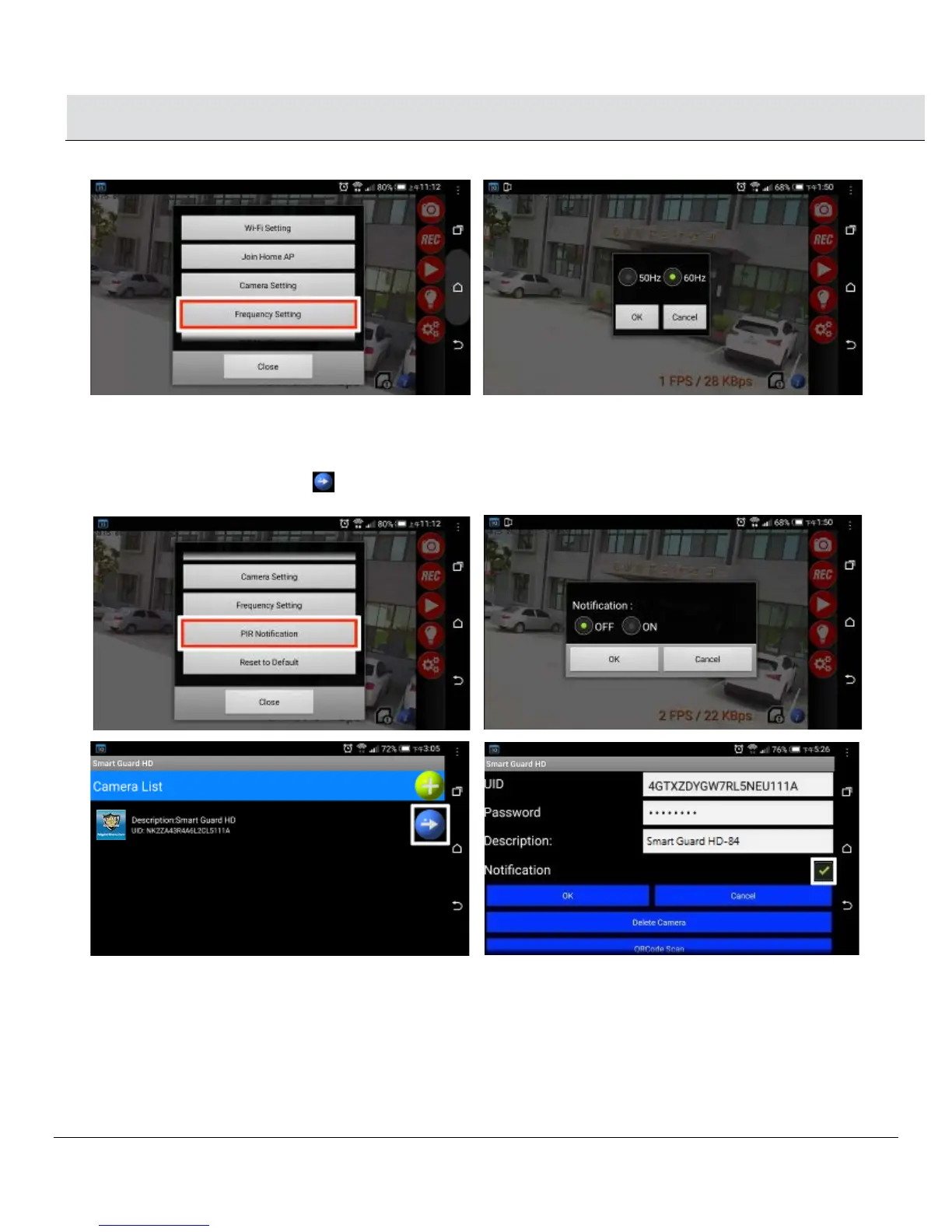
1.5 Frequency Setting: Set Power Frequency
1.6 PIR Notification: Notifies your smartphone/tablet when the unit detects motion
□ Click OFF: Will not send PIR Notification
□ Click ON: Will send PIR Notification
□ You also can go to Camera List and press “ →” for the selected camera. Clicking “Notification” will also send the PIR
notification to your smartphone/tablet.


 To Next Page