18
Operation (continued)
2.0 Images Functions
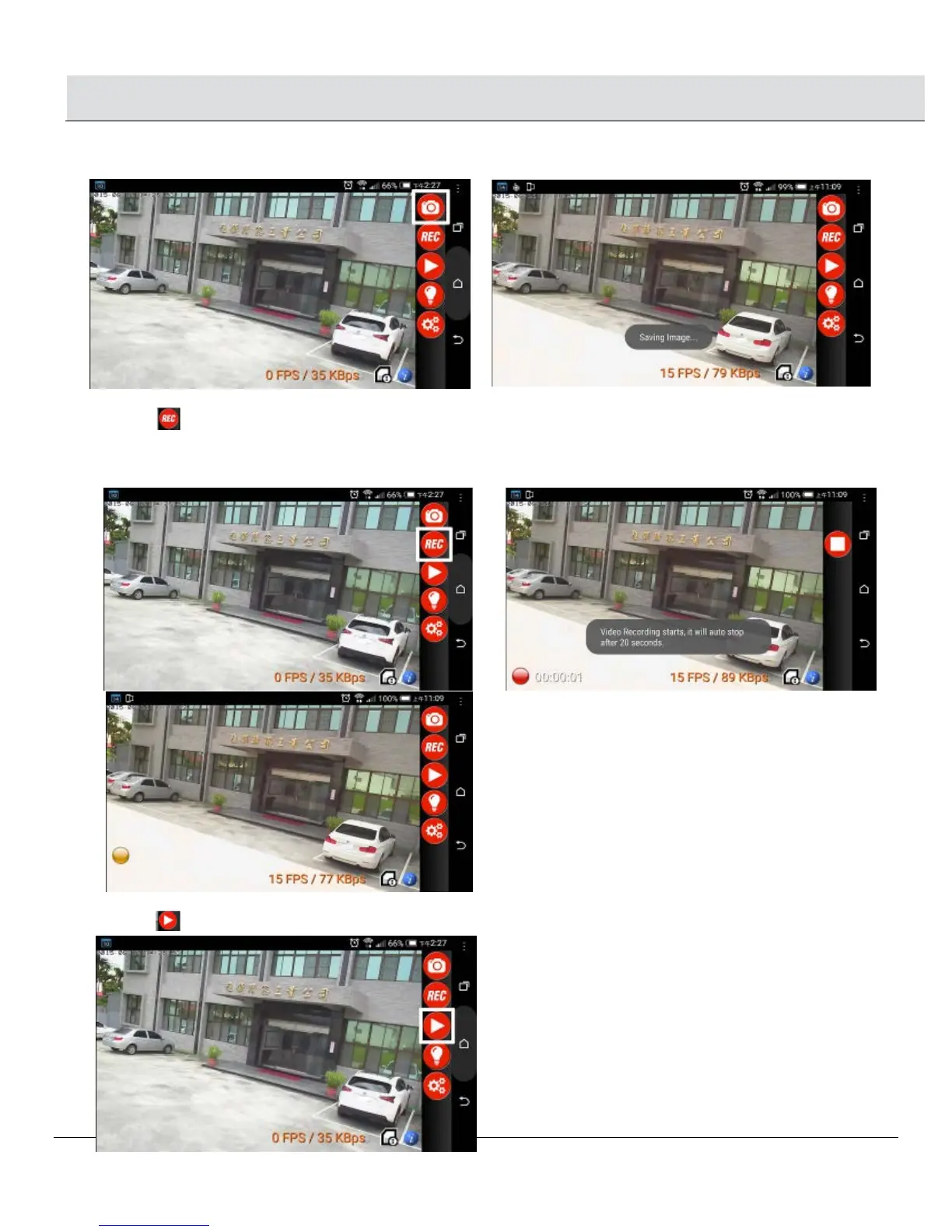
2.1 SNAP SHOT: Take one still picture for each snap shot and picture will be saved to your smart phone.
2.2 RECORD
□ Click “REC” icon to start Manual Recording. The left bottom side will show Red Ball icon. Record a video of 20 seconds and
video will be saved to your smart phone.
□ When PIR is activated to start Auto Recording, the left bottom side will show Orange Ball icon. Record a video of 20 seconds and
video will be saved on your NightWatcher’s micro card.
2.3 PLAY BACK
□ Click icon, you can choose to view recorded pictures or video from “Camera micro card” or “Mobile phone”.


 To Next Page