7
9. Enter the home desktop.
10.
Press to access the TV settings.
11. VOL +/- Adjust the volume up or down.
12.
No Function
13. ! Press to mute or restore the volume.
14. pq Change programs up or down.
15. YouTube Press for direct access to YouTube.
16. NETFLIX Press for direct access to Netix**
17. prime video Press for direct access to prime video***.
18. Disney+ Press for direct access to Disney+****.
19. 0 to 9 Choose channel directly.
20. SUBTITLES Subtitles /Audio selection
21. INFO Display information about the current source
*Voice control and some other functions could work only when this RCU paired with your TV.
** Membership is not included. Netix is available in selected countries. Streaming Netix requires to set up an account. Broadband Internet required. See www.
netix.com/TermsOfUse for details.
*** Membership is not included. Prime is available in selected countries. Streaming prime video requires to set up an account. Broadband Internet required. See
www.primevideo.com for details.
**** Membership is not included. Disney+ is available in selected countries. Streaming Disney+ requires to set up an account. Broadband Internet required. See
www.disneyplus.com for details.
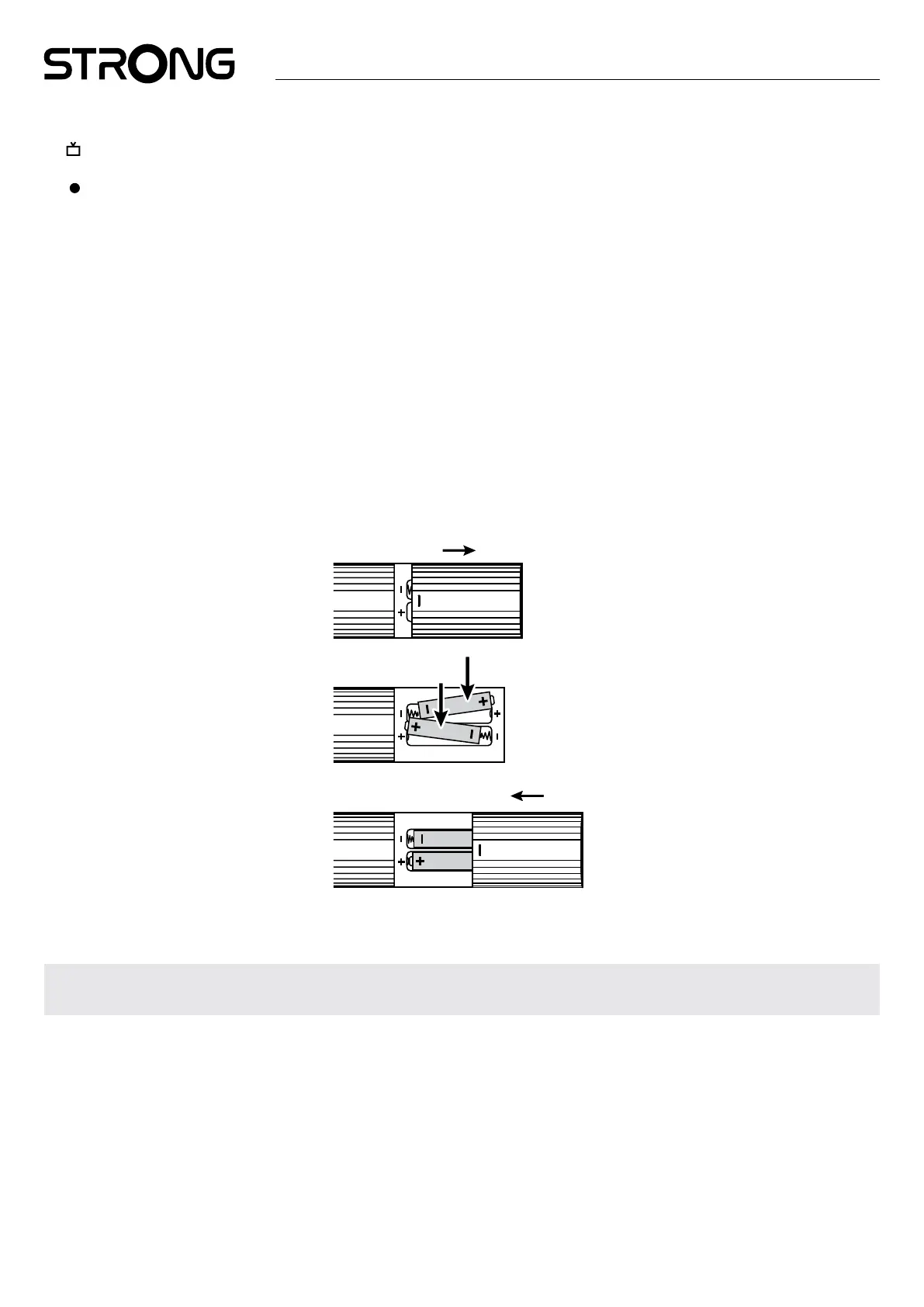
2.5 Installing the batteries
Fig. 5
Open the cover on the remote control and insert 2x AAA batteries into the compartment. The correct position of batteries polar
diagram is shown inside the batteries compartment.
1. Open the cover. 2. Insert the batteries. 3. Close the lid.
WARNING: The batteries should not be recharged, disassembled, electrically short- circuited, be mixed or used
with other types of batteries.



 To Next Page