EasyManua.ls Logo

Strong SRT 7002 - User Manual

Strong SRT 7002
27 pages
Print Icon
To Next Page IconTo Next Page
Loading...
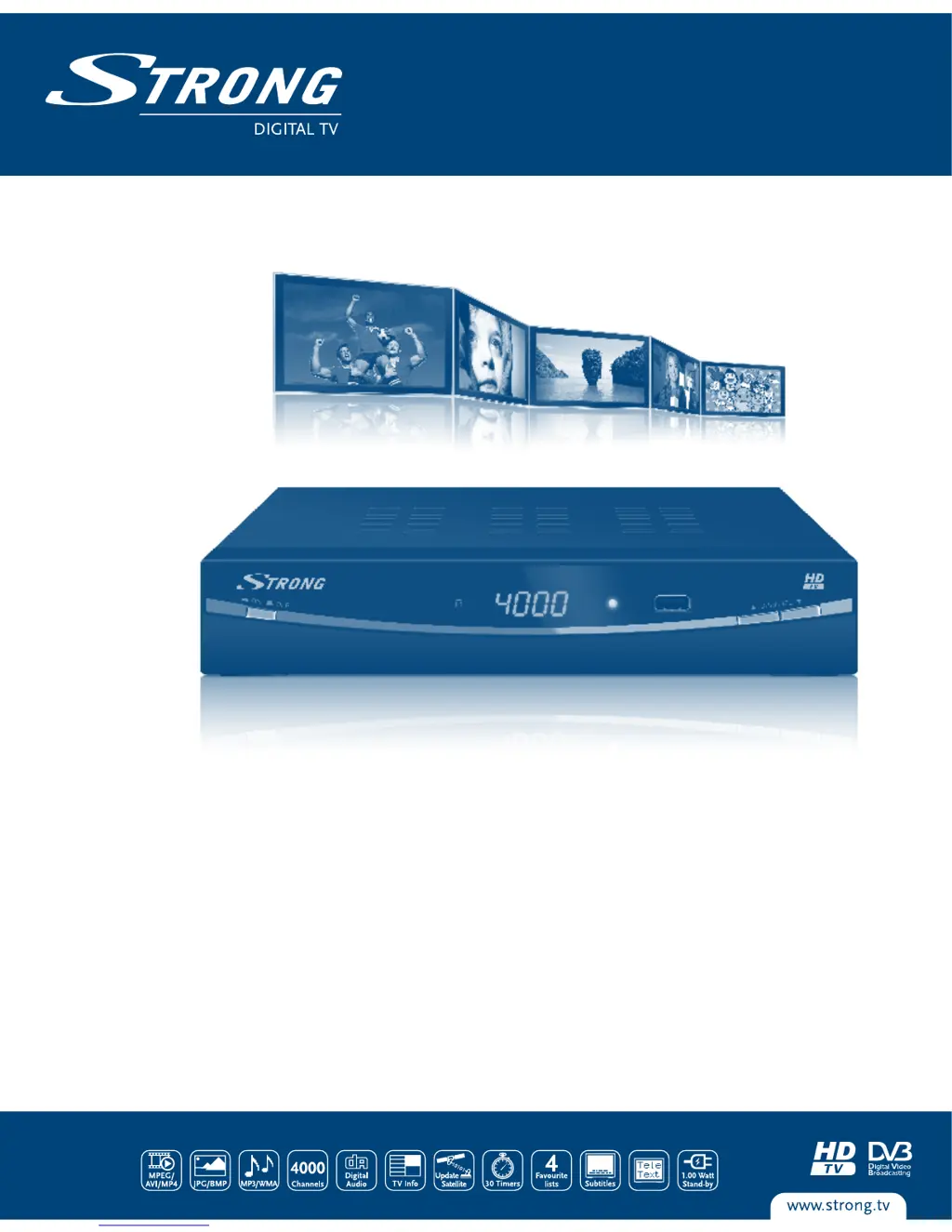
Digital High Definition
Satellite Receiver SRT 7002
Picture similar
User Manual
Bedienungsanleitung
Manuel de l'utilisateur
Manuale per l'uso
Használati útmutató
Руководство пользователя
03 Sep 2012 15:24

Questions and Answers

  • K
    Kendra MooreAug 6, 2025
    What to do if my Strong SRT 7002 Receiver has no picture?
    • D
      David SolomonAug 6, 2025
      If your Strong Receiver is not displaying a picture, ensure the antenna cable is properly connected to the receiver, or replace the cable if necessary. Verify that the tuner parameters are set correctly in the Installation menu. Also, check the signal strength and adjust your dish accordingly to ensure it's pointing in the right direction.
  • S
    Stephen FergusonAug 11, 2025
    What to do if there is no picture or sound on my Strong SRT 7002?
    • A
      Andrea StevensAug 11, 2025
      If your Strong Receiver is not showing a picture or sound on your TV, first, make sure your TV is on and set to the correct input. Check all cable connections between the receiver and the TV to ensure they are firmly plugged in. Press the MUTE button to unmute the audio. If the receiver is switched to DVD/VCR input, press the DTV/VCR button. If none of these steps work, check the TV power.
  • A
    amanda70Aug 15, 2025
    Why is my Strong SRT 7002 remote control not working?
    • M
      maria41Aug 15, 2025
      If your Strong Receiver is not responding to the remote control, ensure the receiver is plugged in and turned on. Aim the handset directly at the IR sensor on the receiver, and make sure nothing is blocking the sensor. Finally, replace the batteries in the remote handset.
  • F
    foxkevinAug 23, 2025
    Why does my Strong Receiver keep switching to standby automatically?
    • Q
      qcantrellAug 25, 2025
      If your Strong Receiver switches to standby automatically, the Auto Standby function may be activated. To resolve this, set the power down time or disable the Auto Standby function in the System Auto Standby menu.
  • U
    uwhiteheadAug 28, 2025
    What does 'scrambled channel message' mean on Strong Receiver?
    • A
      Adam RasmussenAug 28, 2025
      If you see a scrambled channel message on your Strong Receiver, it means the channel you are trying to watch is scrambled. Select an alternative channel.
  • M
    Miranda LewisSep 1, 2025
    Why won't my external USB HDD start on my Strong SRT 7002 Receiver?
    • C
      Christina BeckSep 1, 2025
      If the external USB HDD does not start on your Strong Receiver, it may be due to high power consumption. Try connecting an extra power supply adapter to your USB HDD device.
  • J
    John MitchellSep 10, 2025
    How to fix a Strong SRT 7002 when the standby indicator does not light up?
    • R
      Richard HowardSep 12, 2025
      If the standby indicator on your Strong Receiver doesn't light up, check that the mains lead is plugged in and the multipoint connector is switched on. Also, make sure the front panel switch is in the ON position.

Summary

INSTRUCTION

Safety Instructions

Essential safety guidelines for receiver installation, operation, and handling to prevent hazards.

CONNECTIONS

Scart Cable Connection

Instructions for connecting the receiver to a TV using a SCART cable for audio and video.

FIRST TIME INSTALLATION

Satellite Selection

Procedure to select the correct satellite(s) for your dish alignment and antenna setup.

Signal Adjustment

How to fine-tune antenna alignment using the signal quality bar for optimal reception.

Automatic Channel Search

Initiating and completing the automatic search process to find and store available TV and radio channels.

OPERATION

MAIN MENU

Channel Search & Antenna Setup

Performing channel scans, configuring LNB settings, and managing satellites and transponders.

USB and Multimedia Features

Using USB devices for media playback (Music, Photo, Movie) and formatting.

TROUBLESHOOTING

Common Problems and Solutions

Diagnosing and resolving common operational issues with the satellite receiver and its components.

Strong SRT 7002 Specifications

General IconGeneral
TunerDVB-S2
Video decodingMPEG-2, MPEG-4, H.264
Frequency Range950 - 2150 MHz
TypeSatellite Receiver
TV SystemPAL
Video OutputHDMI
Audio OutputHDMI
Supported Resolutions576i, 720p, 1080i, 1080p
ConnectivityUSB 2.0
Power SupplyAC 100 ~ 240V 50/60Hz
LNB Power13V/18V
DiSEqC version1.2
Aspect ratio4:3, 16:9
Audio decodingMPEG-1 Layer 1, 2
Audio modeStereo
Tuner TypeDVB-S2
Input ConnectorF-type
Operating Temperature0°C to +40°C

Related product manuals