EasyManua.ls Logo

Strong SRT 7000 - User Manual

Strong SRT 7000
25 pages
Print Icon
To Next Page IconTo Next Page
Loading...
User Manual
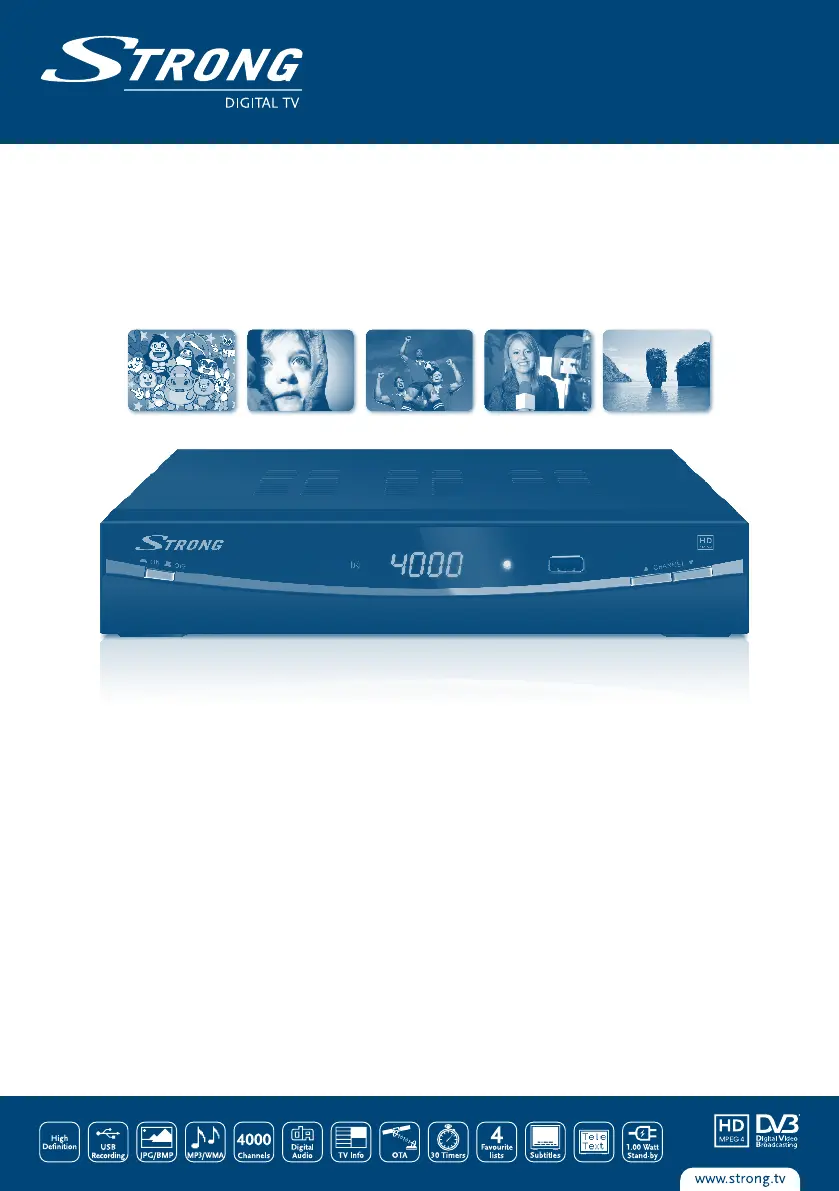
Digital High Definition
Satellite Receiver SRT 7000
Picture similar

Questions and Answers

  • H
    hollandjefferyAug 6, 2025
    Why is my Strong SRT 7000 remote not working?
    • V
      vernonsmithAug 6, 2025
      If your Strong Receiver isn't responding to the remote control, first ensure the receiver is plugged in and powered on. Then, aim the remote directly at the IR sensor on the receiver, checking for any obstructions that might be blocking the signal. Finally, replace the batteries in the remote.
  • D
    David JacksonAug 11, 2025
    How to fix no picture or sound on my Strong SRT 7000 on TV?
    • K
      Kirsten BrownAug 11, 2025
      If there's no picture or sound on your TV when using the Strong Receiver, make sure the correct input is selected on your TV. Check the cable connections between the receiver and the TV, ensuring they are firmly plugged in. Also, verify that the TV is powered on and that audio muting is not activated by pressing the MUTE button.
  • R
    Rebecca ShawAug 15, 2025
    What to do if my Strong SRT 7000 Receiver has no picture?
    • M
      Martin WilsonAug 15, 2025
      If your Strong Receiver displays a 'No picture' message, ensure the antenna cable is securely connected to the receiver. If the connection is good, try replacing the antenna cable. If the issue persists, navigate to the Installation menu to correctly set the tuner parameters. If you're using a dish, use a spectrum analyzer to check the signal strength and adjust the dish accordingly.
  • J
    James HughesAug 19, 2025
    Why does my Strong Receiver switch to STBY automatically?
    • K
      Kayla CameronAug 19, 2025
      If your Strong Receiver switches to standby automatically, the Auto Standby function may be enabled. To adjust this, go to the menu System>Auto Standby where you can change the Auto Power Down time or disable the function.
  • P
    Pamela EscobarAug 23, 2025
    How to fix Strong SRT 7000 Receiver when stand-by indicator does not light up?
    • T
      taylor26Aug 23, 2025
      If your Strong Receiver's stand-by indicator doesn't light up, start by checking that the mains lead is properly plugged in and the multipoint connector is switched on. Also, ensure that the front panel switch is in the ON position.
  • S
    stephaniebartonAug 27, 2025
    What does 'scrambled channel message' mean on Strong SRT 7000 Receiver?
    • P
      Pamela KingAug 28, 2025
      If your Strong Receiver shows a scrambled channel message, the channel you are trying to watch is scrambled. Select an alternative channel.
  • S
    Steven StuartSep 1, 2025
    Why is my Strong Receiver not recording?
    • B
      Benjamin CochranSep 1, 2025
      If your Strong Receiver isn't recording, first ensure that the USB storage device is properly connected. If it is connected, check if there is enough free space; if not, delete some data. Also, verify that the USB storage device is formatted in either FAT or FAT32 file system.

Summary

1.0 INSTRUCTION

1.1 Safety Instructions

Essential safety precautions for operating and handling the receiver to prevent hazards.

1.3 Equipment Set-up

Recommendations and steps for setting up the satellite receiver and connected equipment.

2.0 YOUR RECEIVER

2.4 Remote Control

Explanation of all buttons and their functions on the remote control unit.

3.0 CONNECTIONS

3.1 Basic connection using a Scart cable

Instructions for connecting the receiver to a TV using a SCART cable.

3.2 Basic connection using an HDMI cable

Instructions for connecting the receiver to a TV using an HDMI cable for high-definition output.

4.0 FIRST TIME INSTALLATION

4.1 Installation

Step-by-step guide for the initial setup and channel scanning of the receiver.

6.0 OPERATION

6.1 Changing channels

Methods for navigating and selecting different TV and radio channels on the receiver.

6.8 EPG (Electronic Program Guide)

Using the Electronic Program Guide to view schedules and book programs.

6.11 Instant Recording

How to start recording a program directly to a connected USB storage device.

6.12 Time Shift

Using Time Shift to pause live broadcasts and resume them later.

7.0 MAIN MENU

7.1 Program

Options for managing channels, including editing, sorting, and favorites.

7.3 Channel Search

Procedures for scanning, searching, and installing new channels and satellites.

7.7 USB

Using USB devices for media playback, recording, and configuration.

Software Update

8.0 TROUBLESHOOTING

Strong SRT 7000 Specifications

General IconGeneral
High DefinitionYes
Free to AirYes
ResolutionUp to 1080p
Input ConnectorF-type
Power Supply100-240 V AC, 50/60 Hz
TypeReceiver
OutputHDMI
ConnectivityUSB
FeaturesElectronic Program Guide (EPG)
Tuner TypeDVB-S2
Frequency Range950 MHz - 2150 MHz
Output ConnectorHDMI
Operating Temperature0°C to 40°C

Related product manuals