EasyManua.ls Logo

Strong SRT 7009 - User Manual

Strong SRT 7009
32 pages
Print Icon
To Next Page IconTo Next Page
Loading...
User Manual
Inhaltsverzeichnis
Indice
Índice
Manual do Ulizador
Uživatelská příručka
Používateľská príručka
Instrukcja obsługi
Upute za korištenje
Felhasználói kézikönyv
Kullanıcı Kılavuzu
Руководство пользователя
Посібник користувача
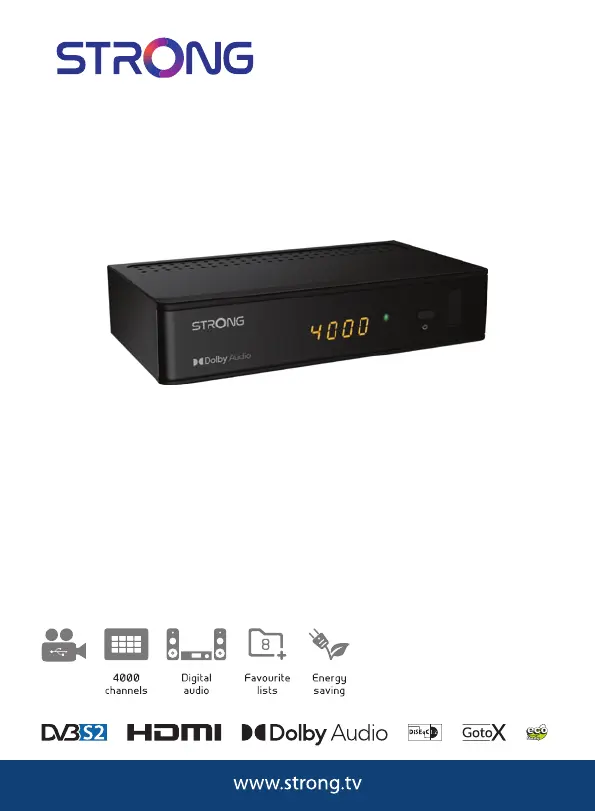
Digital HD Satellite Receiver
SRT 7009
Picture similar
USB
playback

Questions and Answers

  • M
    monicajohnsonAug 7, 2025
    What to do if my Strong Receiver remote control is not working?
    • M
      Matthew GonzalesAug 7, 2025
      If your Strong Receiver isn't responding to the remote control, here's what you can check: * Ensure the receiver is plugged in and turned on. * Aim the remote directly at the IR sensor on the receiver. * Make sure nothing is blocking the IR sensor. * Try replacing the batteries in the remote control.
  • E
    Eric BondAug 10, 2025
    Why is there no picture or sound on my Strong SRT 7009?
    • A
      Anthony CrossAug 11, 2025
      If you're not getting any picture or sound on your TV from the Strong Receiver, here's what to check: * Make sure you've selected the correct input on your TV. * Verify that the TV is plugged into the mains and that all cables between the receiver and TV are firmly connected. * Ensure audio muting is off by pressing the ! button. * Confirm that your TV is powered on.
  • S
    Spencer PhamAug 15, 2025
    What does 'scrambled channel message' mean on Strong SRT 7009 Receiver?
    • M
      meyeranthonyAug 15, 2025
      If your Strong Receiver is showing a scrambled channel message, it means the channel you're trying to watch is scrambled. To resolve this, simply select an alternative channel.
  • B
    Beth ButlerAug 20, 2025
    Why does my Strong SRT 7009 Receiver keep turning off by itself?
    • A
      Alan BrooksAug 20, 2025
      If your Strong Receiver is switching to standby automatically, it's likely because the Auto Standby function is activated and has reached its set time (default is 3 hours). You can adjust the power down time or disable this feature in the System Auto Standby menu.
  • L
    Leslie HarrellAug 25, 2025
    How to fix no picture on Strong Receiver?
    • M
      Michelle KennedyAug 25, 2025
      If you're not getting any picture on your Strong Receiver, it could be due to a few reasons: * The receiver isn't getting a signal. Check the antenna cable, try replacing it, or ensure it's tightly connected to the receiver. * Some tuner parameters might be incorrect. Set the tuner parameters correctly in the Installation menu. * The dish might be misaligned. Check the signal strength and adjust your dish accordingly.
  • A
    akennedyAug 28, 2025
    What to do if external USB HDD does not start on Strong SRT 7009 Receiver?
    • M
      Mary JenkinsAug 28, 2025
      If your external USB HDD isn't starting when connected to the Strong Receiver, it might be drawing too much power. Try connecting an extra power supply adapter to your USB HDD device.
  • M
    Michael FoxSep 2, 2025
    Why is the standby indicator not lighting up on my Strong SRT 7009 Receiver?
    • E
      Emily AllenSep 2, 2025
      If the standby indicator on your Strong Receiver isn't lighting up, it's likely due to a power issue. Check that the mains lead is properly plugged in and that the multipoint connector is switched on.

Strong SRT 7009 Specifications

General IconGeneral
TypeDigital Satellite Receiver
TunerDVB-S2
High DefinitionYes
Free to AirYes
Electronic Program Guide (EPG)Yes
Input ConnectorF-type, IEC169-24, Female
Weight0.3 kg
ConnectivityHDMI, USB
Video Resolution1080p
Tuner TypeDVB-S2
Frequency Range950 MHz to 2150 MHz
Power SupplyAC 100 - 240 V ~ 50/60 Hz

Related product manuals