EasyManua.ls Logo

Strong SRT 7015 - User Manual

Strong SRT 7015
30 pages
Print Icon
To Next Page IconTo Next Page
Loading...
DIGITAL HD SATELLITE RECEIVER
SRT 7015
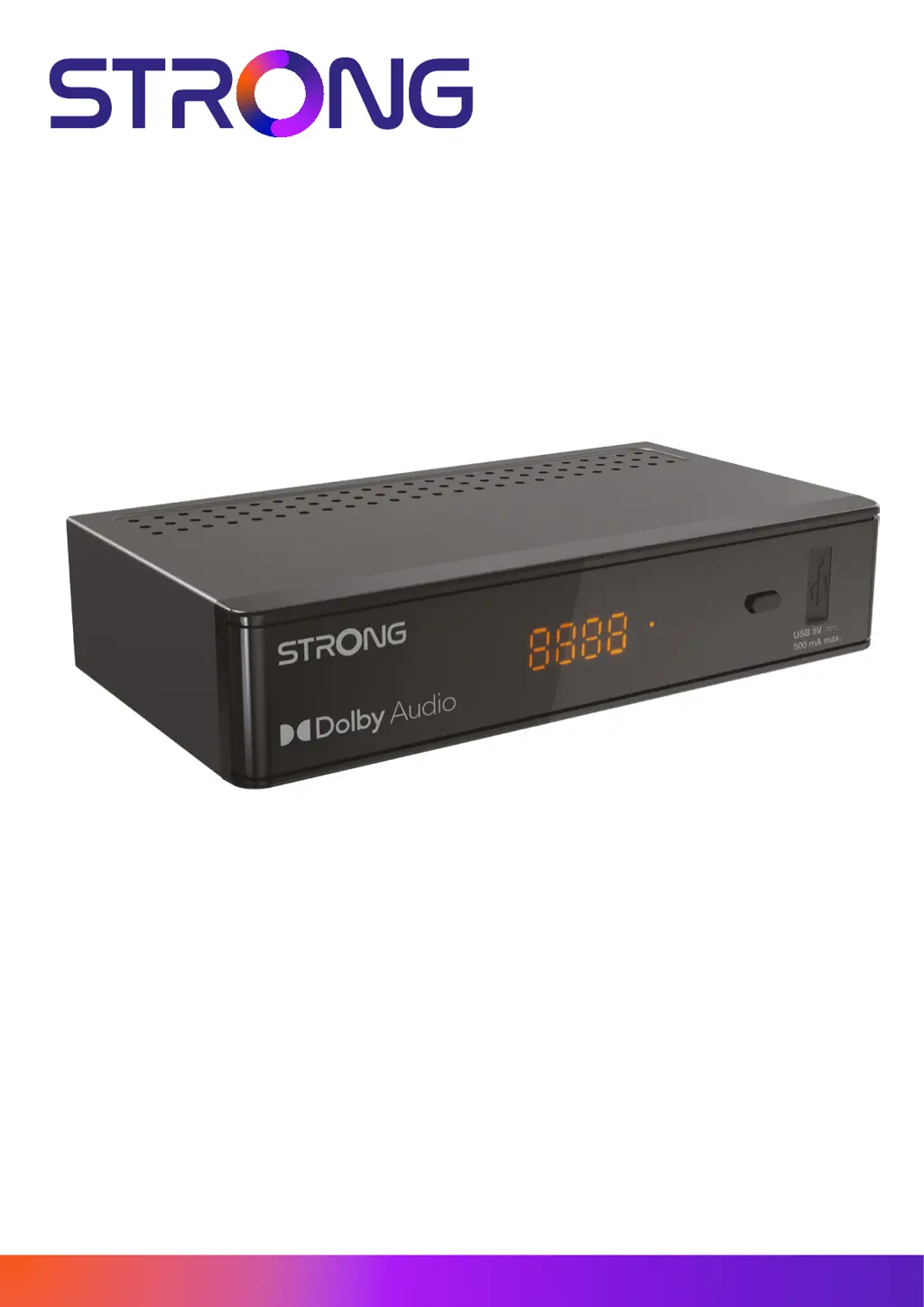
Picture similar
www.strong.tv
Bedienungsanleitung
Manuel d’utilisation
Manuale utente
Manual del usuario
Manual do utilizador
Használati útmutató
Uživatelský manuál
Brugervejledning
Brukerveiledning
Gebruiksaanwijzing
Användarhandbok
Korisnički priručnik
Ръководство на потребителя
Посібник користувача

Questions and Answers

Summary

Instruction

Safety Instructions

Essential precautions for safe operation and handling of the receiver.

Storage

Guidelines for storing the receiver and its accessories to prevent damage.

Equipment Set-up

Recommendations for professional installation and initial setup steps.

Accessories

Lists the included accessories such as remote control and batteries.

Usage of external USB devices

Instructions and considerations for using USB storage devices with the receiver.

Your Receiver

PIN Code Default

The default PIN code for accessing receiver functions and settings.

Front and Side Panel

Identification of the receiver's front panel components like LED display and USB port.

Rear Panel

Description of the rear panel connectors for SAT IN, HDMI, S/PDIF, and power.

Remote Control

Explanation of the remote control layout and button functions.

Installing the Batteries

Step-by-step guide for installing batteries in the remote control.

Using the Remote Control

Guidelines on how to properly use the remote control with the receiver.

Connections

Basic HDMI Connection

Guide for connecting the receiver to a TV using an HDMI cable.

Connecting Multiple LNBs

How to connect multiple LNBs using a DiSEqC switch for satellite reception.

Digital Audio Connection

Connecting the receiver to a digital audio amplifier via S/PDIF.

USB Storage Device Connection

Connecting a USB storage device for multimedia playback.

First Time Installation

Dish Setup

Configuration of satellite dish parameters and antenna connection.

Installation Menu

The menu for setting up satellite dish and antenna connection.

Antenna Connection

Setting up Fixed Antenna or Motor Antenna types.

Satellite List

Selecting, adding, editing, and deleting satellites from the list.

Antenna Setup

Configuring Motor Antenna or Fixed Antenna specific parameters.

Satellite Search

Performing single or multi-satellite scans for channels.

Transponder List

Managing transponder data for channel scanning.

Signal Adjust

Fine-tuning antenna alignment for optimal signal reception.

Channel Search

Automatic channel search process after initial setup.

Search Completion

What happens after the automatic channel search is completed.

Operation

Quick Guide

Basic guide to operating the receiver's main functions.

Changing Channels

Methods for navigating between channels using various controls.

Direct Access

Using number keys for direct channel selection.

Channel List Navigation

Using the channel list to find and select channels.

Navigation Buttons

Using ▲/▼ buttons for channel selection.

CH+;CH- Buttons

Using CH+/CH- buttons for channel up/down.

C Button Function

Using the C button to switch between last viewed channels.

Info Banner

Displaying channel and program information on screen.

Audio Language Selection

Selecting preferred audio tracks or languages for channels.

Teletext and Subtitles

Accessing Teletext pages and selecting subtitle languages.

EPG (Electronic Programme Guide)

Viewing program schedules and information.

Favourite Channels

Creating and managing favourite channel lists.

Main Menu

Installation Menu

Accessing and configuring satellite dish and tuner settings.

DiSEqC 1.2

Setting up motor-driven dishes with DiSEqC 1.2 protocol.

SatCR

Configuring SatCR LNBs for apartment block systems.

Single Satellite Search

Performing channel scans for a single selected satellite.

Transponder Edit Options

Editing transponder data and satellite information.

TV Channel List Management

Organizing, sorting, skipping, and moving TV and radio channels.

Multimedia

Playing video, music, and viewing image files via USB.

System Setup

Adjusting various system settings like language, time, and display.

Local Time Setting

Setting local time, date, and scheduling timer events.

Parental Lock

Implementing parental locks, changing passwords, and OSD settings.

Factory Reset

Restoring the receiver to its default factory settings.

Dump Channel List

Saving and loading channel lists, favourites, and settings to/from USB.

Troubleshooting and Specifications

Troubleshooting Common Issues

Solutions for common problems like no picture, no sound, or remote control issues.

Specifications

Detailed technical data including demodulator, video, audio, and tuner specifications.

Summary

Instruction

Safety Instructions

Essential precautions for safe operation and handling of the receiver.

Storage

Guidelines for storing the receiver and its accessories to prevent damage.

Equipment Set-up

Recommendations for professional installation and initial setup steps.

Accessories

Lists the included accessories such as remote control and batteries.

Usage of external USB devices

Instructions and considerations for using USB storage devices with the receiver.

Your Receiver

PIN Code Default

The default PIN code for accessing receiver functions and settings.

Front and Side Panel

Identification of the receiver's front panel components like LED display and USB port.

Rear Panel

Description of the rear panel connectors for SAT IN, HDMI, S/PDIF, and power.

Remote Control

Explanation of the remote control layout and button functions.

Installing the Batteries

Step-by-step guide for installing batteries in the remote control.

Using the Remote Control

Guidelines on how to properly use the remote control with the receiver.

Connections

Basic HDMI Connection

Guide for connecting the receiver to a TV using an HDMI cable.

Connecting Multiple LNBs

How to connect multiple LNBs using a DiSEqC switch for satellite reception.

Digital Audio Connection

Connecting the receiver to a digital audio amplifier via S/PDIF.

USB Storage Device Connection

Connecting a USB storage device for multimedia playback.

First Time Installation

Dish Setup

Configuration of satellite dish parameters and antenna connection.

Installation Menu

The menu for setting up satellite dish and antenna connection.

Antenna Connection

Setting up Fixed Antenna or Motor Antenna types.

Satellite List

Selecting, adding, editing, and deleting satellites from the list.

Antenna Setup

Configuring Motor Antenna or Fixed Antenna specific parameters.

Satellite Search

Performing single or multi-satellite scans for channels.

Transponder List

Managing transponder data for channel scanning.

Signal Adjust

Fine-tuning antenna alignment for optimal signal reception.

Channel Search

Automatic channel search process after initial setup.

Search Completion

What happens after the automatic channel search is completed.

Operation

Quick Guide

Basic guide to operating the receiver's main functions.

Changing Channels

Methods for navigating between channels using various controls.

Direct Access

Using number keys for direct channel selection.

Channel List Navigation

Using the channel list to find and select channels.

Navigation Buttons

Using ▲/▼ buttons for channel selection.

CH+;CH- Buttons

Using CH+/CH- buttons for channel up/down.

C Button Function

Using the C button to switch between last viewed channels.

Info Banner

Displaying channel and program information on screen.

Audio Language Selection

Selecting preferred audio tracks or languages for channels.

Teletext and Subtitles

Accessing Teletext pages and selecting subtitle languages.

EPG (Electronic Programme Guide)

Viewing program schedules and information.

Favourite Channels

Creating and managing favourite channel lists.

Main Menu

Installation Menu

Accessing and configuring satellite dish and tuner settings.

DiSEqC 1.2

Setting up motor-driven dishes with DiSEqC 1.2 protocol.

SatCR

Configuring SatCR LNBs for apartment block systems.

Single Satellite Search

Performing channel scans for a single selected satellite.

Transponder Edit Options

Editing transponder data and satellite information.

TV Channel List Management

Organizing, sorting, skipping, and moving TV and radio channels.

Multimedia

Playing video, music, and viewing image files via USB.

System Setup

Adjusting various system settings like language, time, and display.

Local Time Setting

Setting local time, date, and scheduling timer events.

Parental Lock

Implementing parental locks, changing passwords, and OSD settings.

Factory Reset

Restoring the receiver to its default factory settings.

Dump Channel List

Saving and loading channel lists, favourites, and settings to/from USB.

Troubleshooting and Specifications

Troubleshooting Common Issues

Solutions for common problems like no picture, no sound, or remote control issues.

Specifications

Detailed technical data including demodulator, video, audio, and tuner specifications.

Strong SRT 7015 Specifications

General IconGeneral
Flash memory4 MB
Internal memory64 MB
Signal sourceSatellite
Supported video modes480i, 480p, 576i, 576p, 720p, 1080i, 1080p
Digital signal format systemDVB-S, DVB-S2
Personal Video Recorder (PVR) included-
AC input voltage100 – 240 V
AC input frequency50/60 Hz
Power consumption (typical)- W
Storage temperature (T-T)-10 - 70 °C
Operating temperature (T-T)0 - 40 °C
Operating relative humidity (H-H)10 - 95 %
AC adapter includedYes
Ethernet LANNo
Tuner typeDigital
Demodulation8PSK, QPSK
Product colorBlack
Audio decodersDolby Digital, Dolby Digital Plus
Frequency range950 - 2150 MHz
Number of tuners- tuner(s)
Channels quantity2000 channels
Audio output channels2.0 channels
Digital Satellite Equipment Control (DiSEqC)1.2, 1.3
Composite video out1
USB 2.0 ports quantityUSB 2.0 ports have a data transmission speed of 480 Mbps, and are backwards compatible with USB 1.1 ports. You can connect all kinds of peripheral devices to them.
Audio formats supportedAC3
Video formats supportedH.264, MPEG2, MPEG4
Weight and Dimensions IconWeight and Dimensions
Depth41 mm
Width171 mm
Height104 mm
Weight260 g

Related product manuals