EasyManua.ls Logo

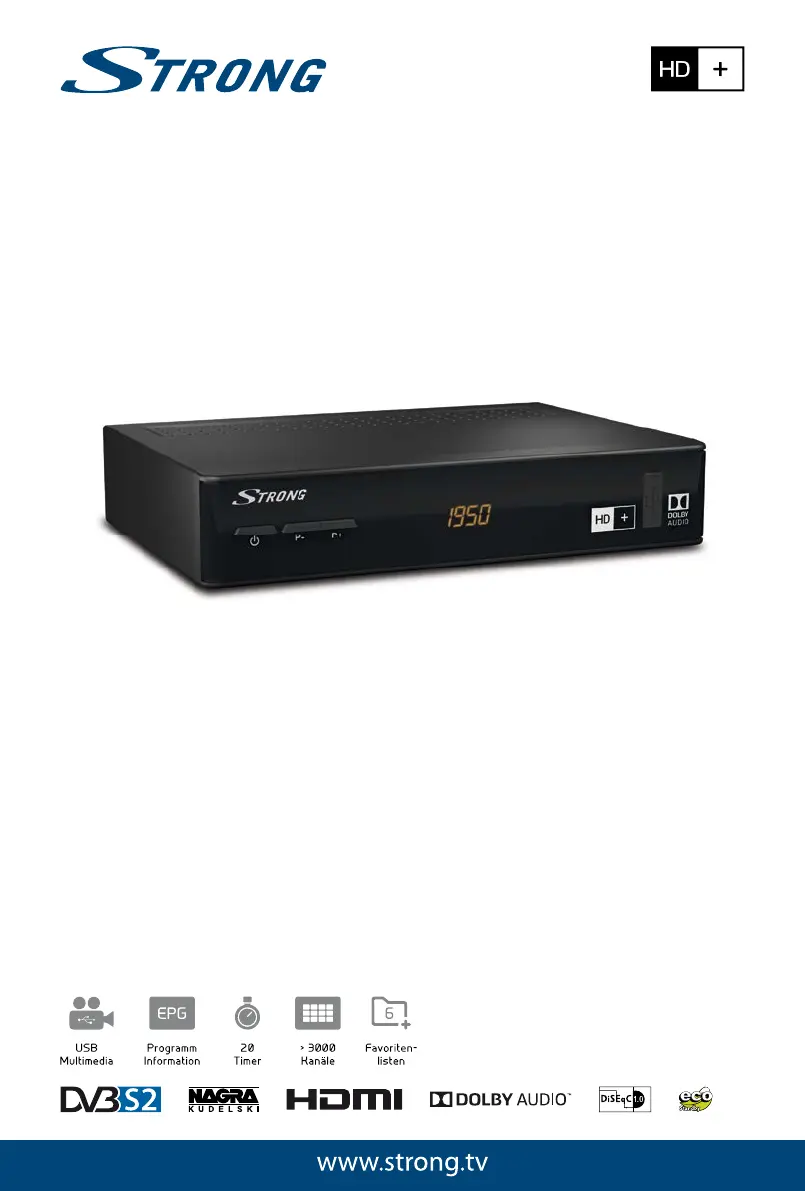
Strong SRT 7806 - User Manual

Strong SRT 7806
32 pages
Print Icon
To Next Page IconTo Next Page
Loading...
Bedienungsanleitung
User Manual
Kullanıcı Kılavuzul
Digitaler HD+ Satelliten Receiver
SRT 7806

Questions and Answers

  • R
    Raven MurphyAug 6, 2025
    Why is my Strong SRT 7806 Receiver not responding to the remote control?
    • K
      Kelly MilesAug 6, 2025
      There could be several reasons why your Strong Receiver isn't responding to the remote control: * The receiver might be off. Ensure it's plugged in and turned on. * The remote might not be aimed correctly. Aim the remote directly at the IR sensor on the receiver. * Something might be blocking the IR sensor. Check for any obstructions. * The batteries in the remote might be dead. Try replacing them.
  • K
    Kathleen RobertsAug 10, 2025
    What to do if my Strong SRT 7806 Receiver has no image, sound, or display?
    • J
      John MckeeAug 10, 2025
      If your Strong Receiver has no image, sound, or display, consider the following: * Check the connection cables to ensure they are properly connected. * If there is a short circuit in coaxial cable, disconnect device from mains power supply, eliminate the short circuit in the coaxial cable or connections, reconnect, and activate device. * Make sure all cables are present and not defective. Replace any faulty cables. * Verify that the selected video format in the OSD settings is supported by your TV.
  • S
    Sheila MooreAug 15, 2025
    Why does my Strong Receiver switch to standby automatically?
    • H
      Harold SteeleAug 15, 2025
      Your Strong Receiver might be switching to standby automatically because the Auto Standby function is activated and has reached its set time (default is 3 hours). To resolve this, set a longer power down time or disable the Auto Standby function in the SettingsTime Setting menu, specifically the Auto Standby After parameter.
  • M
    Melissa MurphyAug 19, 2025
    What to do if I see small blocks in the video, and sometimes no sound or signal on my Strong SRT 7806 Receiver?
    • D
      dwayne91Aug 19, 2025
      If you're experiencing small blocks in the video, intermittent sound, or signal loss on your Strong Receiver, the signal might be too weak. Check for defective cables or connectors. You can also try reducing the length of the coaxial cable.
  • K
    Kristina AllenAug 25, 2025
    Why does my Strong SRT 7806 show a scrambled channel message?
    • H
      Heather MitchellAug 25, 2025
      If your Strong Receiver displays a 'scrambled channel' message, it means the channel you're trying to watch is scrambled. Simply select an alternative channel.
  • D
    Donald RamirezAug 27, 2025
    How to fix Strong Receiver if the external USB HDD does not start?
    • J
      Johnny OconnorAug 27, 2025
      If your external USB HDD isn't starting when connected to your Strong Receiver, it might be due to high power consumption. Try connecting an extra power supply adapter to your USB HDD device.
  • K
    Kelly SpenceSep 1, 2025
    What to do if the standby indicator does not light up on my Strong SRT 7806 Receiver?
    • S
      Steven RodriguezSep 1, 2025
      If the standby indicator on your Strong Receiver isn't lighting up, it could be due to the mains lead being unplugged or the multipoint connector being switched off. Check the mains lead and switch the multipoint connector on.

Summary

Introduction

Safety Instructions

Essential safety guidelines for using the receiver and avoiding hazards.

Your Receiver

Remote Control Functions

Connections and Setup

Antenna and LNB Connection

How to connect the satellite antenna and LNB to the receiver's SAT IN port.

HDMI Cable Connection

How to connect the receiver to a TV using an HDMI cable for video output.

Main Power Connection

Connecting the receiver to the main power supply using the adapter.

First Time Setup

Antenna Settings

Configuring the receiver for satellite antenna reception.

Channel Search

Scanning for available channels after initial setup.

Receiver Operation

Selecting Channels

Methods for changing channels, including direct access and channel list.

Using the Channel List

Navigating and filtering the channel list to find desired channels.

Volume Control

Adjusting the audio volume and muting the sound.

Electronic Programme Guide (EPG)

Using the EPG to view schedules, get programme info, and set timers.

Booking Programmes from EPG

How to book a programme via EPG for timer recording or reminders.

Favourite Channels

Organizing and accessing channels into favourite groups.

Main Menu Navigation

TV Manager

Managing channels: editing, deleting, locking, and organizing favourites.

Settings Menu

Output Settings

Configuring video and audio output parameters for TV and amplifier.

PIN Code Management

Managing PIN codes for program locks and parental controls.

Timer Settings

Setting timers for automatic channel switching or recording events.

Software Update (OTA)

Updating the receiver's software via over-the-air broadcast.

Multimedia Playback

Installation Menu

Channel Search

Performing channel scans for HD+ or other satellites and transponders.

Troubleshooting

Strong SRT 7806 Specifications

General IconGeneral
BrandStrong
ModelSRT 7806
CategoryReceiver
LanguageEnglish

Related product manuals