5
English
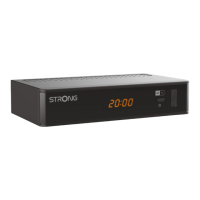
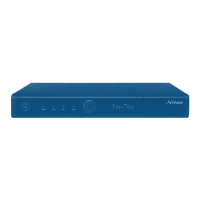
3. HDMI To connect to the HDMI input of your TV set using a good quality HDMI cable
4. TV SCART To connect to TV using a SCART cable
5. Ethernet To connect to a network switch, router or modem
6. DC POWER To connect to the original included main power adapter (Input ~230 V 50~60 Hz/
Output 12 V, 1.5 A DC
)
2.5 Remote Control
Fig. 4
1. q Turns the receiver ON/Standby
2. ! To turn the sound on or off
3. 0~9 Channel number and numeric value input
4. TV/R Toggles between TV and radio mode
5.
No function
6. FAV To access your favourite channels. Toggles between available favourite groups
7.
To switch between the last viewed channels
8. AUDIO Displays the audio selection menu with selections for available languages and
audio modes
9. INFO Press to display channel number/name and current/coming information. Press
twice to display detailed event information.
10. EPG Viewing mode: Displays the EPG (Electronic Program Guide)
11. pq Switches to the next/previous channel in viewing mode, switches to the next/
previous page in channel list or moving the highlight up/down in the menu
12. OK Viewing mode: Displays the channel list. Menu: activation of the highlighted item
13. tu Decreasing/increasing the volume level in viewing mode/navigating through the
menus/changing values of settings in a menu
14. MENU To open the main menu in viewing mode or to go one step back in the menu
15.
Cancellation of current process/exit from main menu to viewing mode
16. VOL+/ Increases/decreases the volume level in TV mode
17. P+/P Jumps 10 places up or down in channel list or any other list.
18. LIST Displays the channel list.
19. CH+/ Channel up/down
20. OPT Quick Screen setting
21. TEXT To open Teletext if available on the current channel.
22. SUB To select subtitles language out of available ones on the current channel
23. Mail list
24. 2 Hold play during playback
25. 5 Searches backwards during playback. Each pressing increases the speed (x2 – x32)
26. 6 Searches forwards during playback. Each pressing increases the speed (x2 – x32)
27. 4 No function.
28. u Starts/resumes the playback
29. 7 Jumps to the previous file during playback.
30. 8 Jumps to the next file during playback.
31. 3 Stops playback of multimedia files
32. RED Flexible functions in OSD menu and Teletext.
33. GREEN Flexible functions in OSD menu and Teletext.
Changes the picture resolution in viewing mode.
34. YELLOW Flexible functions in OSD menu and Teletext.
Changes the picture Aspect Ratio in viewing mode.
35. BLUE In viewing mode: displays the schedule menu for easy setup timers; Flexible
functions in OSD menu and Teletext.



 To Next Page