EasyManua.ls Logo

Strong SRT 7815 - User Manual

Strong SRT 7815
28 pages
Print Icon
To Next Page IconTo Next Page
Loading...
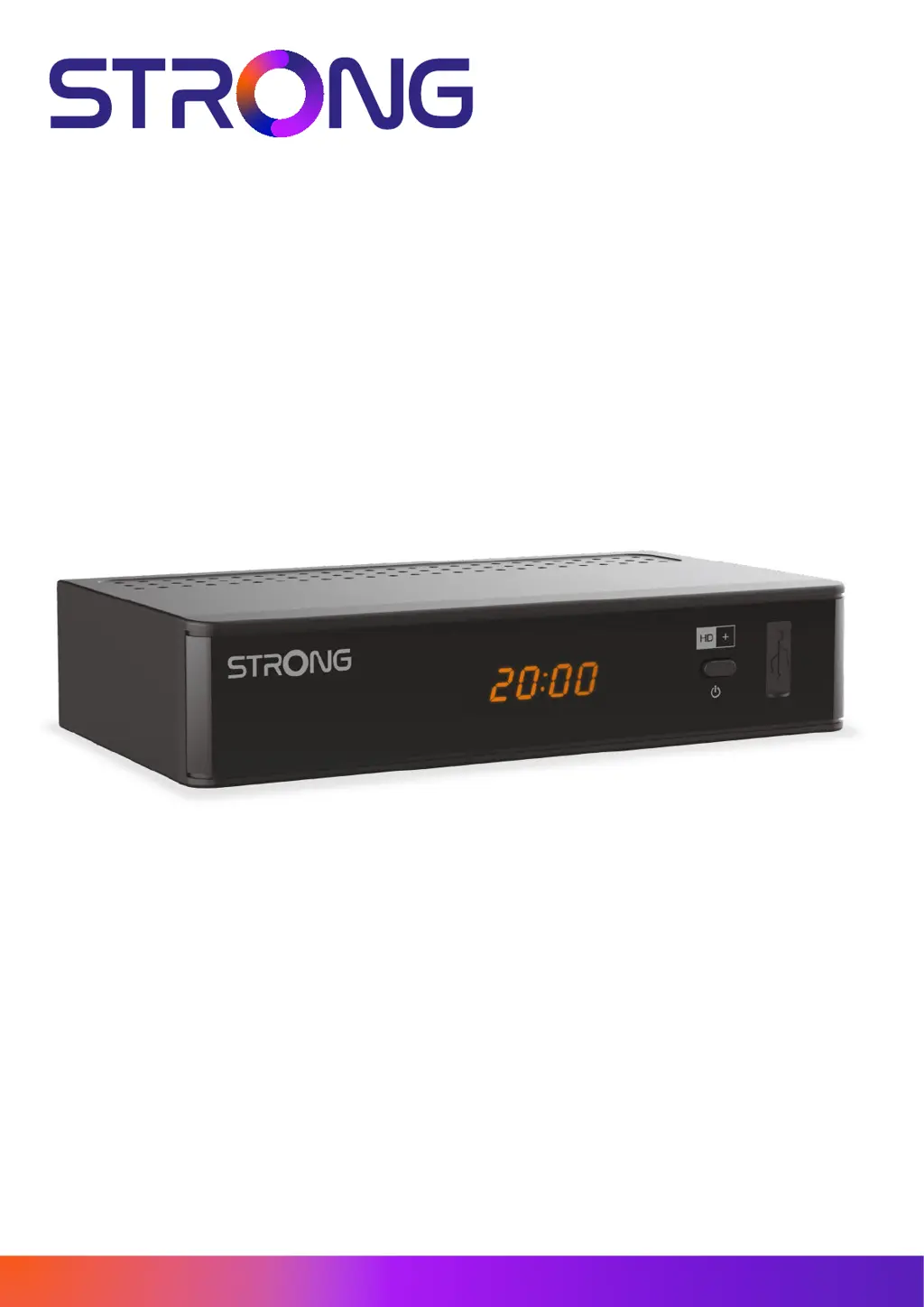
DIGITAL SATELLITE HD+ RECEIVER
SRT 7815
Picture similar
www.strong-eu.com
User Manual
Bedienungsanleitung
Kullanım Kılavuzu

Table of Contents

Questions and Answers

  • V
    Vincent ZamoraAug 7, 2025
    What to do if my Strong SRT 7815 Receiver remote control is not responding?
    • I
      ihaleyAug 7, 2025
      If your Strong Receiver isn't responding to the remote, several factors could be the cause. First, ensure the receiver is plugged in and turned on. Then, make sure you're aiming the remote directly at the IR sensor on the receiver, and that nothing is blocking the sensor. Finally, try replacing the batteries in the remote.
  • B
    Bridget SilvaAug 11, 2025
    What to do if there is no image, no sound, no display on my Strong SRT 7815?
    • L
      Lisa GarciaAug 11, 2025
      If your Strong Receiver shows no image, sound, or display, begin by checking the connection cables to ensure they are properly connected. Also, verify that your connecting cables aren't defective. Finally, confirm that the video format selected in the receiver's settings is supported by your TV.
  • J
    Jasmine HallAug 15, 2025
    Why does my Strong SRT 7815 switch to standby automatically?
    • J
      Joseph HarperAug 16, 2025
      The Strong Receiver might be switching to standby automatically because the Auto Standby function is activated and has reached its set time, which defaults to 3 hours. To resolve this, either adjust the power down time or disable the Auto Standby feature within the SettingsTime Setting menu, specifically the Auto Standby After parameter.
  • I
    iwhiteAug 20, 2025
    What to do if I see small blocks in the video of my Strong Receiver?
    • C
      Cameron MullenAug 20, 2025
      If you're experiencing small blocks in the video, intermittent sound loss, or occasional signal drops with your Strong Receiver, the signal might be too weak. Check for any defects in your cables or connectors. You might also try reducing the length of the coaxial cable.
  • O
    Olivia HartmanAug 25, 2025
    What to do if my Strong SRT 7815 shows a scrambled channel message?
    • A
      Andrea LarsonAug 25, 2025
      If your Strong Receiver displays a 'scrambled channel' message, the current channel is likely scrambled. Simply select an alternative channel to resolve this issue.
  • D
    Dr. Gregory RosalesAug 28, 2025
    How to fix Strong Receiver if the external USB HDD does not start?
    • A
      Andrew SheltonAug 28, 2025
      If the external USB HDD is not starting with your Strong Receiver, it might be due to high power consumption. Try connecting an extra power supply adapter to your USB HDD device.
  • S
    Shannon BerrySep 1, 2025
    Why the standby indicator does not light up on my Strong SRT 7815 Receiver?
    • M
      Michael DuncanSep 1, 2025
      If the standby indicator on your Strong Receiver isn't lighting up, it could be due to the mains lead being unplugged or the multipoint connector being switched off. Make sure the mains lead is properly plugged in and switch the multipoint connector on.

Strong SRT 7815 Specifications

General IconGeneral
TypeDigital Satellite Receiver
High Definition (HD)Yes
Free To Air (FTA)Yes
Electronic Program Guide (EPG)Yes
USB RecordingYes
TunerDVB-S2
Tuner TypeSingle
Input ConnectorF-Type
ConnectivityHDMI, USB
Video Resolution1080p, 1080i, 720p, 576p, 576i
FeaturesTeletext, Parental Control
Frequency Range950 MHz - 2150 MHz
Power Supply100 – 240 V AC 50/60 Hz

Related product manuals