13
4 STARTING UP FOR THE FIRST TIME
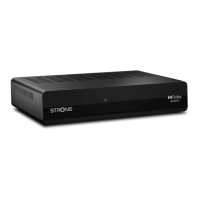
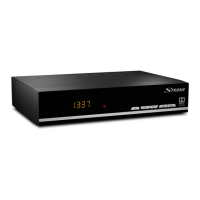
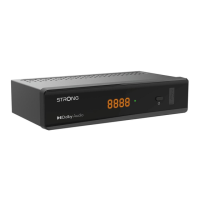
Once you properly installed and connected all cables of the receiver, setup your receiver step by step by First
Time Installation procedure.
It will guide you through the basic installation and channel searching process.
Please, switch on your TV and select the correct input source and switch aswel on the receiver.
4.1 Language setting
Select rlsty here your preferred language for the on-screen menu.
Menu language Select you preferred language for menu on screen.
Audio language Select you preferred audio language for audio track if availeble.
Subtitle language Select you preferred subtite language for subtiles on screen if availeble.
Teletext language Select which character type is used by the belonging language.
Use t u to change menu language and use p q for next step.
If all selection set are as you wish, press OK to conrm your selections.
4.2 Output settings
In this menu you can select output settings which you like to use for connected TV screen.
TV display Select screen between type 16:9 or 4:3 for old models.
Keep selection to Auto for new at Tv screens.
Resolution Select screen resolution matching with connected TV screen.
Audio output Select PCM for only stereo audio.
Select Bitstream for stereo and Dolby audio if availeble.
SCART Select CVBS for combined colors.
Select RGB for seapparted colors if SCART cable is used.
HDCP Keep selection to On for new modern TV screens.
Only for unprotected content in low resolution select O.
Use t u to change and use p q for next step.
If all selection set are as you wish, press OK to conrm your selections.
4.2.1 Satellite selection
To set up the receiver for the type of connected antenna, follow the instructions below.
You have technical possibility to congure your receiver to get signal from more satellites and to use on
dierent antenna systems. The HD+ channels for Germany are broadcasting on ASTRA 19.2 East satellite. The
most commen settings are set as default. If signals levels are there and settings looks correct. Press directly
OK to proceed with channel installation.
Satellite name Please, keep selection to this satellite ASTRA 19.2 to enabled to receive these HD+
and Germany channels.
Transponder Select other transponders if you like to check and test signal levels.
DiSEqC Select which antenna system you connected to. Direct connection to LNB select
None. Antenna systems with more connections select DiSEqC 1.0 Specally more home
systems can select Sat CR or dCss. In this case, better check with your local installer
or landlord of building.
DiSEqC port Select which port ASTRA 19.2 satellite is connected.
LNB power Normal is power for LNB / Antenna set to On. In some special cases you can switch
to O.


 To Next Page