11
A Connect the LNBs of your xed antenna to the inputs of a DiSEqC 1.0 switch using a good quality coaxial
cable and suitable ‘F-connectors’.
B Connect the output or “to receiver” of the DiSEqC 1.0 switch to the SAT IN connector on your receiver. Use
good quality coaxial cable and suitable “F-connectors”.
C Plug the power adapter jack to the receiver and the other end to a suitable wall outlet.
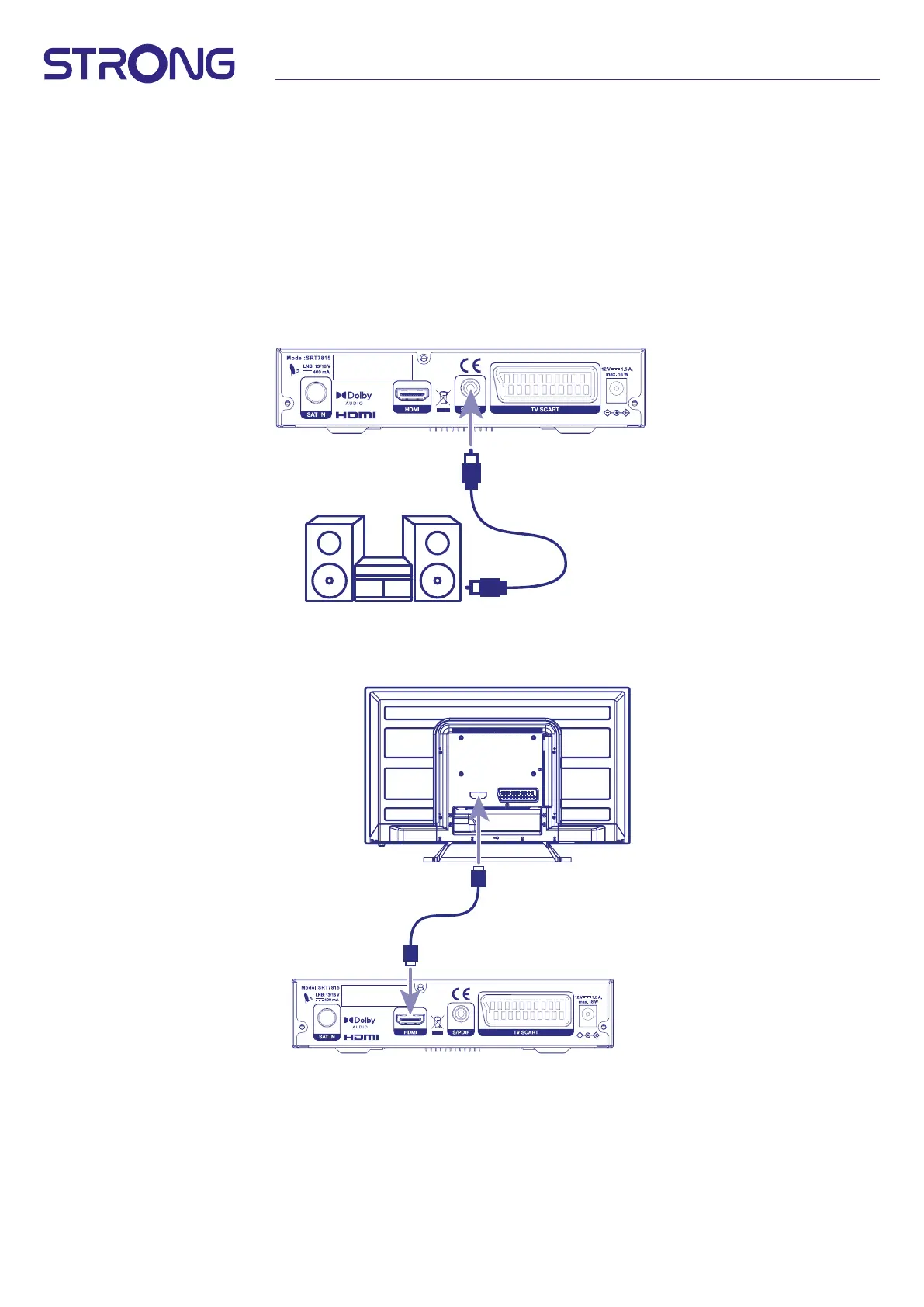
3.2 Connecting to digital audio amplier
Connect one end of a good quality coaxial audio cable to the S/PDIF output of your receiver and the other
end to the coaxial audio input of your home theatre, amplier or any other device supporting digital audio.
Fig. 7 b
IN LIZENZ VON DOLBY LABORATORIES
GEFERTIGT. DOLBY, DOLBY AUDIO
UND DAS DOPPEL-D-SYMBOL SIND
EINGETRAGENE MARKEN
DER DOLBY LABORATORIES
LICENSING CORPORATION.
Digital audio amplifier
3.3 Basic connection using an HDMI cable
Fig. 8 a
IN LIZENZ VON DOLBY LABORATORIES
GEFERTIGT. DOLBY, DOLBY AUDIO
UND DAS DOPPEL-D-SYMBOL SIND
EINGETRAGENE MARKEN
DER DOLBY LABORATORIES
LICENSING CORPORATION.
a. Connect the LNB of your satellite antenna to the SAT IN connector of your receiver using a good quality
coaxial cable and suitable ‘F-connector’ plugs.
b. Connect one end of a good quality HDMI cable to the HDMI output on your receiver and the other end to
the HDMI input of your TV.
c. Plug the power adapter to a suitable wall outlet.


 To Next Page