6
We as supplier cannot guarantee compatibility with all types of USB storage devices.
It is advised not to store important information on USB storage devices used with the receiver. Always
make backups of data on your USB storage device before using it with this receiver. We as supplier will
not take responsibility for any loss of information or circumstances caused by loss of information.
Please ensure that either the USB device is already formatted to FAT32
We as supplier cannot guarantee the playback of all les although extensions are listed, as it depends on
le size, codec, bit rate and resolution.
2. YOUR RECEIVER
2.1 DEFAULT PIN-CODE: 0000
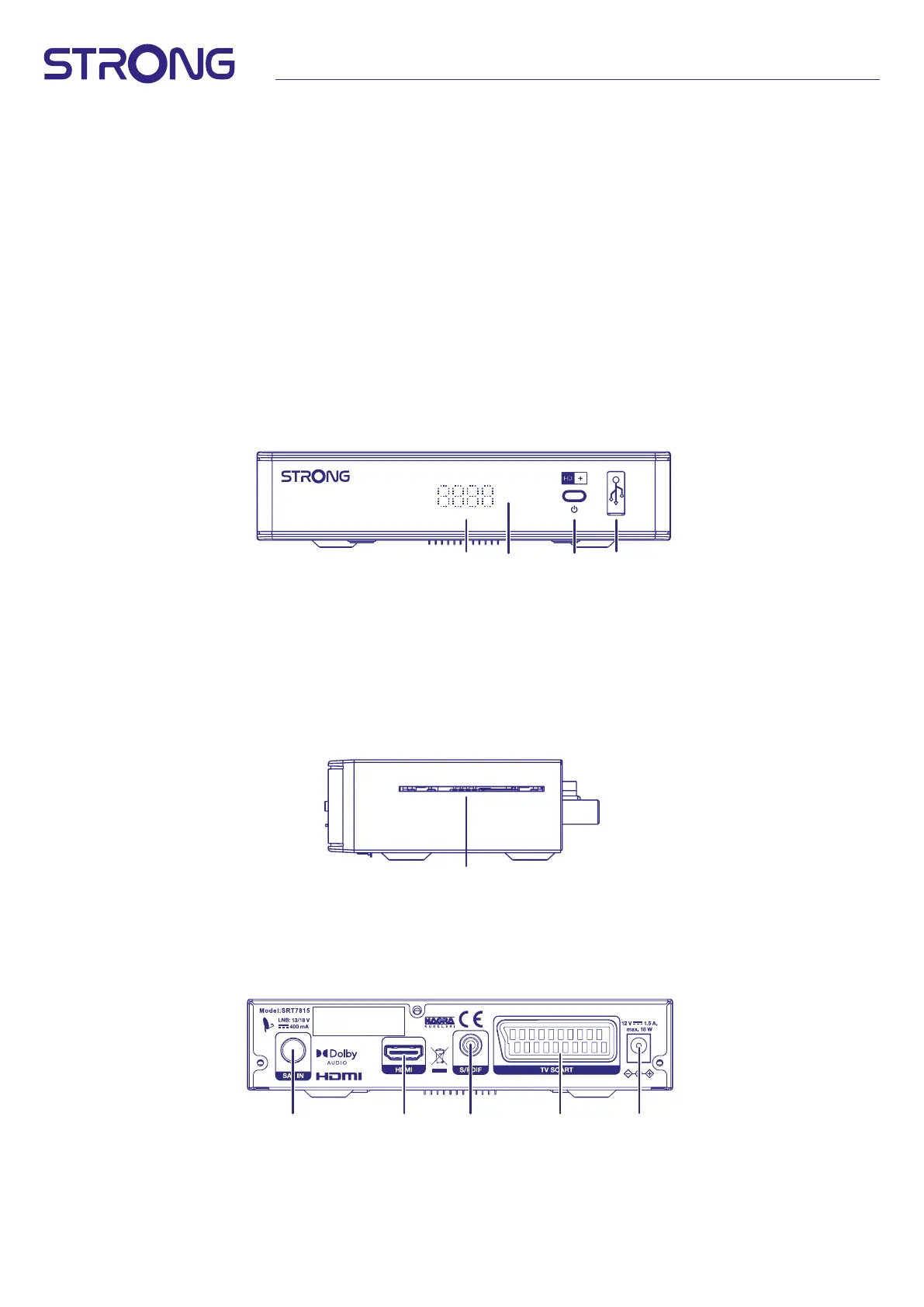
2.2 Front Panel
Fig.1
1
2
3 4
1. LED Display Displays channel number, time and status.
2. Standby indicator: Shows power state of the receiver: Red LED - receiver is in standby mode
3. Power button Switch the receiver to Standby or On
4. USB To connect your USB storage device
2.3 Side Panel
Fig.2
1
1. Smart card slot To insert your HD+ smart card with the golden chip facing down.
2.4 Rear Panel
Fig. 3
IN LIZENZ VON DOLBY LABORATORIES
GEFERTIGT. DOLBY, DOLBY AUDIO
UND DAS DOPPEL-D-SYMBOL SIND
EINGETRAGENE MARKEN
DER DOLBY LABORATORIES
LICENSING CORPORATION.
1 2
5
43
1. SAT IN To connect to the LNB of your satellite antenna for reception of satellite
broadcast signal
2. HDMI To connect to the HDMI input of your TV set using a good quality HDMI cable
3. S/PDIF (coax.) To connect to a digital amplier or home theatre using a coaxial cable


 To Next Page