EasyManua.ls Logo

Strong SRT 7100 - User Manual

Strong SRT 7100
23 pages
Print Icon
To Next Page IconTo Next Page
Loading...
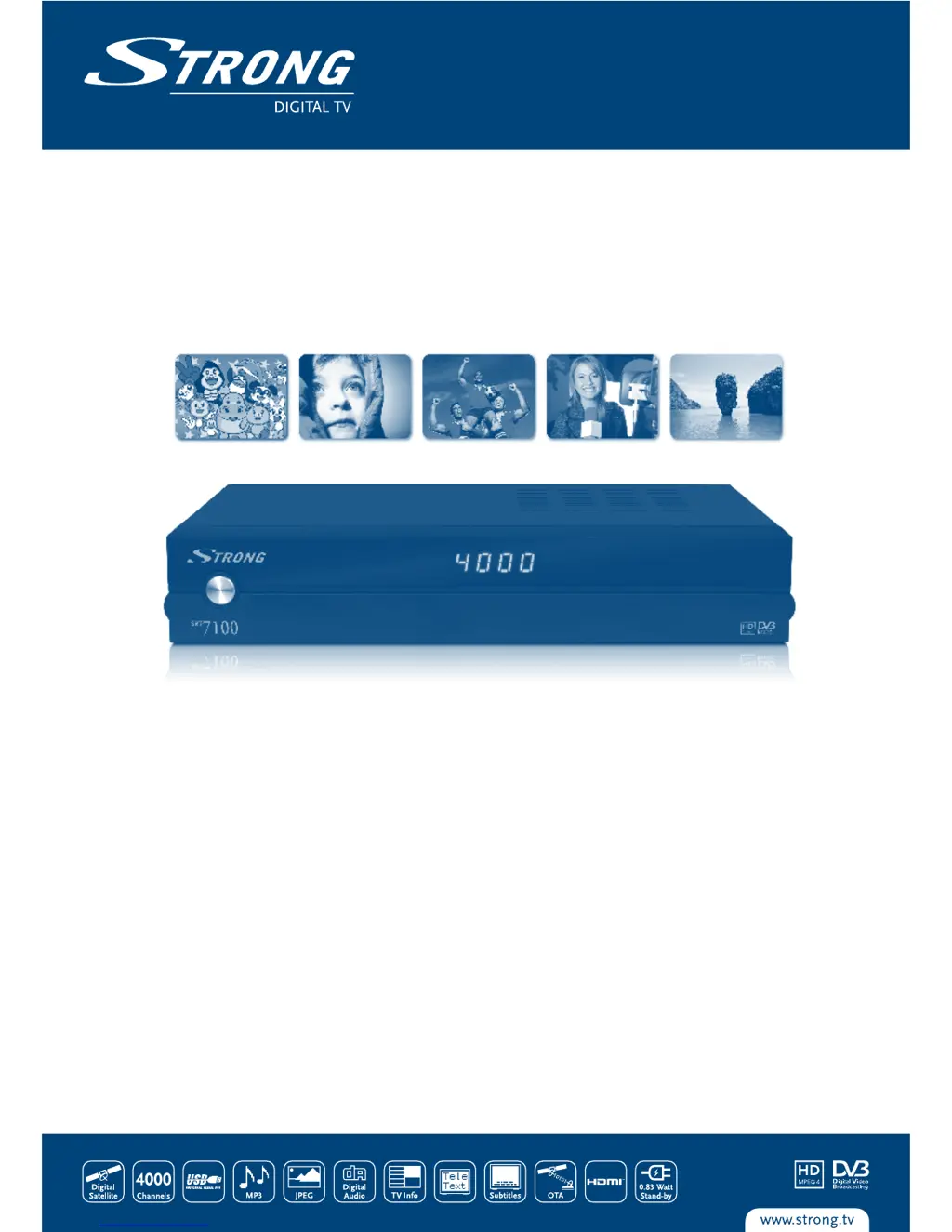
Digital High Definition
Satellite Receiver SRT 7100
Picture similar
User Manual

Questions and Answers

  • G
    garzalindaAug 6, 2025
    How to fix no picture on Strong SRT 7100?
    • W
      wtrujilloAug 6, 2025
      If you're experiencing a 'no picture' issue with your Strong Receiver, it could be due to a few reasons. First, check the antenna cable to ensure it's properly connected to the receiver, and replace it if necessary. You may also need to correctly set the values of tuner parameters in the menu under Installation> Satellite Settings. Also, ensure that the dish is correctly aligned by checking the signal strength with a spectrum analyzer and adjusting it accordingly.
  • A
    anne12Aug 10, 2025
    What to do if there is no picture or sound on my Strong SRT 7100?
    • L
      Luis PhillipsAug 11, 2025
      If you're not getting any picture or sound from your Strong Receiver, there might be a few things to check. First, ensure that the Audio/Video output of the receiver is correctly connected to your TV, and verify the settings in the menu under Setup> Output Options. Also, make sure that audio muting is off by pressing the MUTE button. Finally, verify that your TV is powered on.
  • T
    thomasdeborahAug 15, 2025
    Why is my Strong SRT 7100 remote control not working?
    • R
      Robert GlennAug 15, 2025
      If your Strong Receiver remote control isn't working, the batteries might be the issue. Check if the batteries are correctly inserted or exhausted. If they are exhausted, replace them.
  • R
    Rita FrancoAug 19, 2025
    How to turn on display on Strong SRT 7100 Receiver?
    • Y
      ydavisAug 19, 2025
      If the display on the front panel of your Strong Receiver doesn't light up, first, make sure the power cord is securely plugged into the wall outlet and that the power switch on the rear panel is in the ON position. Also, check if the receiver is in STBY mode and if the display function is switched OFF in the menu under Setup>Time Setting>Time Display.
  • J
    Joseph TranAug 23, 2025
    Why does my Strong SRT 7100 switch to STBY automatically?
    • J
      jesus09Aug 23, 2025
      If your Strong Receiver is automatically switching to STBY, the Auto Power Down function may be activated. You can adjust the Auto Power Down time or disable it altogether in the menu under Setup>Time Setting.
  • S
    Sharon GutierrezAug 27, 2025
    What to do if USB storage device is not working properly with Strong SRT 7100?
    • M
      Melissa JacksonAug 27, 2025
      If your USB storage device isn't working properly with your Strong Receiver, it might be due to incorrect formatting. Try formatting the USB device using the receiver in the menu under Channel>File Explorer.
  • N
    Natalie SilvaSep 1, 2025
    Why does my external USB HDD not start on Strong Receiver?
    • N
      Nicole WilliamsSep 1, 2025
      If your external USB HDD isn't starting on your Strong Receiver, it could be due to high power consumption. Try connecting an extra power supply adapter to your USB HDD device.

Summary

Introduction and Safety

Safety Instructions

Details precautions for receiver installation, usage, and maintenance to prevent hazards and warranty voiding.

Equipment Setup and Receiver Overview

Equipment Setup Procedures

Outlines steps for setting up the receiver and explains symbols used in the manual.

Front Panel Controls and Indicators

Identifies and describes the functions of buttons and displays on the receiver's front panel.

Rear Panel and Remote Control Details

Rear Panel Connectivity Explained

Details all input/output ports on the receiver's back panel and their functions.

Remote Control Button Functions

Explains the purpose and operation of each button on the provided remote control.

Initial Receiver Setup Wizard

Signal Adjustment for Dish Alignment

Instructions for fine-tuning dish alignment for optimal satellite signal strength and quality.

Recording, Timeshift, and Main Menu

Instant Recording Feature

How to record the current program directly from the receiver.

Timeshift Live Pause Function

Explanation of the Timeshift feature for pausing and resuming live broadcasts.

Channel Scanning Procedures

Automatic Satellite Scan Guide

Steps for performing an automatic channel scan across selected satellites.

Media Playback and Timer Scheduling

Timer Setup for Recordings

How to schedule timers for automatic recordings or channel switching.

Advanced Functions and System Info

USB System Update Procedure

Procedures for performing system upgrades or exporting channel lists via USB.

Software Updates and Factory Reset

Factory Resetting the Receiver

Guide to resetting the receiver to factory default settings, including PIN entry.

Troubleshooting Common Issues

Display and Picture;Sound Problems

Solutions for common issues like no display, no picture, or no sound.

Remote Control and USB Device Issues

Troubleshooting steps for problems with the remote control and USB storage devices.

Technical Specifications

Demodulator, Video, and Audio Specs

Detailed technical specifications for demodulator, video, and audio decoding.

Tuner and System Memory Details

Technical specifications for the tuner, CPU, flash memory, and system memory.

Strong SRT 7100 Specifications

General IconGeneral
Tuner TypeDVB-S2
High Definition (HD)Yes
Free to Air (FTA)Yes
Electronic Program Guide (EPG)Yes
TypeReceiver
ConnectivityUSB
Video Resolution1080p
Video OutputHDMI
Audio OutputRCA
Power Supply12V DC
Input Frequency Range950-2150 MHz
DiSEqC1.0, 1.1, 1.2
Video DecodingMPEG-2, H.264
Audio DecodingMPEG-1 Layer I/II
USB PortYes

Related product manuals