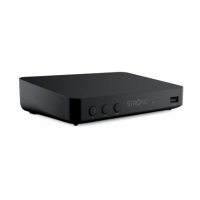
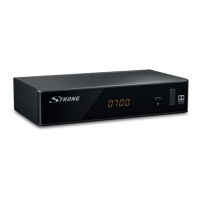
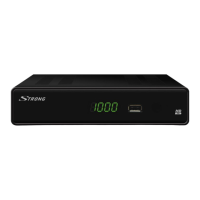
This document serves as a comprehensive user manual for the Strong Digital Terrestrial HD Receiver, model SRT 8209, providing detailed instructions for its setup, operation, and maintenance. The receiver is designed to provide high-definition digital terrestrial television reception, offering a range of features to enhance the viewing experience.
Function Description
The Strong SRT 8209 is a Digital Terrestrial HD Receiver, primarily functioning to receive and decode digital terrestrial broadcast signals (DVB-T2). It supports high-definition video output, allowing users to enjoy clear and crisp images on compatible televisions. The receiver is equipped with various connectivity options, including HDMI and SCART, to ensure compatibility with a wide range of TV sets.
A key function of this receiver is its ability to record TV programmes. Users can connect an external USB storage device (HDD recommended) to the receiver to enable instant recording of live broadcasts or schedule recordings via the Electronic Programme Guide (EPG). The Timeshift function further enhances recording capabilities by allowing users to pause, rewind, and fast-forward live TV, providing flexibility in how they consume content.
The receiver also features multimedia playback capabilities. When a USB storage device is connected, users can play back various file types, including MP3 audio, JPG images, and different video formats. This transforms the receiver into a versatile media hub, allowing access to personal media collections directly through the TV.
Network connectivity is provided via an Ethernet LAN port, enabling access to simple network applications. While the manual does not detail specific applications, it indicates that these functions require a working internet connection and proper network settings.
Usage Features
The SRT 8209 offers a user-friendly interface and a comprehensive remote control for easy navigation and operation.
- Channel Management: Users can change channels using the up/down buttons, direct numerical input (0-9 buttons), or by accessing the channel list via the OK button. The receiver supports channel skipping, locking (with a default PIN 1234), moving, and renaming. Channels can also be organized into up to four different favourite groups for personalized viewing.
- Electronic Programme Guide (EPG): The EPG provides a detailed schedule of upcoming programmes, allowing users to view event information and easily mark programmes for recording. The EPG can be accessed via a dedicated button on the remote control.
- Audio and Subtitle Selection: For channels supporting multiple audio formats or languages, users can select their preferred audio stream using the AUDIO button. Similarly, subtitle languages can be chosen via the SUB button.
- Teletext: A fully featured Teletext function is available, accessible via the TEXT button. Users can input page numbers, navigate with up/down buttons, and use coloured buttons for quick access to selected pages.
- Timeshift and Recording: The II/TIMESHIFT button activates the Timeshift function, enabling pausing and resuming of live broadcasts. The dedicated record button initiates instant recording, while scheduled recordings are managed through the EPG.
- Picture Settings: The receiver allows adjustment of various picture settings to match the TV set, including Aspect Ratio (4:3 Letterbox, 4:3 Pan&Scan, 4:3 Full, 16:9 Widescreen, 16:9 Pillarbox, 16:9 Pan&Scan, Auto) and TV Format (PAL, NTSC).
- Time Settings: Users can set their time zone, with an option for automatic determination from broadcast signals or manual adjustment.
- Parental Guidance: Programmes with a Parental Guidance Rating can be blocked and accessed only with a password, allowing parents to control content viewing.
- Auto Standby and Power On/Off: The receiver includes power-saving features such as Auto Standby, which automatically switches the unit to standby after a set period of inactivity. Users can also schedule specific times for the unit to automatically switch On and/or Off daily.
- Multimedia Playback: Through the USB menu, users can access and play music, photos, and videos stored on a connected USB device. The Photo Configure menu allows setting preferences for photo viewing, including slide time and slide mode.
Maintenance Features
The manual emphasizes several aspects related to the maintenance and troubleshooting of the Strong SRT 8209.
- Safety Instructions: Detailed safety instructions are provided, covering proper handling, ventilation, power supply, and battery usage to ensure safe operation and prevent damage. It advises against opening the device to avoid electrical hazards and voiding the warranty.
- Storage: Recommendations are given for storing the device and its packaging, particularly for warranty purposes.
- Software Update: The receiver supports software updates via the USB port. Users can download new software files from the Strong website, place them on a USB storage device, and update the receiver through the System menu.
- Factory Reset: In cases of abnormal operation, a "Restore Factory Default" option is available in the System menu. This function resets the receiver to its original factory settings, which can resolve various issues but will delete all channels, favourite lists, and custom settings.
- USB Device Formatting: For optimal performance of Timeshift and recording functions, it is recommended to format USB storage devices to NTFS or FAT32. The receiver provides a formatting option within its menu, though a warning is issued that this will delete all data on the device.
- Troubleshooting Guide: A comprehensive troubleshooting section is included, addressing common problems such as no signal, frozen picture/sound, remote control issues, and recording failures. It provides possible causes and recommended solutions, guiding users to check connections, adjust settings, or contact support if necessary.
- Hotline Support: Contact information for regional hotlines and email support is provided, encouraging users to reach out for assistance if problems persist after consulting the troubleshooting guide.



 To Next Page
 General
 Weight and Dimensions