10
STARTUP, CONTINUED: OPERATION AND SHUTDOWN (AUTHORIZED PERSONNEL ONLY!)
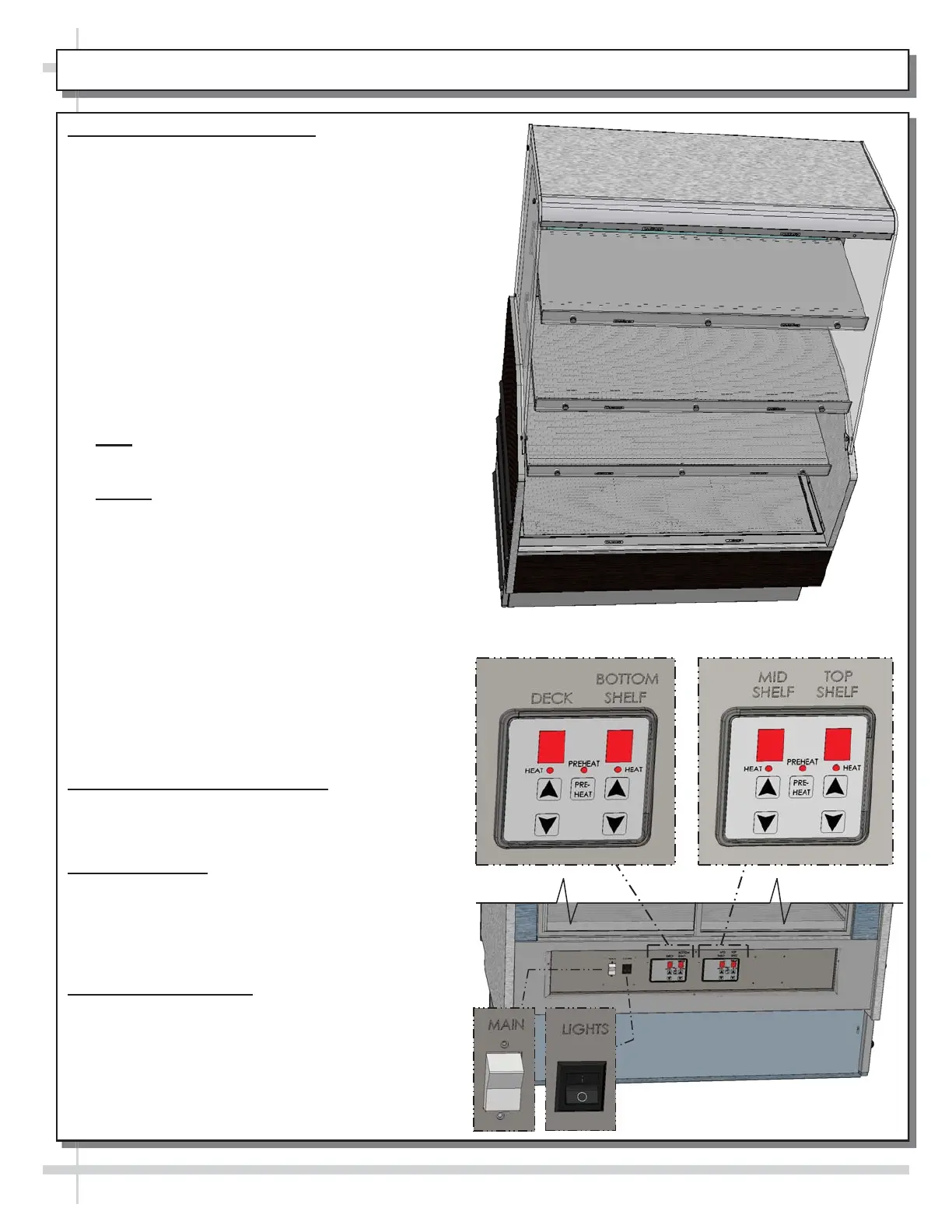
4. Merchandiser Daily Start-Up
x Turn main power switch and lights switch on.
x LED lights should all come on at once.
x Temperature controls are pre-set at factory to
recommended settings.
x Press pre-heat buttons. Pre-heat lights will
illuminate. Case will warm for 20 minutes.
x After pre-heat lights are off, product may be
placed on racks.
x Caution! Deck and shelving is hot! Do not touch
unless dials have been turned off and surfaces
are cool!
x Heat settings have a maximum setting of “9” and
a minimum setting of “1”. A setting of “0” turns
heat OFF.
x Allow 20 minutes at NEW settings to determine if
product temperatures are acceptable.
x Note: Default factory setting are at “5”.
x Adjust controller until desired product
temperatures are reached.
x Caution! Food MUST BE cooked PRIOR to being
placed in the case. Food should be heated to a
temperature of between 150 °F to 160 °F (65.6 °C
- 71 °C) prior to placing in case. Food temperature
must NOT be allowed to be below FDA guideline
of 140 °F (60 °C).
x Use probe to check food temperature before
placing in the case.
x After product is placed in case, check product
temperature (again) after one hour to verify that
proper food temperatures are maintained.
x Should product temperatures be outside of range,
adjust temperature controls for that particular area
(shelf, deck or overhead) up or down by one
number.
x Check food temperature again after one hour.
5. Temperature Control Settings
x Temperatures of all food products are to be at
140 °F to 165 °F (60 °C to 74 °C), for decks and
shelves (including optional shelf #4).
6. Operating Tips
x When restocking, place new product at rear and
rotate older product to front of case.
x Display product expected to sell within 4 hrs.
x Clean up residue immediately. Case will cause
spills and debris to harden to surface!
7. Shutting Down Case
x Remove all product from the case.
x Turn Main Power Switch “OFF”.
x Allow case to cool for 45 minutes before cleaning.
x See CLEANING SCHEDULE (DAILY /
WEEKLY) - CASE INTERIOR
for specifics.
--- Top Shelf ---
--- Mid Shelf ---
--- Bottom Shelf ---
--- Deck ---
5
--- Case Rear ---
--- Case Front ---
5
5
5









 To Next Page