Riverside - Multistage Drive
®
pg 16
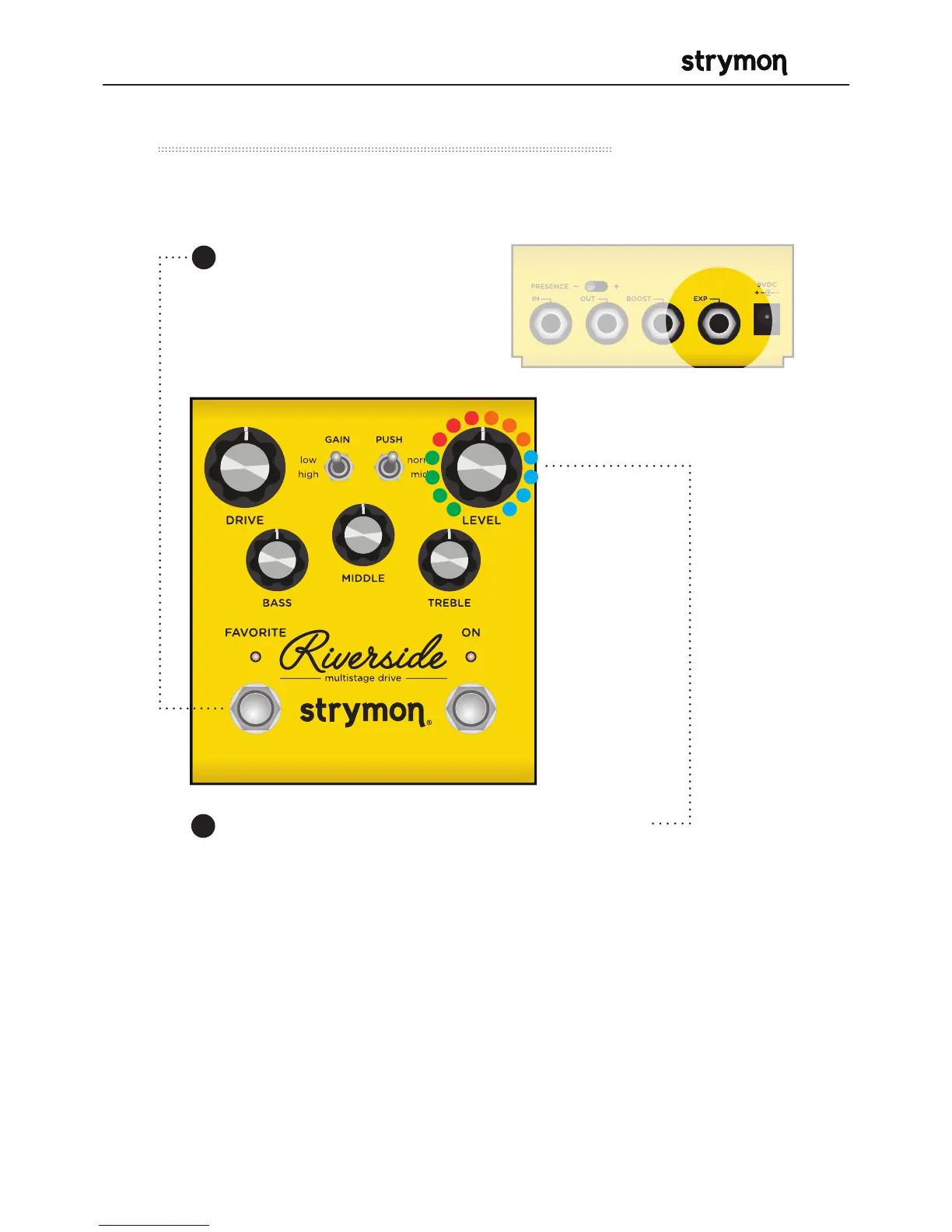
Select what the EXP jack will do.
Turn the LEVEL knob to set the EXP jack mode.
GREEN - Expression Pedal Mode
RED - Volume Mode (default)
AMBER - Favorite IN Mode: Toggle the Favorite preset on and
off remotely.
BLUE - MIDI Mode: Remote preset changes and control
messages via external MIDI controller. (See page 27 for more
detail about using MIDI.)
Press and hold the
FAVORITE footswitch while
powering up the pedal.
Once both LEDs flash,
release the footswitch.
Power Up Modes - EXP Jack Options
2
1



 To Next Page