Riverside - Multistage Drive
®
pg 8
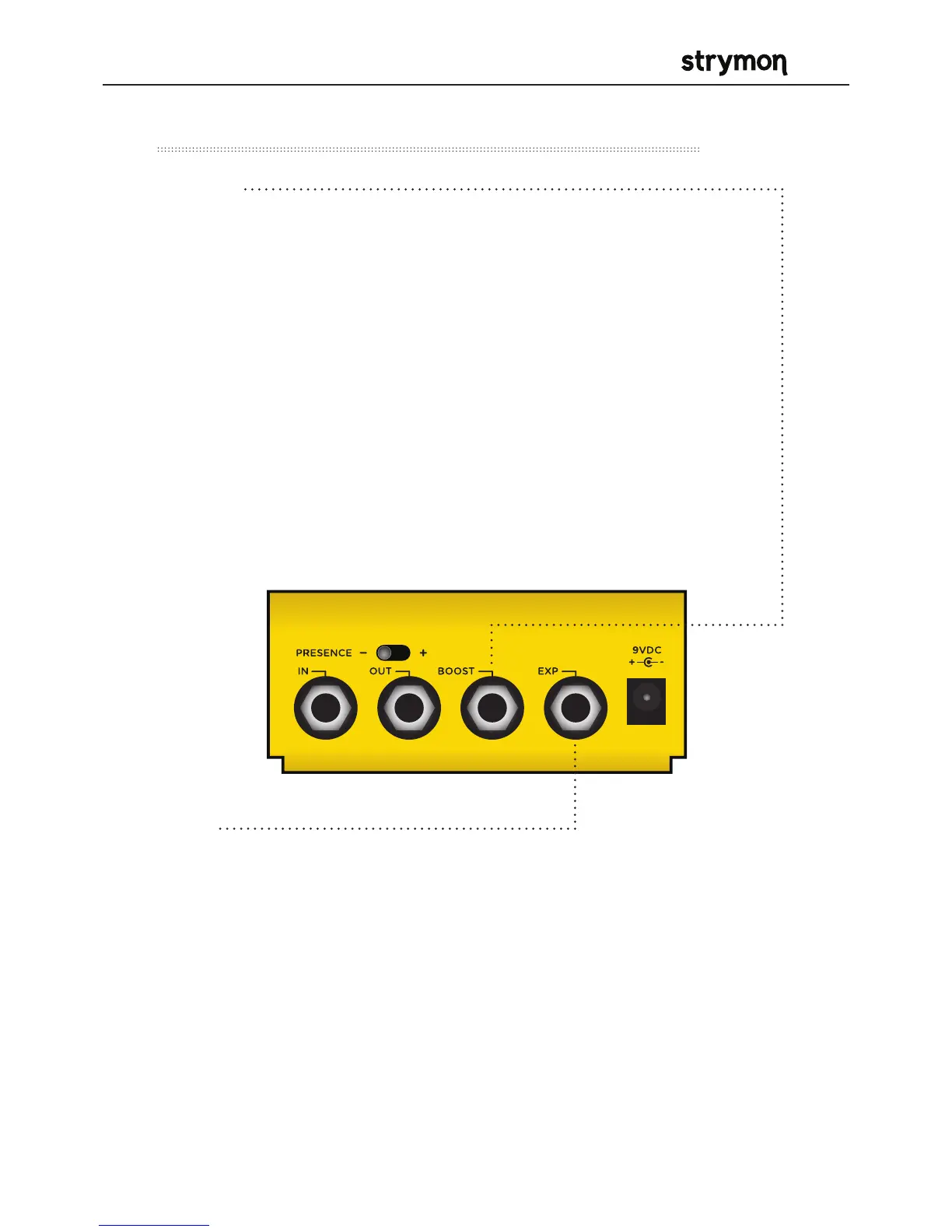
Controls and Connections – Rear Panel
(cont.)
• BOOST
Can be used in one of four ways:
Boost Switch Mode – Use an external Favorite switch to toggle up
to +6dB of post boost on/off (See page 14 for setup.)
Favorite Output Mode – Connect to the EXP input of another
Strymon pedal set to work in Favorite EXP mode to toggle the
Favorite setting of that pedal with Riverside’s on-board FAVORITE
switch. (See page 19 for more info.)
Expression Pedal Mode – Allows continuous control over any of
the knobs with a standard TRS expression pedal. (See page 20 for
more info.)
Volume Mode – Allows control of the output volume of the effect
with a standard TRS expression pedal. (See page 22 for more info.)
• EXP
Can be used in one of four ways:
Expression Pedal Mode – Allows continuous control over any of the
knobs with a standard TRS expression pedal. (See page 20 for more
info.)
Volume Mode – Allows control of the output volume of the effect with a
standard TRS expression pedal. (See page 27 for more info.)
MIDI Mode – Allows a MIDI connection for remote preset changes and
control messages. (See page 18 for more info.)
Favorite Input Mode – Use a Strymon MiniSwitch to remotely toggle
the saved Favorite setting on and off. (See page 18 for more info.)



 To Next Page