Black plate (131,1)
北米Model "A2440BE-B" EDITED: 2007/ 5/ 7
Multi-information display
(Vehicle with SI-DRIVE)
& Display
& Operation switch
CAUTION
To ensure safety, do not attempt to
change the function of the indicator
during driving, as an accident could
result.
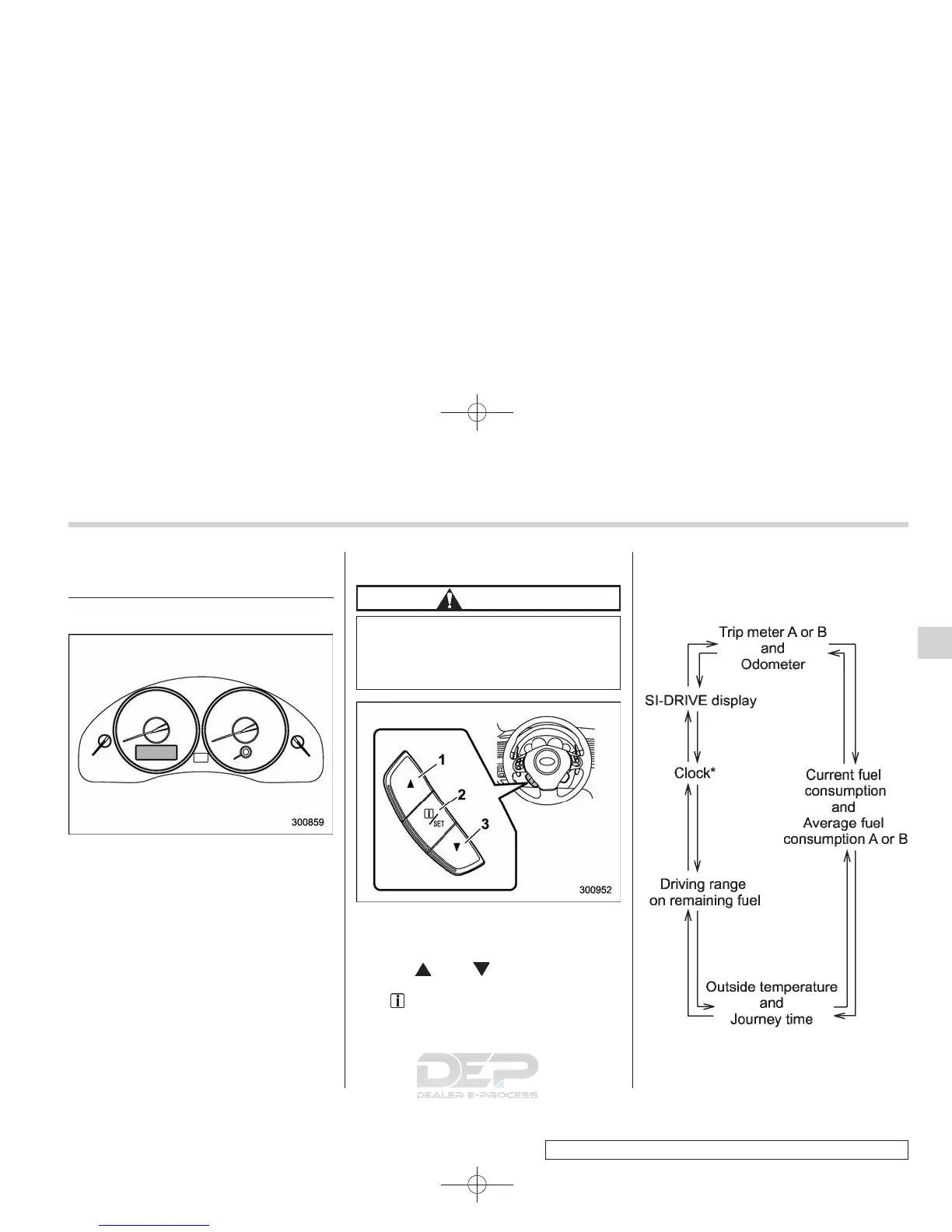
1) Next (up)
2) Information display
3) Back (down)
Use the “ ” and “ ” switches to change
the display screen forward and backward.
The “
/SET” switch is used to show the
warning message again after a warning
message has been displayed once, and it
is also used to enter the desired setting
menu.
With the ignition switch in the “ON”
position, each successive push of the
operation switch changes the display in
the following sequence:
*: Only for vehicles equi pped with a
navigation system
Instruments and controls 3-9
– CONTINUED –
3














 To Next Page