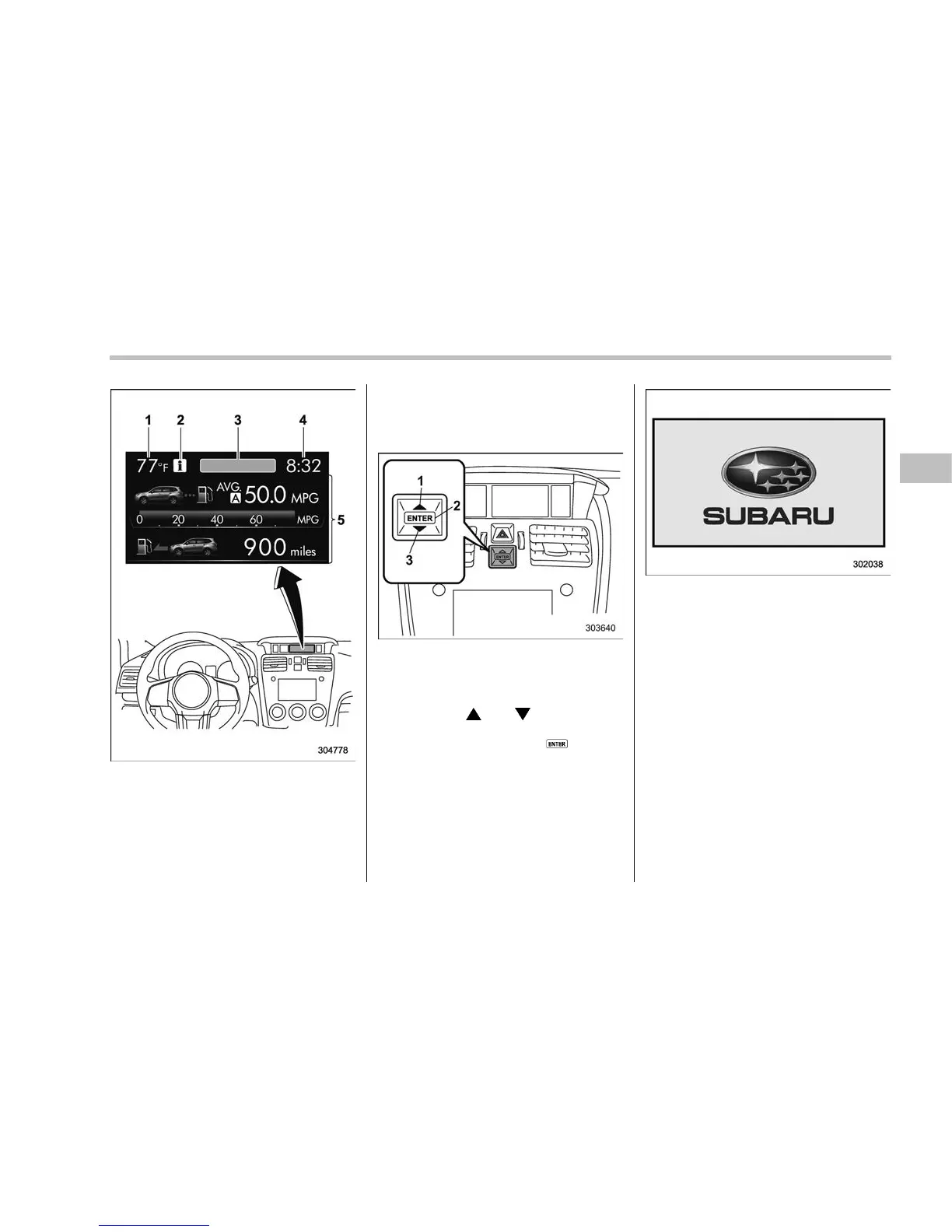
Multi function display
1) Outside temperature indicator
2) Information reminder (models with type A
combination meter)
3) Top display (For the display setting, refer
to “Top display setting” F3-68.)
4) Clock
5) Driving information display (For the dis-
played contents, refer to “Basic screens”
F3-48.)
& Basic operation
Control switch
1) Up (select)
2) ENTER (push)
3) Down (select)
By operating “ ” or “ ” of the control
switch, the screens and selection items
can be switched. When the
button is
pushed, the item can be selected and set.
& Welcome screen
When the door is unlocked and the
driver’s door is closed, the welcome
screen will appear for a short time.
NOTE
. The welcome screen will disappear
when the ignition switch is turned to
the “ON” position while the welcome
screen is displayed.
. If any of the doors (including the
rear gate) is opened while the welcome
screen is displaye d, the door ajar
warning will appear.
. The welcome screen can be set to
on or off. For details, refer to “Bypass
screen setting” F3-74.
. For a certain period of time after the
welcome screen has once appeared, it
may not appear again even when the
driver’s door is opened again. This
does not indicate a malfunction.
Instruments and controls/Multi function display
– CONTINUED –
3-45















 To Next Page