& One-touch lane changer
To flash the turn signal and turn signal
indicator light three times, push the turn
signal lever up or down sligh tly and
immediately release it.
The operational/non-operational setting of
the one-touch lane changer can be
changed by a SUBARU dealer. Contact
your nearest SUBARU dealer for details.
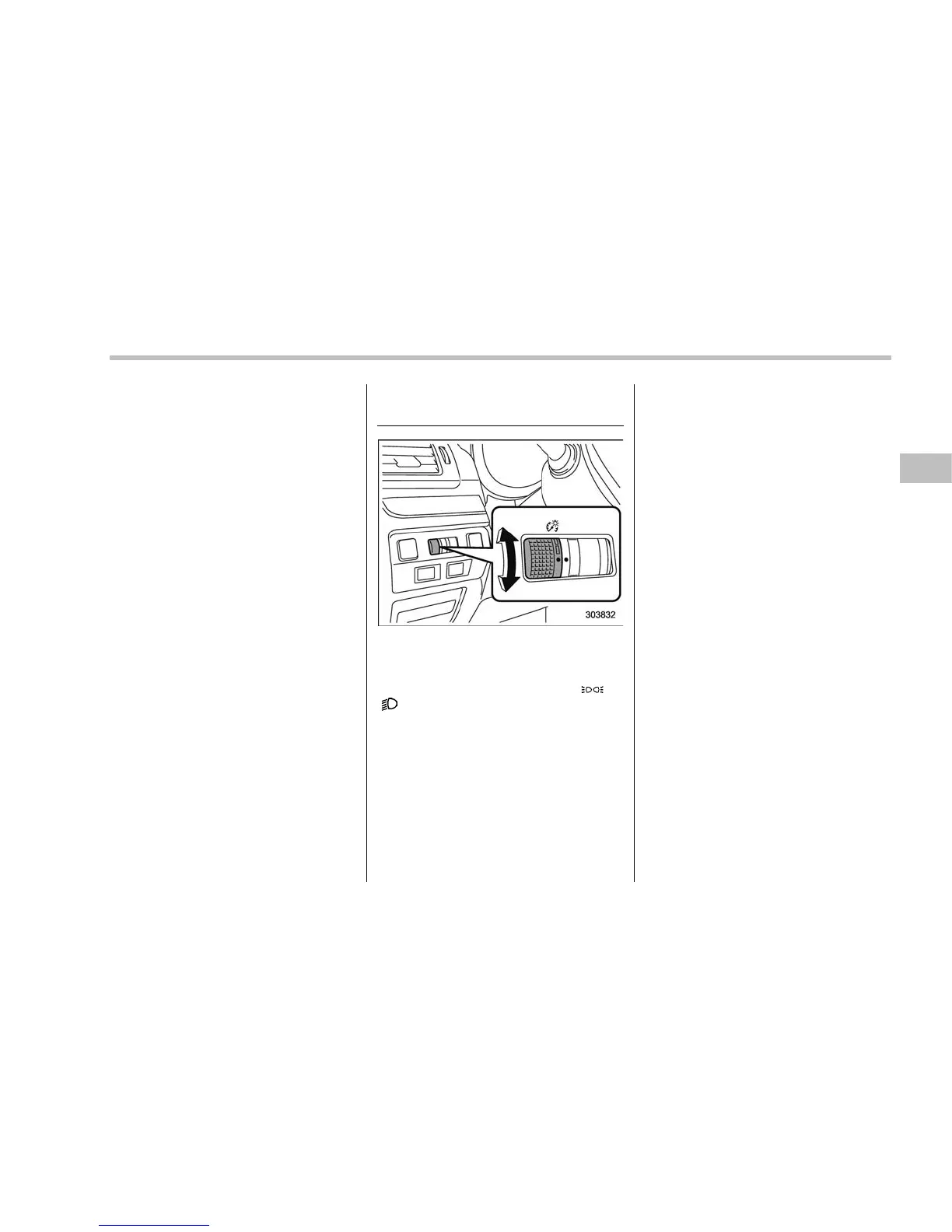
Illumination brightness con-
trol
The illumination brightness of the instru-
ment panel dims u nder th e follo wing
conditions.
. when the light switch is in the “
” or
“
” position
. when the light control switch is in the
“AUTO” position and the headlights illumi-
nate automatically (models with auto on/
off headlights: Refer to “Headlights” F3-
93.)
You can also adjust the illumination bright-
ness for better visibility in the following
ways.
To brighten, turn the control dial upward.
To darken, turn the control dial downward.
For models with the multi function display,
the display automatically adjusts its bright-
ness together with the brightness level of
the instrument panel. To adjust the dis-
play’s contrast, refer to “Contrast setting”
F3-66.
NOTE
. When the control dial is turned fully
upward, the illumination b rightness
becomes the maximum and the auto-
matic dimming function does not work
at all.
. The brightness setting is not can-
celed even when the ignition switch is
turned to the “LOCK”/“OFF” position.
Instruments and controls/Illumination brightness control
3-101















 To Next Page