Instruments and controls/Multi function display
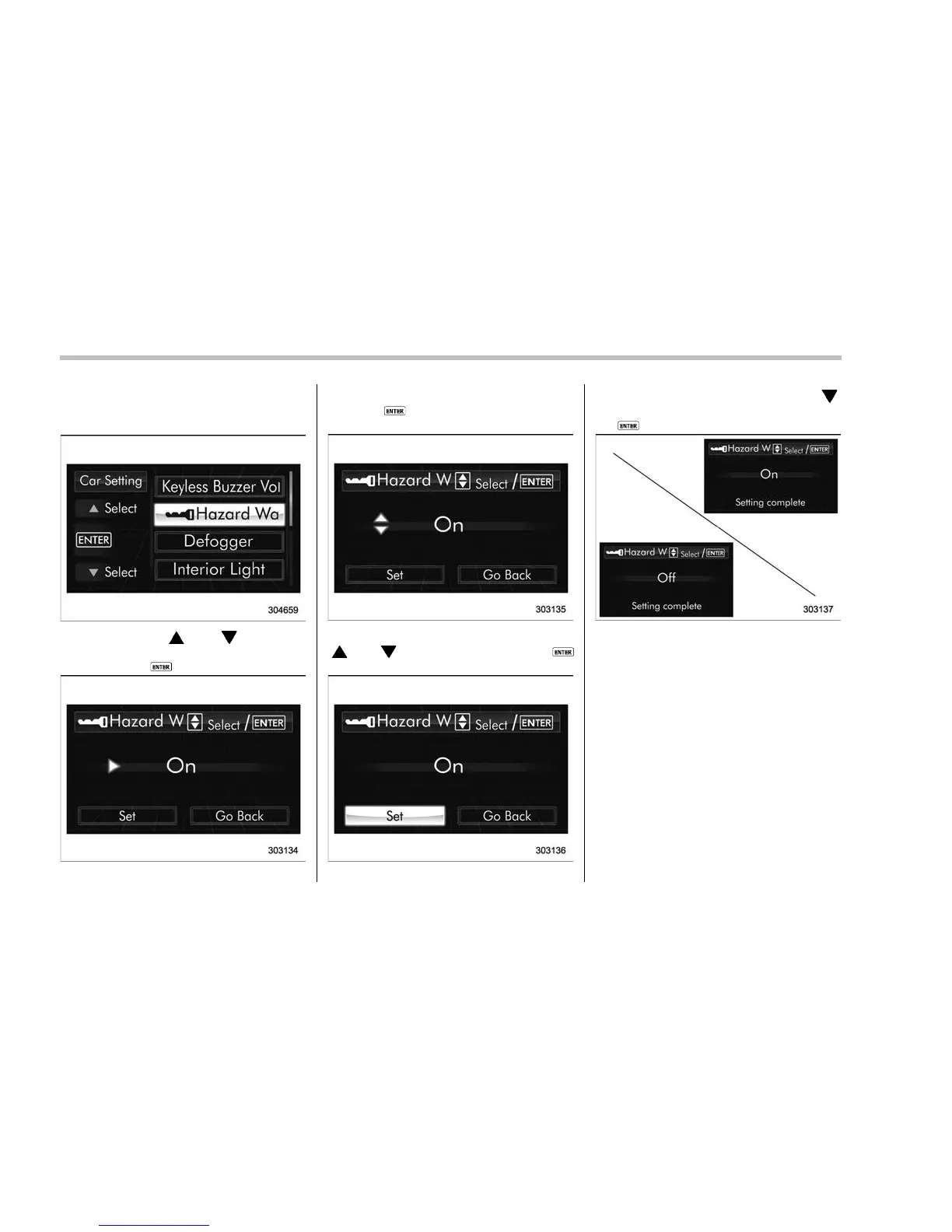
! Hazard warning flasher setting
1. Perform the preparation steps accord-
ing to “Preparation for car settings” F3-81.
2. Operate the “ ” or “ ” switch to
select the “Hazard Warning Flasher” item.
Then push the
button.
3. The current setting will be displayed.
Push the
button to enter the selection
mode.
4. Select “On” or “Off” by operating the
“
” or “ ” switch. Then push the
button.
5. Select “Set” by operating the “ ”
switch, and confirm the setting by pushing
the
button.
6. The system will notify you that the
setting is complete.
If the setting is not available, the following
notification will be displayed. In this case,
perform the setting procedure again.
3-82














 To Next Page