28
Setting Route
6
Select (destination) to set the address entered in the above steps
as your final destination.
The system will calculate the route and display the entire route on the map.
Select (waypoint) to set the address entered in the above steps as a waypoint
on your route.
You can program up to five waypoints per trip.
7
Select (start).
Route guidance begins along the displayed route.
NOTE
• If the system cannot find your desired route, select (change route). This will allow you to access the ROUTE OPTIONS screen,
from which you can prompt the system to calculate a new route. (See Page 52.)
• If your DVD-ROM disc does not contain the relevant house number data, an error message will be displayed and a street map will
appear, allowing you to set the destination using the map.
• If your destination is not on a road, set a destination point on a main road nearest to your true destination.
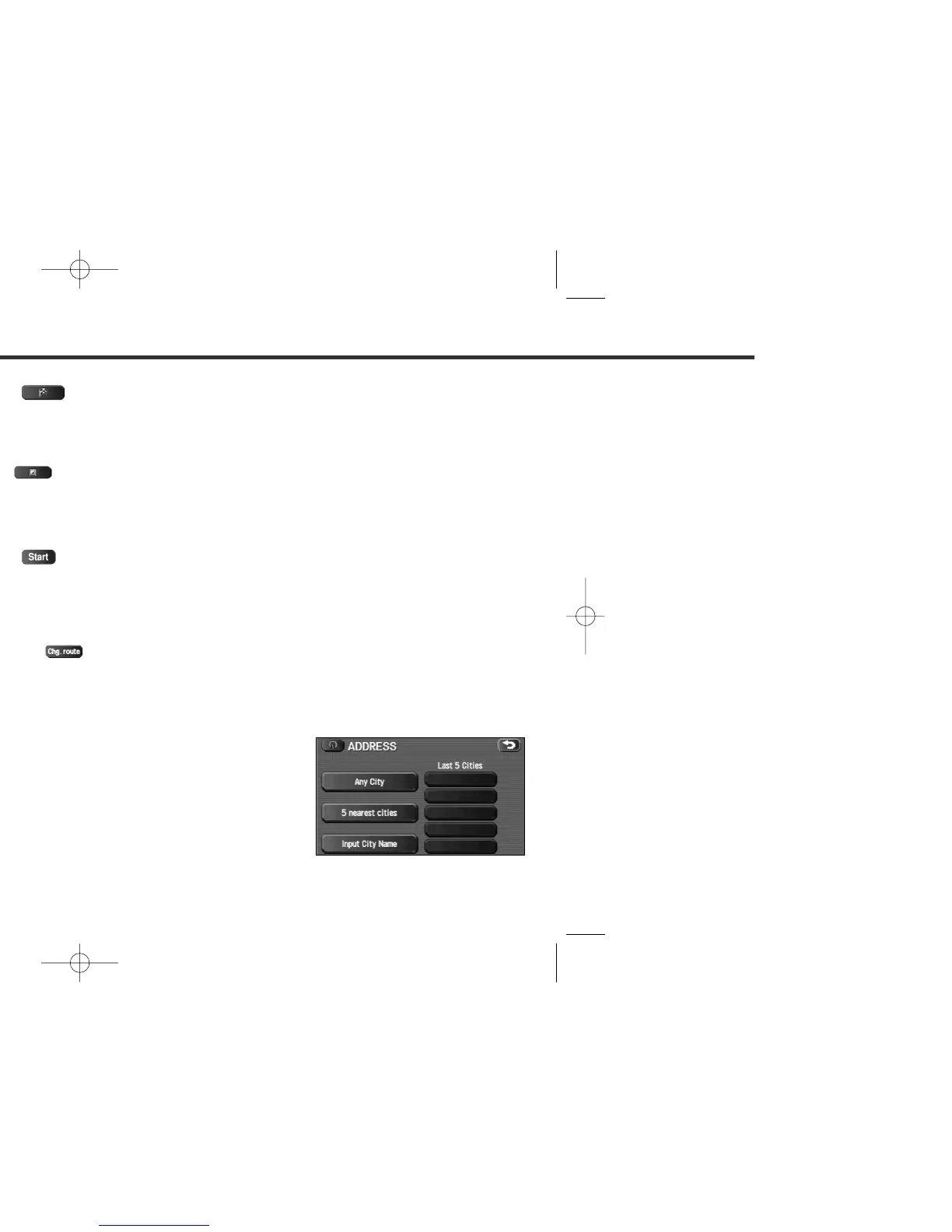
• Selecting the will display a screen that searches the destination on a city basis.
: Search the destination from all cities.
: Search the destination from the nearby five cities within 20 miles from the current
position.
: Search the destination by inputting the city name.
You can also search the destination from the five cities that you searched in the past.















 To Next Page