5
Channel Selection / Bypass
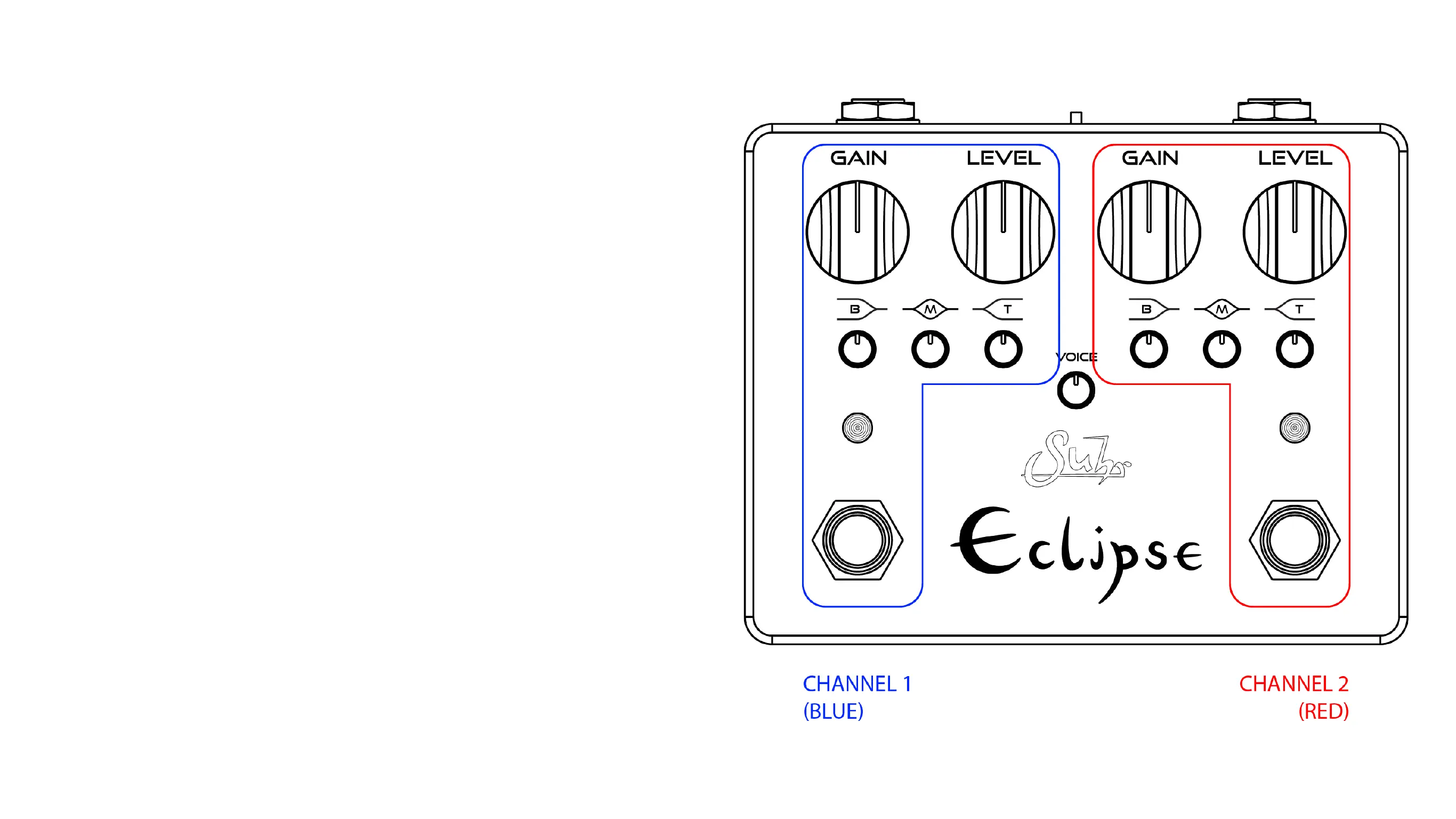
Eclipse has two channels (blue and red) with independent settings that are
selected by the switch below the desired channel� The channels can be set
for the same sound on each channel, or they can be radically different�
The left side is Channel 1 and contains a blue LED above its dedicated
footswitch�
The right side is Channel 2 and contains a red LED above its dedicated
footswitch�
Channel Selection and Bypass functions:
• Stepping on the left switch will turn Channel 1 on or off�
• Stepping on the right switch will turn Channel 2 on or off�
• Switching from one channel to another will automatically turn off the previ-
ous channel�
• When no channel is selected, Eclipse is in True Bypass (INPUT jack is con-
nected directly to OUTPUT jack via Relay)



 To Next Page