6
Controls
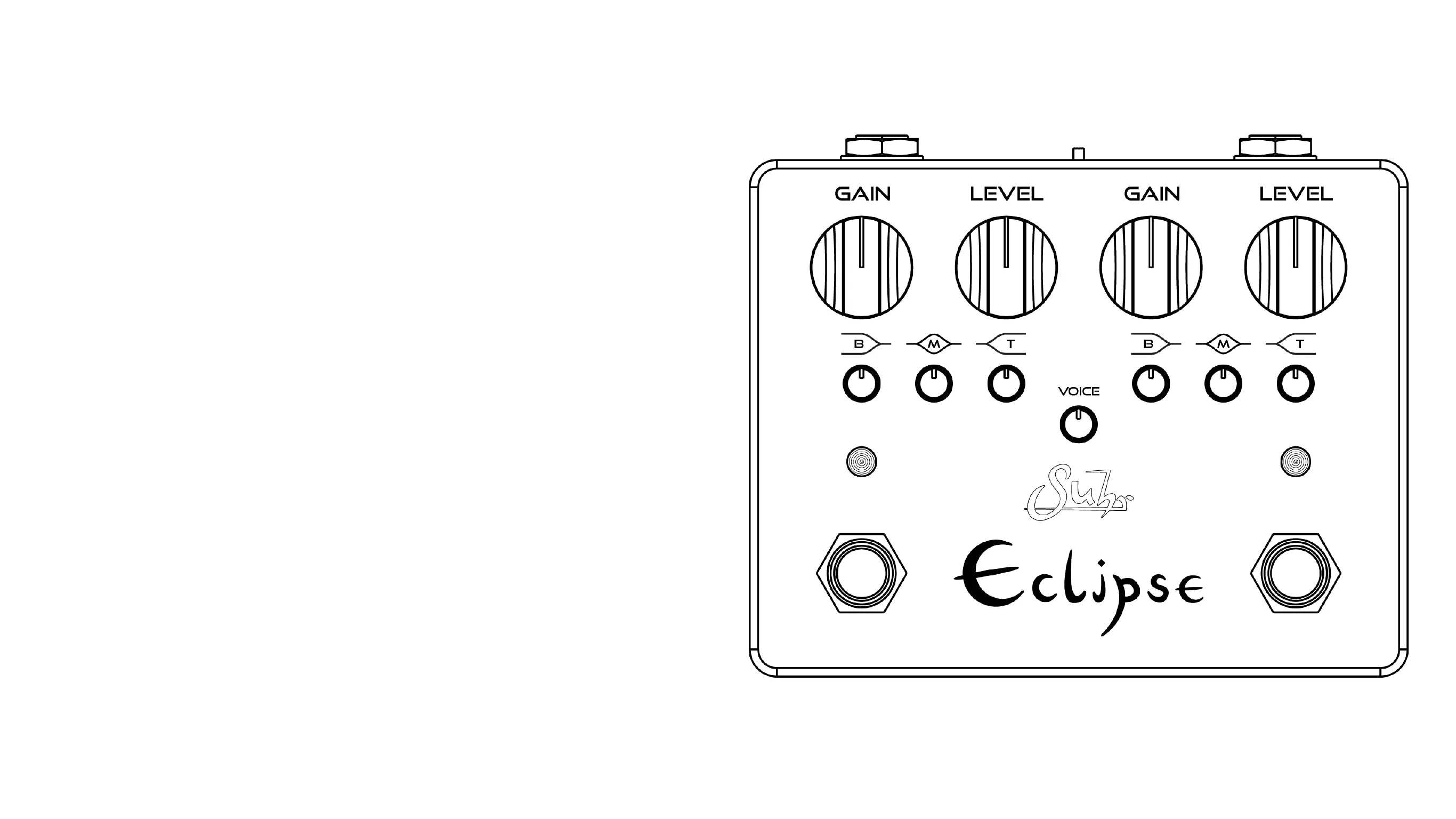
Gain: Adjusts the amount of gain added to your tone, taking you from tube-
like classic crunch and overdriven tones to high gain/distortion territory�
Level: Adjusts the output volume of the pedal� Eclipse provides enough vol-
ume to push the front end of any tube amp into natural overdrive�
B (Bass): The bass knob is a shelving filter that reduces (counter clockwise)
or boosts (clockwise) the amount of bass frequencies of the respective chan-
nel�
M (Middle): The mid knob reduces (counter clockwise) or boosts (clockwise)
the amount of mid frequencies of the respective channel�
T (Treble): The treble control is a shelving filter that reduces (counter clock-
wise) or boosts (clockwise) the amount of treble frequencies of the respective
channel�
Voice (global): The voice control allows you to tailor the overall brightness
of the pedal to be pleasing for your specific amplifier� We suggest this knob
be dialed in as preferred first, while the 3-band EQ knobs (B, M, T) are flat
(set to the middle)� Moving the knob counterclockwise reduces the amount of
high-frequencies, while rotating clockwise increases the amount of high-fre-
quencies for both channels�
Tip: This control is useful for amps with bright switches. When the clean chan-
nel of your amp has the bright switch on, dial the voice knob counterclockwise
to maintain a pleasant overdriven/distortion tone.



 To Next Page