10
Procedure 3a – Print Quality Adjustments
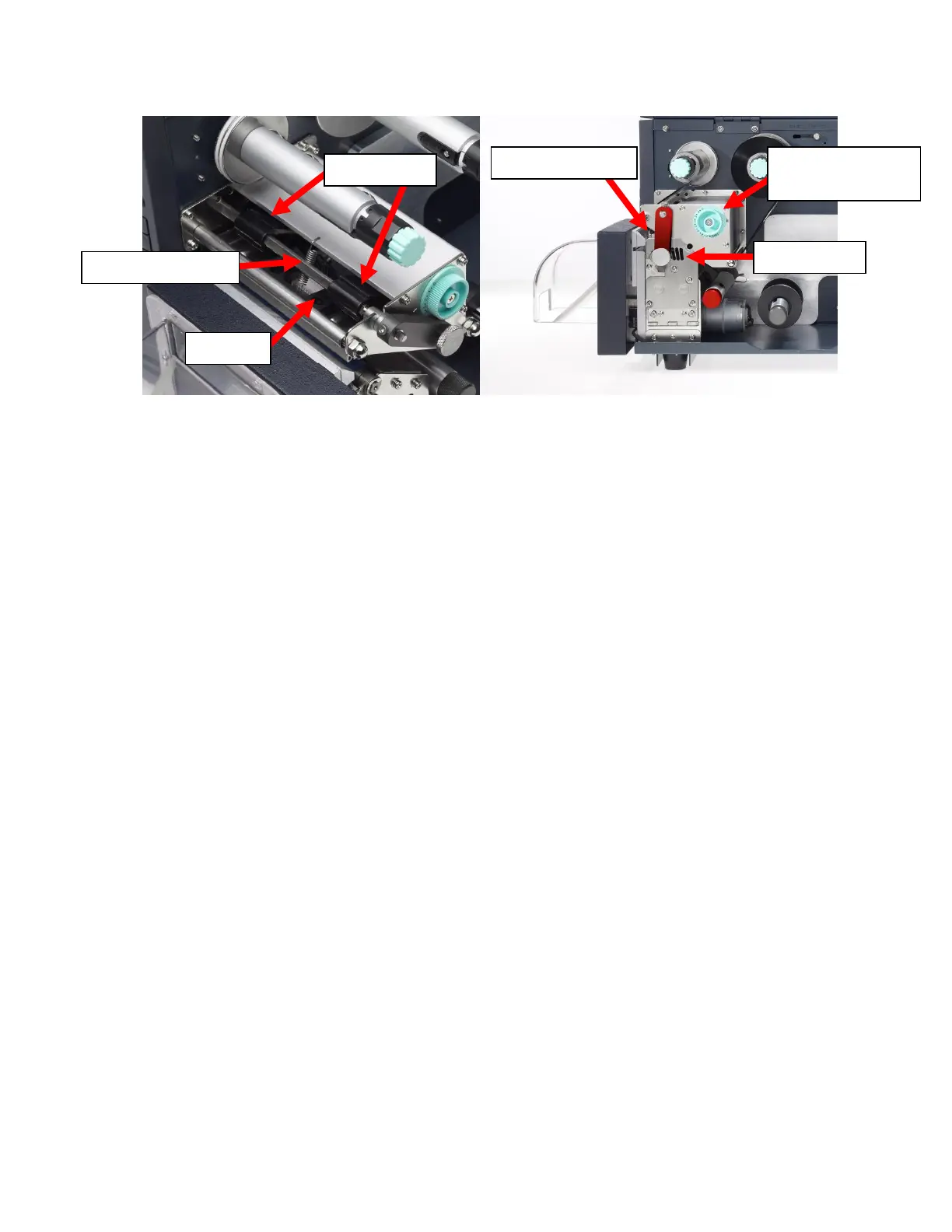
Using the Printhead Latch and certain software settings, you can make adjustments to
achieve optimal print quality in mere moments. First, inspect the Printhead Latch to
determine its current setting. (e.g. 6 o’clock “fully closed” position, Slot 1 - 3 from left to
right, refer to
Figure 6b
)
1. For all tubing, set the Printhead Latch initially to the 6 o’clock “fully closed” position
2. For 1/4" and smaller tubing, if the 6 o’clock “fully closed” position does not result in
quality printing, set the Printhead latch initially to the Slot 2 position (middle slot of
the three)
3. For sizes in between 1/2" and 1/4" inch, or for ongoing print quality issues, adjust
the Printhead latch as needed, moving to Slot 2 if initially fully closed, or trying Slot
1 or 3. (Note: the smaller the tubing, the less pressure it requires for good printing.
For example, if you find that using 1/4 inch tubing with the Slot 2 position continues
to produce smudging, try the Slot 3 position furthest to the right)
4. If the print quality is still poor, try slowing down the print speed and turning up the
temperature in the Default Print Settings. Within SumiLabel, navigate to
Options -> Printer Options, select your printer, then click Default Print
Settings. Try turning the speed down to 2.00"/s (50.80mm/s) or lower, and set
the temperature to 15.
o Another option to consider is to add additional pressure through the use of
the Shim in the Printhead. Refer to
Figure 6a
, and relocate the Plungers
inward toward the Printhead Spring, positioning them over the arms of the
metal Shim. This will often improve print quality on larger tubing sizes (1”
and larger) and may improve print quality with smaller tubing sizes under
certain conditions.
o Also for larger sizes (1” and larger) it may be advisable to use the Lateral
Printhead Adjustment to adjust the distribution of pressure across the
tubing for a more even print. This will not usually have an effect on smaller
tubing sizes, and should be set to 0 in almost all cases.
o
Please note: Do not set the temperature any higher than 15 unless directed
to do so by a SumiMark technician. You risk melting the ribbon and causing
damage to the machine.
5. Despite the appearance of the ribbon, it is not generally the source of smudging.
Only adjust the ribbon if directed to do so by a SumiMark technician.



 To Next Page