6
Procedure 1a – Loading the Ribbon
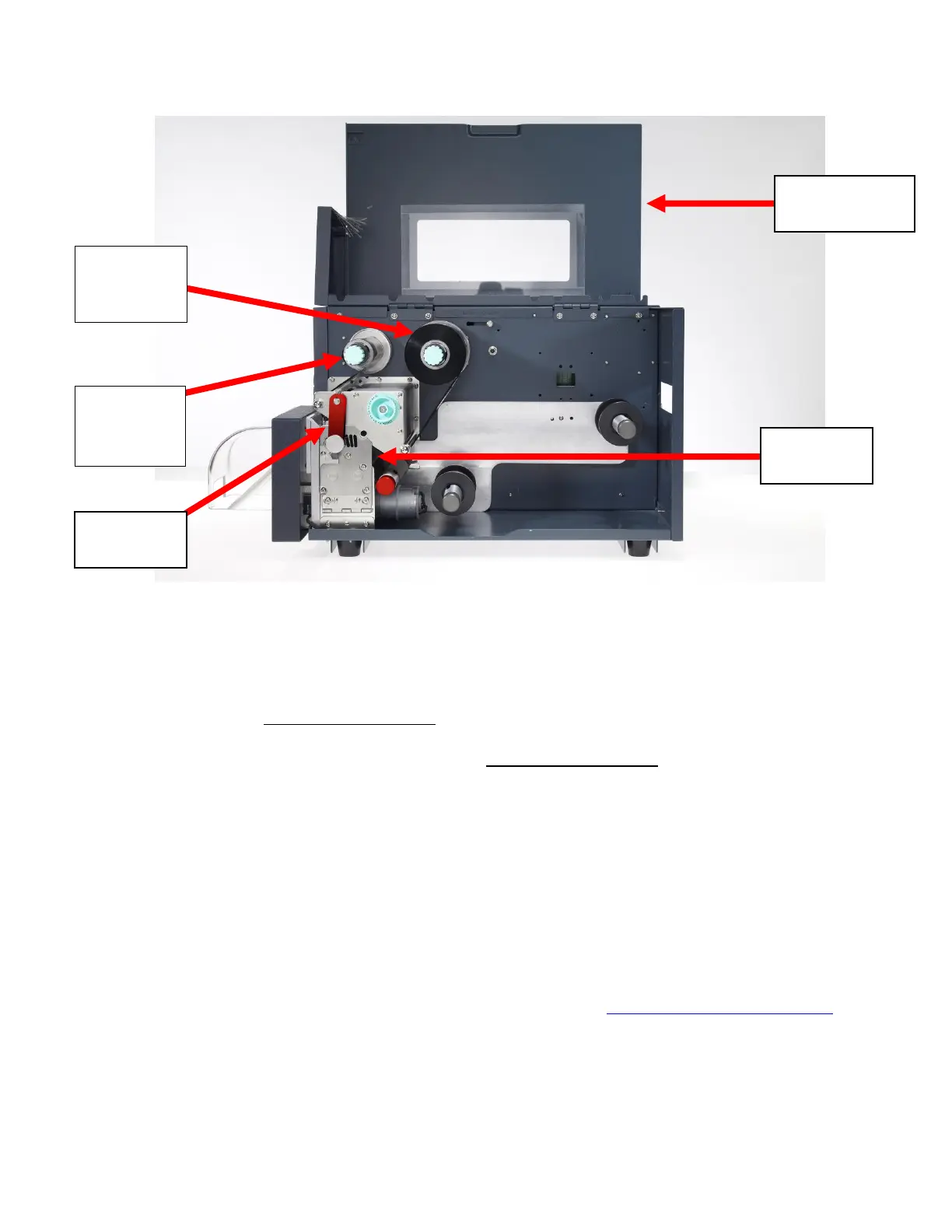
Figure 2
1. Open the Tubing Access Cover.
2. Rotate the red Print Head Latch counter-clockwise to open the print head module.
3. Open the Side Access Door, unwrap the ribbon, and place the Ribbon Supply
Roll on the Ribbon Supply Spindle located towards the back of the printer. Slide
the core all the way to the back of the spindle.
4. Place the Ribbon Take-up core on the Ribbon Take-Up Spindle, located towards
the front of the printer. Slide the core all the way to the back of the spindle.
5. Route the ribbon under the print head mechanism and around the back of the
Ribbon Take-Up Core, then attach with tape to the Ribbon Take-Up Core.
6. Tighten ribbon by manually rotating the Take-Up Core counter-clockwise.
7. To ensure proper ribbon operation, make sure that the ribbon is wound with the ink
side out, feeds off the back of the Ribbon Supply Spindle, runs under the print
head, and is re-wound on the Take-Up spindle starting from the back.
When properly loaded as shown in
Figure 2
, the Ribbon Supply will rotate clockwise
and the Ribbon Take-Up will rotate counter-clockwise. Proper ribbon loading technique
is also shown on the diagram inside the Tubing Access Cover.
You can find a video detailing this procedure on the web: http://www.SumiSupport.com



 To Next Page