9
Procedure 2b – Cutter Reset
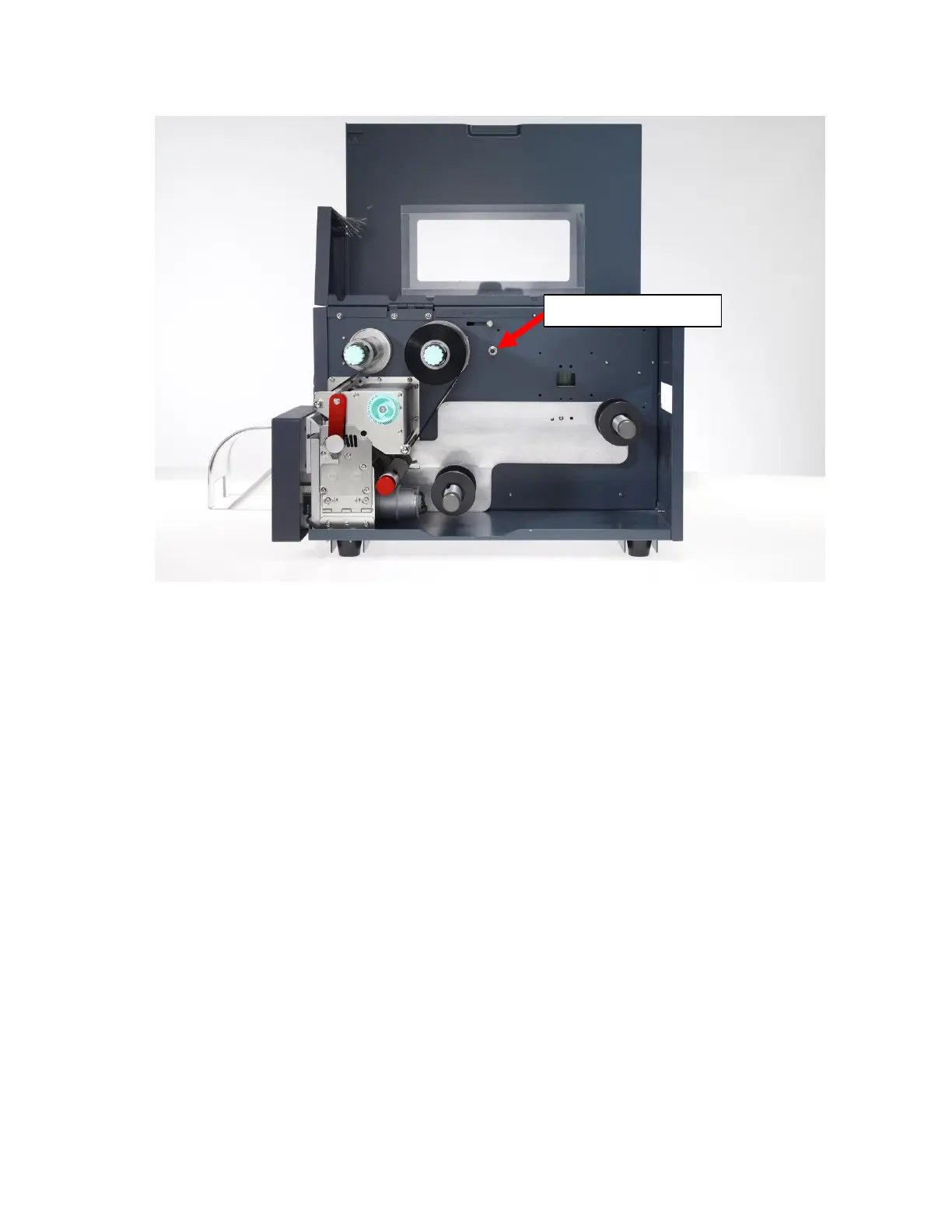
Figure 5
To perform a Cutter Reset:
1. Power the printer off
2. Locate the small Cutter Reset Button, identified in
Figure 6
above and situated to
the right of the Ribbon Supply Spindle.
3. Press and hold the reset button, then power the printer back on
The printer should cycle one time to reset itself. If it does not move, it may require an
adjustment to the Cutter Sensor Clip; call SumiMark Technical Support
at
(760)
761-0600 ext.255
. If the cutter continuously cycles when powered back up, look into the
printhead from the front and release the button when the blade is at its lowest point. This
may take a few tries to get correctly. Once the reset is complete, you may proceed.
1. Release the Cutter Reset Button
2. Press the FEED button, and verify that the “Cutter Failed” error does not reappear
3. Attempt a small test print of 2-4 markers, and verify that the “Cutter Failed” error
does not return prior to resuming normal printer operations.



 To Next Page