CycloneMicro2MultimediaPlayer
Page11.
Version0.7
Basic
Basic
Basic
BasicSetup:
S etup:
Setup:
Setup:
TosetupupyourmediaplayeryouwillneedtoconnectittoyourTVsetand
supplypowertotheCycloneMicro2.Youmayalsowishtoconnectthe
CycloneMicro2toanexternalharddriveorpluginapendrive.
FirstofallexaminethebackofyourTVsetandlocateitsAVports.Please
makesureyouhavethecorrectcablesforyourchosensetup.
Connecting
Connecting
Connecting
ConnectingPower:
Power:
Power:
Power:
Pleaseensurethepowersocketswitchisintheoffpositionbeforepluggingin
thepoweradaptertothewall.
Connectthepoweradapter(supplied)tothebackofyourCycloneMicro2
andplugthepowerintothepowersocket.YouwillnoticethestandbyLEDis
nowlit.
AV
AV
AV
AVCable:
Cable:
Cable:
Cable:
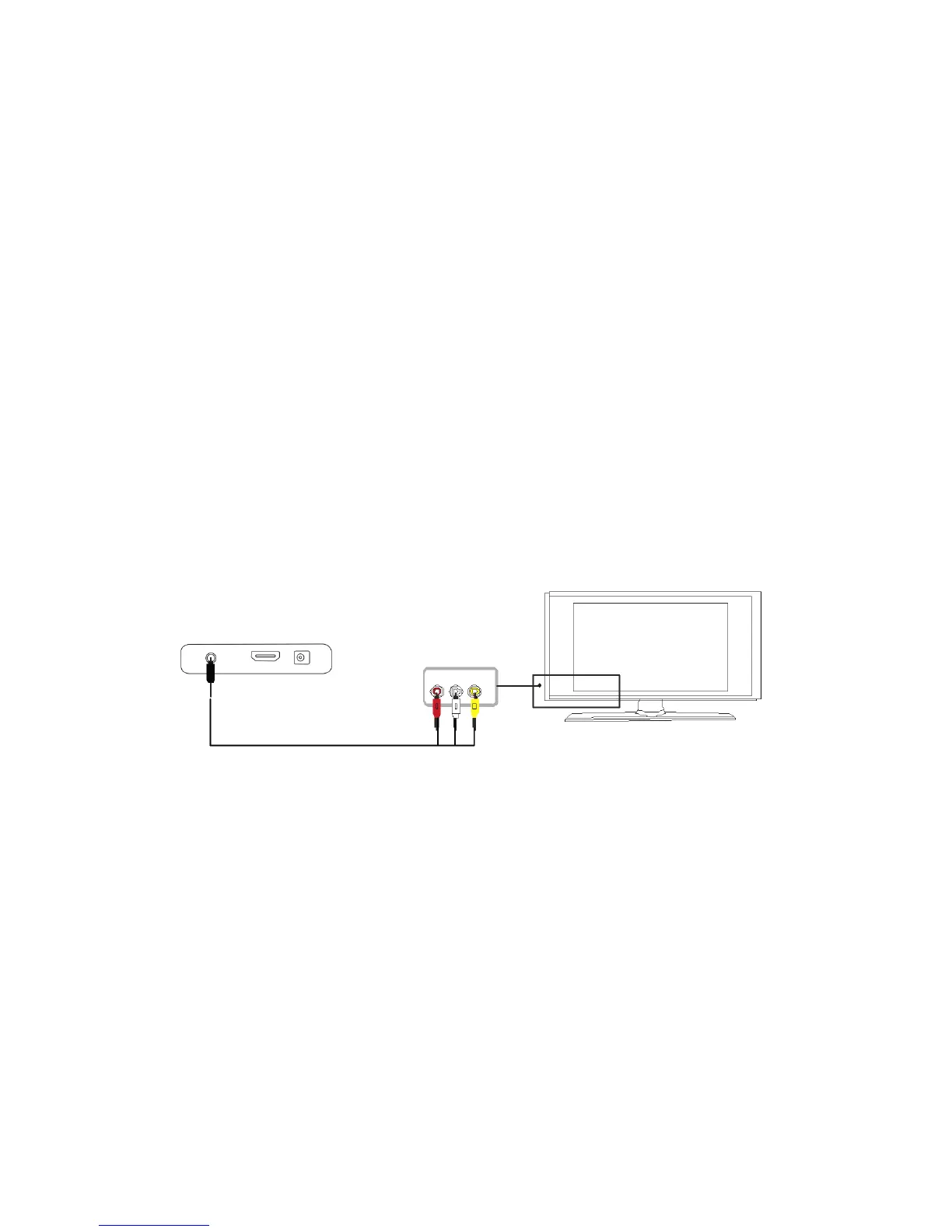
ConnectingtheCycloneMicro2toyourTVwillallowyoutoviewmultimedia
instandarddefinition.
UsingtheAVlead(supplied),connectthe3.5mmjackintothe3.5mm
compositeportonthebackoftheCycloneMicro2.Ontheotherendofthe
cableplugthered,yellowandwhiteconnectorsintothecorrespondinginput
portsofyourTV.
SwitchonyourTVandselectAVmode,ifrequired.
PresstheSTANDBYbuttonontheremotecontroltoswitchontheCyclone
Micro2.



 To Next Page