CycloneMicro2MultimediaPlayer
Page12.
Version0.7
HDMI
HDMI
HDMI
HDMICable:
Cable:
Cable:
Cable:
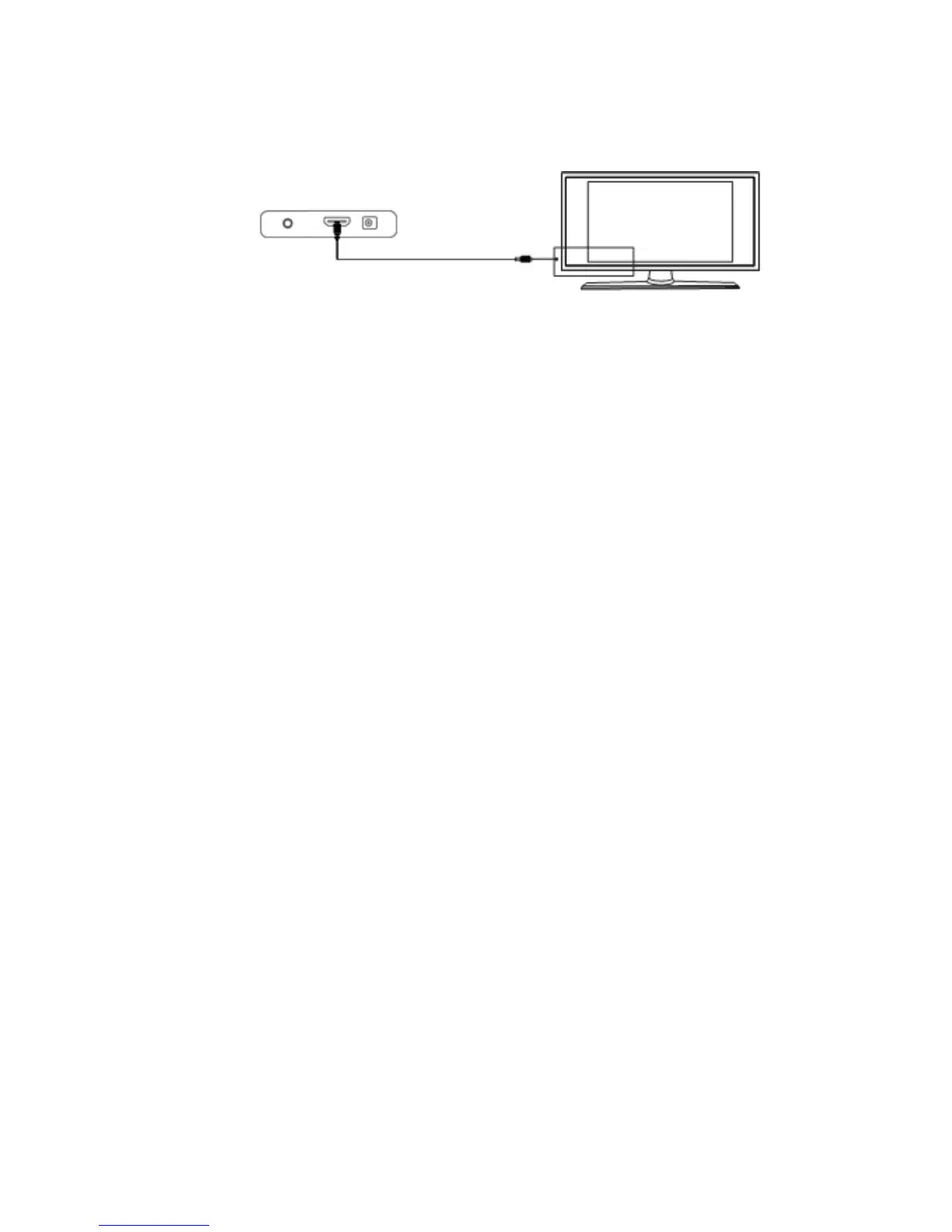
ConnectingyourCycloneMicro2toyourTVviaHDMIprovidesthehighest
qualityofvisualoutputandhighqualityaudioinasinglecable.HDMIoutput
canprovidevideoresolutionsofupto1080p**.
ConnecttheHDMIcable*totheHDMIoutputinterfaceonthebackofthe
CycloneMicro2.ConnecttheotherendofthecabletoyourTVHDMIinput
port.
SwitchonyourTVandselectHDMImode,ifrequired.
PresstheSTANDBYbuttonontheremotecontroltoswitchontheCyclone
Micro2.
*PleasenoteHDMIcableisnotincludedwiththisproduct.
**Pleasenotethatthedevicecandisplay720p/1080iand1080presolutions,
howevernotallHDTVsareabletodisplayhigherresolutions.Pleaseconsult
TVusermanual.
USB
USB
USB
USBHost
Host
Host
HostInterface:
Interface:
Interface:
Interface:
TheCycloneMicro2comeswithasingleUSBHostport,allowingforquick
andeasyexternalmediastorageexpansion.Itiscompatiblewithstandard
externalharddiskdrives,flashdrives,cardreadersandotherdatastorage
devices.
ToconnectyourexternalharddiskdrivetoyourCycloneMicro2,pleaseturn
offthemediaplayer.ConnecttheUSBcable*totheUSBportontheexternal
harddiskdriveandthemediaplayer.
*PleasenoteUSBcableisnotsuppliedwiththisproduct.
Pleasenotethatsomeexternalharddiskdrivesmayrequiremorepowerthan
astandaloneUSBportcanprovide.InsuchcasespleaseusetheACadapter
includedwithyourexternalharddiskdrive.



 To Next Page