Cyclone Micro 2 M
ultimedia Player
Page 8.
Version 0.7
Remote
Remote
Remote
Remote C
ontrol:
Control:
Control:
Control:
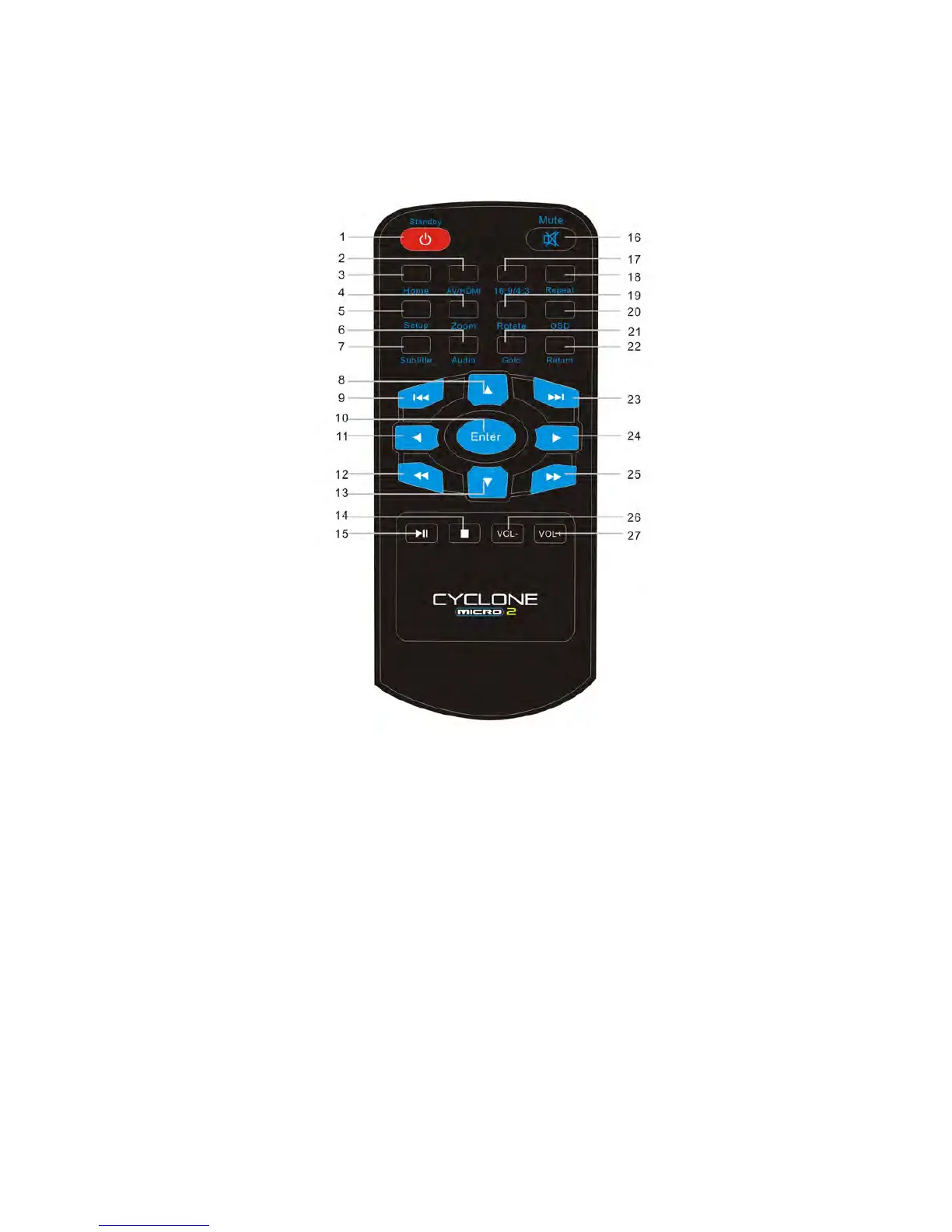
1.Standby:Switches the Cyclone Micro 2 on and of
f from standby mode.
2.AV/HDMI:Toggles the Cyclone Micro 2 between AV and HDMI.
3.HOME:Returns user to main menu.
4.Zoom:Press to zoom image files on display.
5.Setup:Shortcut access to setup menu.
6.Audio:Press to Switch the audio track .
7.Subtitle:Switch subtitle ON or OFF.



 To Next Page