CycloneMicro2MultimediaPlayer
Page28.
Version0.7
File
File
File
File:
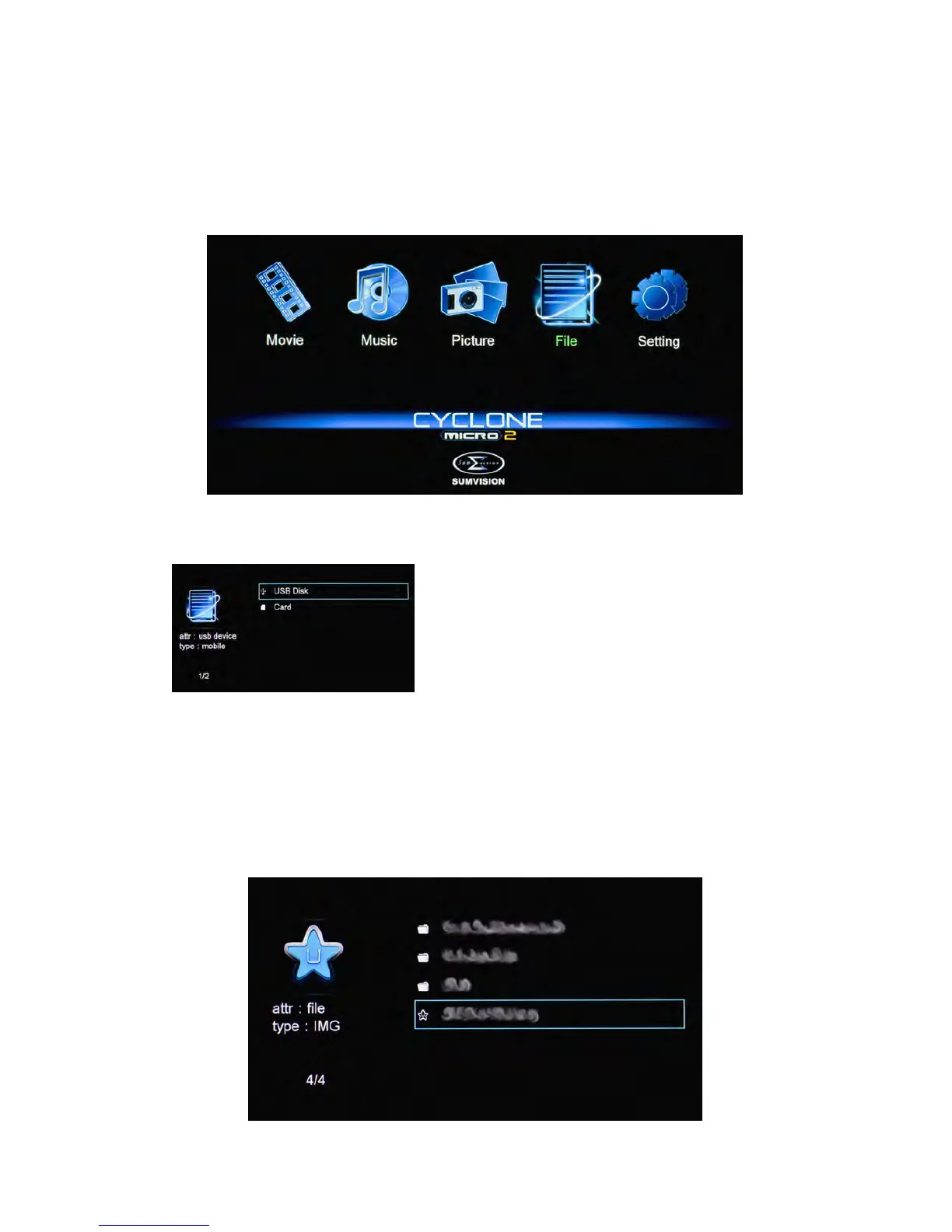
ByselectingtheFileMenu,theCycloneMicro2isabletolistallthefiles
currentlystoredintheexternalstoragedevice.
UsingtheCycloneMicro2remotecontrol,navigateto“File”andpress
ENTERtoselectit.Thiswilltakeyoutothedevicelist.
Onceinthedevicelist,usethenavigation
buttonstoselecttheappropriatedevicetype.
Dependingonthesizeofthedeviceandthe
numberoffilesitcontains,itmaytakeafew
momentstodetect.
E.g.,iftheexternalstoragedeviceattachedisaUSBharddrive,selectUSB
Disk.
Whenthedevicetypehasbeenselected,usethenavigationbuttonsonthe
remotecontroltoselectthepartitionforthemediaplayertoaccess.
Afteryouhavelocatedthemediafileyouwanttodisplay,highlightitand
pressENTERontheremotecontroltoplayit.



 To Next Page