CycloneMicro2MultimediaPlayer
P
age19.
Version0.7
Audio
Audio
Audio
AudioPlayback:
Playback:
Playback:
Playback:
PlayingaudiomediausingtheMicro2isverysimple.Itsupportsavarietyof
audioformatsincludingMP3,WMA,AACandOGG.
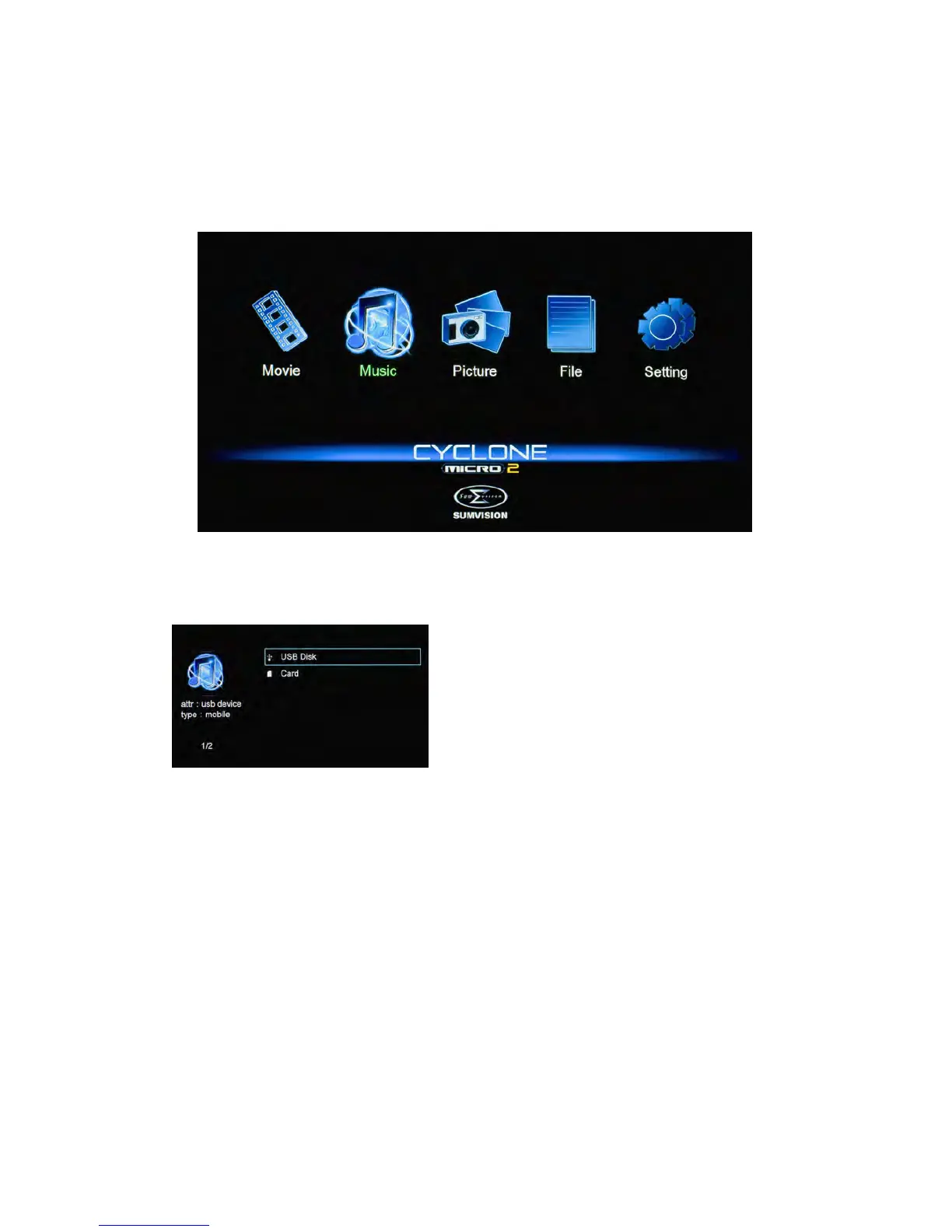
UsingtheCycloneMicro2remotecontrol,navigateto“Music”andpress
ENTERtoselectit.Thiswillactivethemusicfilterandtakeyoutothedevice
list.
Onceinthedevicelist,usethenavigation
buttonstoselectthedevicetypethemedia
islocatedin.Dependingonthesizeofthe
harddriveandthenumberoffilesit
contains,itmaytakeafewmomentsto
detect.
E.g.,ifyouwanttoviewmusicthatisstoredonanattachedUSBharddrive,
selectUSBDisk.
Whenthedevicetypehasbeenselected,usethenavigationbuttonsonthe
remotecontroltoselectthepartitionforthemediaplayertoaccess.
Afterthepartitionhasbeenselected,usethenavigationbuttonsonthe
remotecontroltonavigatetothefolderordirectorytheaudiofilesarelocated
in.
Whenyouhavelocatedtheaudiofileyouwishtoplay,highlightitandpress
ENTERontheremotecontroltoplaythefile



 To Next Page