Chapter 5 FC Module FRUs 5-13
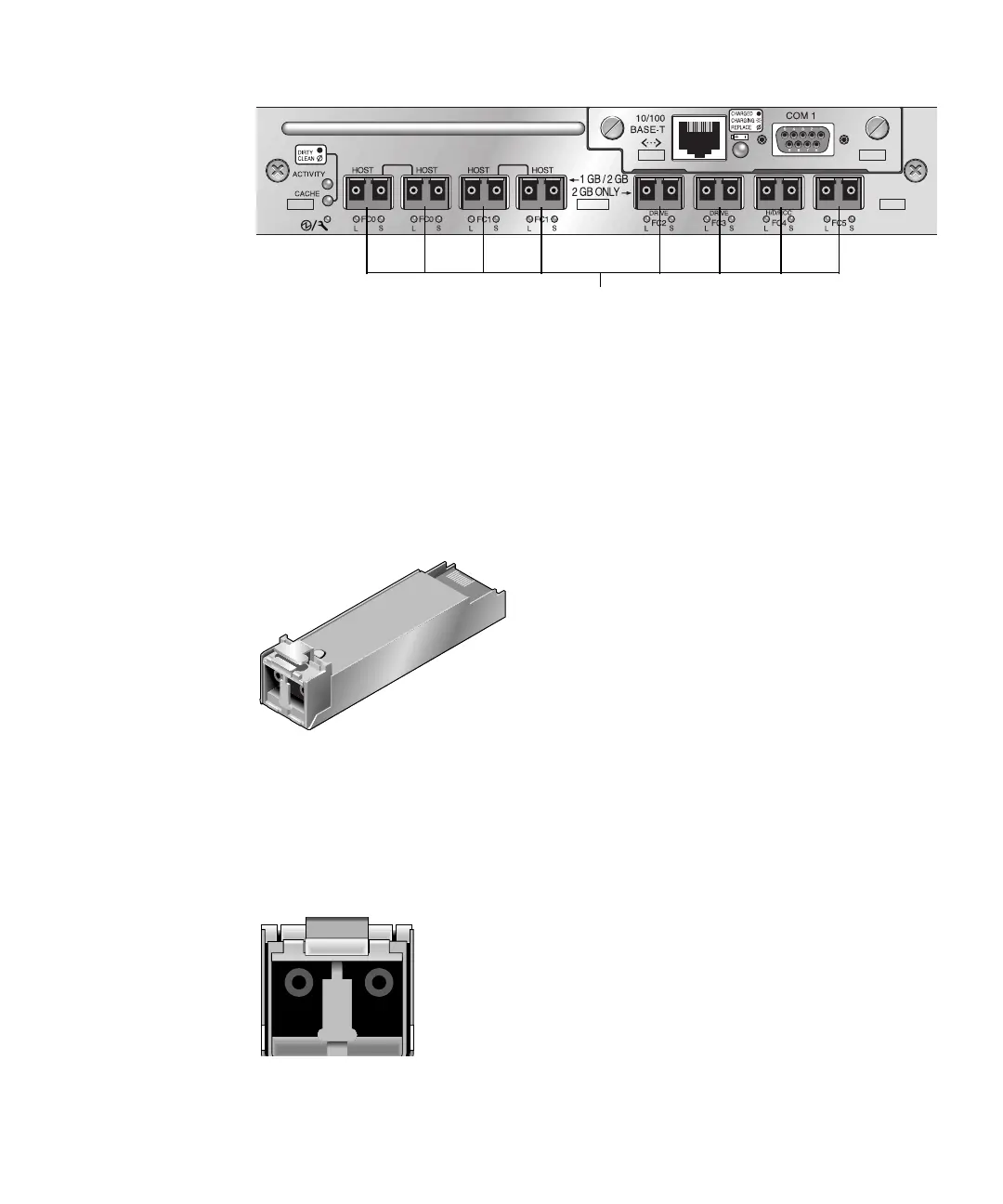
FIGURE 5-4 Eight SFP Ports on a Sun StorEdge 3511 FC Array I/O Controller Module
Each Sun StorEdge 3510 FC I/O expansion module has two SFP ports. Sun StorEdge
3511 I/O expansion modules have four SFP ports. On both Sun StorEdge 3510 and
3511 I/O expansion modules, these ports are labeled Loop A or Loop B.
To install an SFP in an SFP port.
1. Slide the SFP into the SFP port so that the gold pins connect firmly with the
chassis.
FIGURE 5-5 Typical SFP Used to Connect Cables to SFP Ports
2. Plug one end of a Fibre Channel cable into the duplex jack at the end of the SFP,
as shown in
FIGURE 5-6.
3. Plug the other end of the Fibre Channel cable into a server or into an FC
expansion unit.
FIGURE 5-6 Duplex Jack at the End of an SFP
H/D/RCC
SFP ports



 To Next Page
 Loading...



