Chapter 1 Performing General Administrative Tasks 5
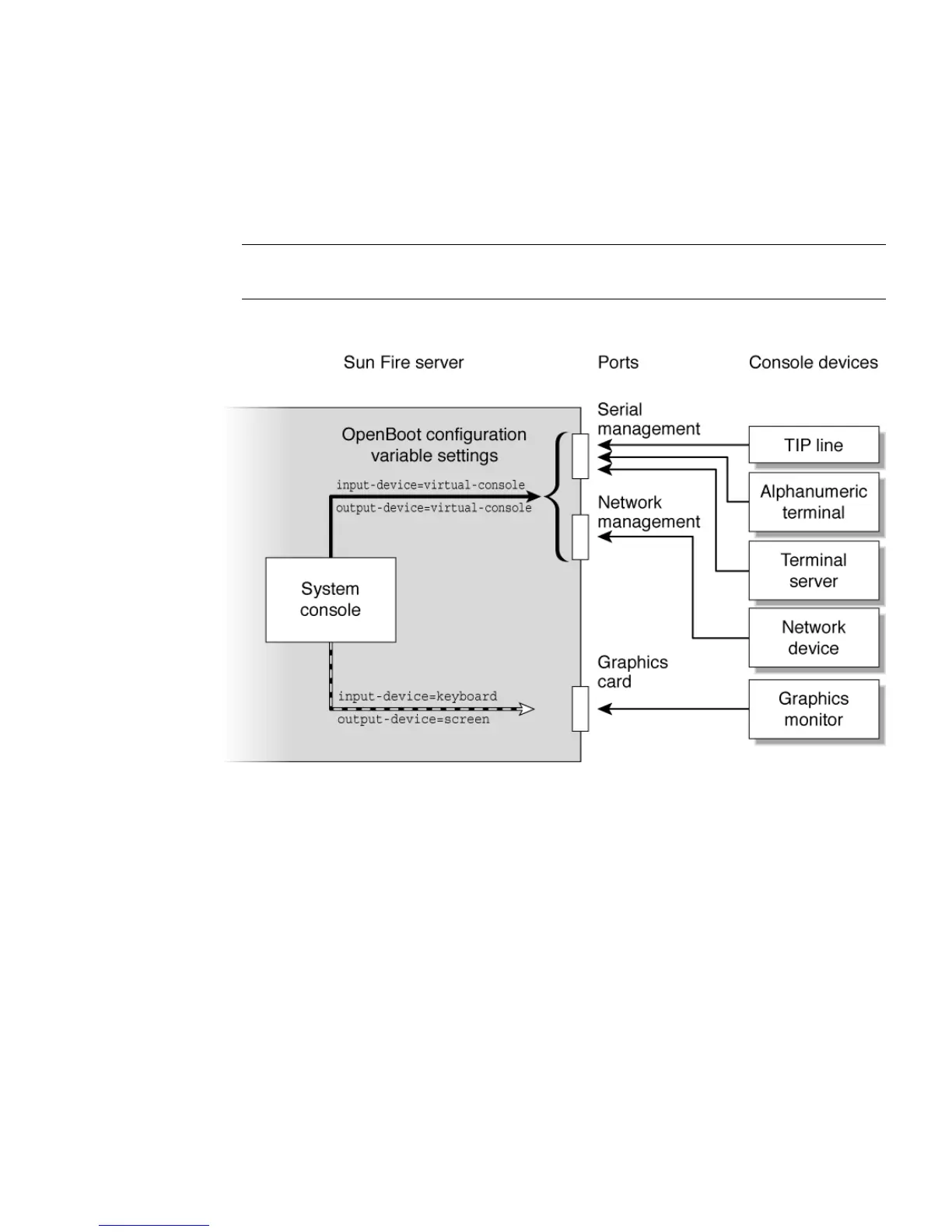
You must also ensure that the system console is directed to the appropriate port on
the server’s back panel, generally, the one to which your hardware console device is
attached (see
FIGURE 1-2). You do this by setting the input-device and output-
device OpenBoot™ configuration variables.
Note – The connectors in FIGURE 1-2 are not representative of the physical location of
the connectors on the server.
FIGURE 1-2 Directing the System Console
Connecting Through the Serial Management and Network
Management Ports
On Sun Fire V215 and V245 servers, the system console comes preconfigured. Input
and output is enabled only by means of hardware devices connected to the serial or
network management ports. However, because the network management port is not
available until you assign it an IP address, your first connection must be to the serial
management port (SER MGT).












 To Next Page