8 Sun Fire V215 and V245 Servers Administration Guide • September 2006
Accessing the System Console Through a
Terminal Server
The following procedure assumes that you are accessing the system console by
connecting a terminal server to the serial management port (SER MGT) of the server.
Note – The figure in this section shows the Sun Fire V245 server; however, the
procedure applies to the Sun Fire V215 as well.
▼ To Access The System Console Through a Terminal Server
1. Complete the physical connection from the serial management port to your
terminal server.
The serial management port on the server is a data terminal equipment (DTE) port.
The pinouts for the serial management port correspond with the pinouts for the RJ-
45 ports on the Serial Interface Breakout Cable supplied by Cisco for use with the
Cisco AS2511-RJ terminal server. If you use a terminal server made by another
manufacturer, check that the serial port pinouts of the server match those of the
terminal server you plan to use.
■ If the pinouts for the server serial ports correspond with the pinouts for the RJ-45
ports on the terminal server, you have two connection options:
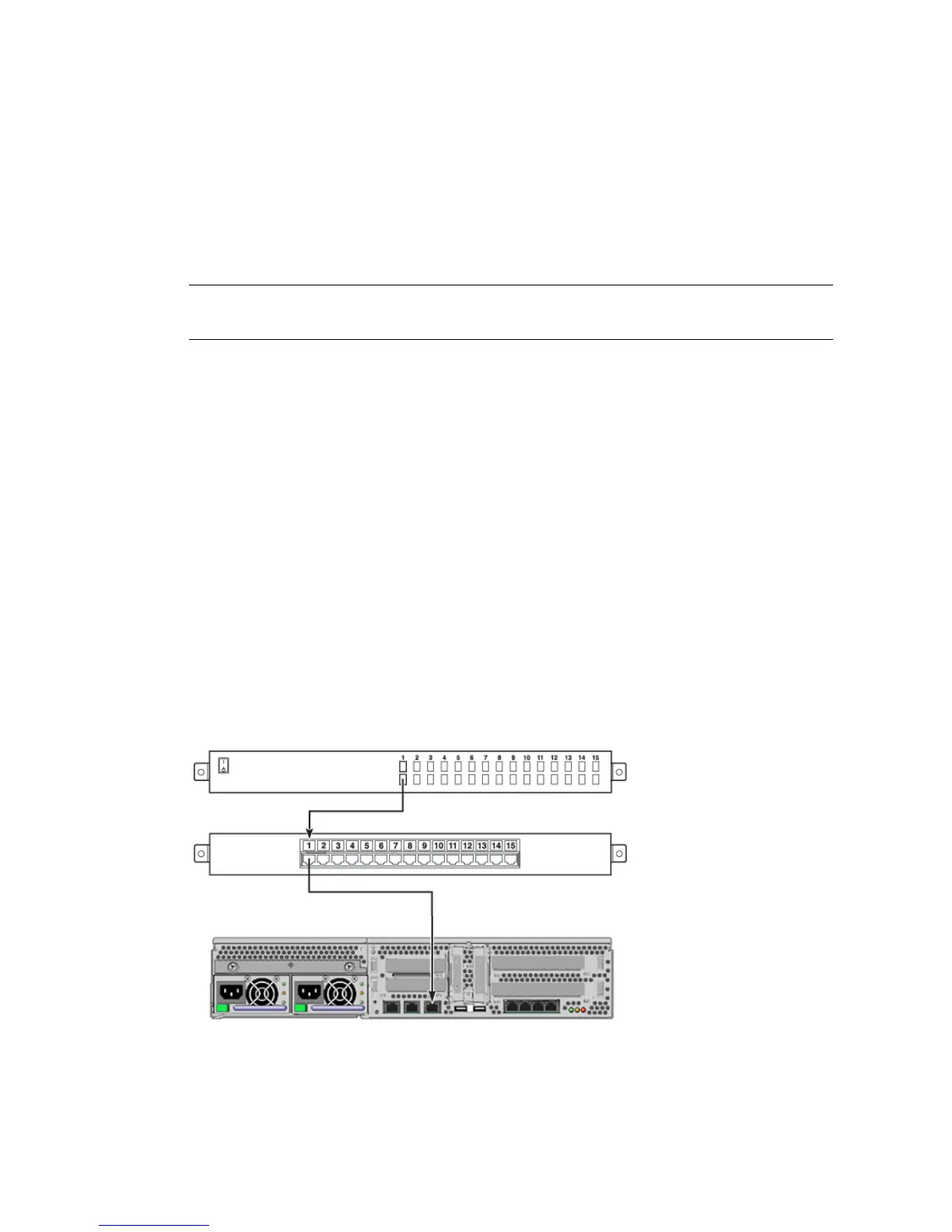
■ Connect a serial interface breakout cable directly to the server.
■ Connect a serial interface breakout cable to a patch panel and use the straight-
through patch cable (supplied by Sun) to connect the patch panel to the server.
FIGURE 1-3 Patch Panel Connection Between a Terminal Server and a Sun Fire V245
Server












 To Next Page