
 Need help?
Do you have a question about the Sun Nuclear MapCHECK 3 and is the answer not in the manual?
Defines the purpose and application of the MapCHECK 3 system.
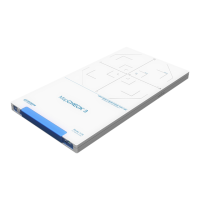
Details the components and functionality of the MapCHECK 3 device.
Outlines the quality standards and regulatory compliance of Sun Nuclear products.
Provides essential safety precautions and warnings for operating the device.
Lists and illustrates the components included with the MapCHECK 3 system.
Details optional accessories available for enhancing MapCHECK 3 capabilities.
Guides users through the initial steps to set up and begin using MapCHECK 3.
Instructions for connecting the MapCHECK 3 hardware and launching the SNC Patient software.
Ensures the device reaches ambient room temperature before measurements for accuracy.
Collects background data to establish correction factors for detectors.
Covers detector sensitivity calibration, modes, FFF beams, and recalibration interval.
Details the process for calibrating absolute dose, including dose rate and methods for static and rotational deliveries.
Steps to perform and save the absolute dose calibration measurement.
Outlines methods to determine the known dose for calibration.
Describes the preferred method for determining the known dose.
Explains alternative methods for determining the known dose.
Guides on creating a new patient plan within the File Manager.
Instructions for importing measurement or plan files into a patient plan.
Details how to physically position the MapCHECK 3 for accurate measurements.
Close applications, check calibrations, and position the device for measurement.
Steps for loading calibrations, collecting background, and starting the measurement process.
Describes the types of files saved for MapCHECK 3 measurements.
Guides on importing dose plans from DICOM or TPS.
How to select analysis type, criteria, and view comparison results.
Details analysis types (DTA/GC, RD, AD) and comparison metrics (%Pass, Fail).
Covers procedures for maintaining the physical device, including radiation damage.
Information on firmware upgrades and common troubleshooting steps.
Procedures for shutting down the device and contacting support.
Details on the product warranty.
Describes the physical layout and features of the device's top and bottom.
Details the detector layout and the device's connector panel.
Explains the status indicator light and detector plane markings.
Lists the hardware and software requirements for operating MapCHECK 3.
Provides detailed technical specifications for the MapCHECK 3 device.
Explains the meaning of various symbols used in the document and on labels.
Outlines operator duties, reporting procedures, and equipment modification policies.
 General
| Brand | Sun Nuclear |
|---|---|
| Model | MapCHECK 3 |
| Category | Medical Equipment |
| Language | English |

 To Next Page