4 Section 1. Introduction
Overview of SNC Patient Software
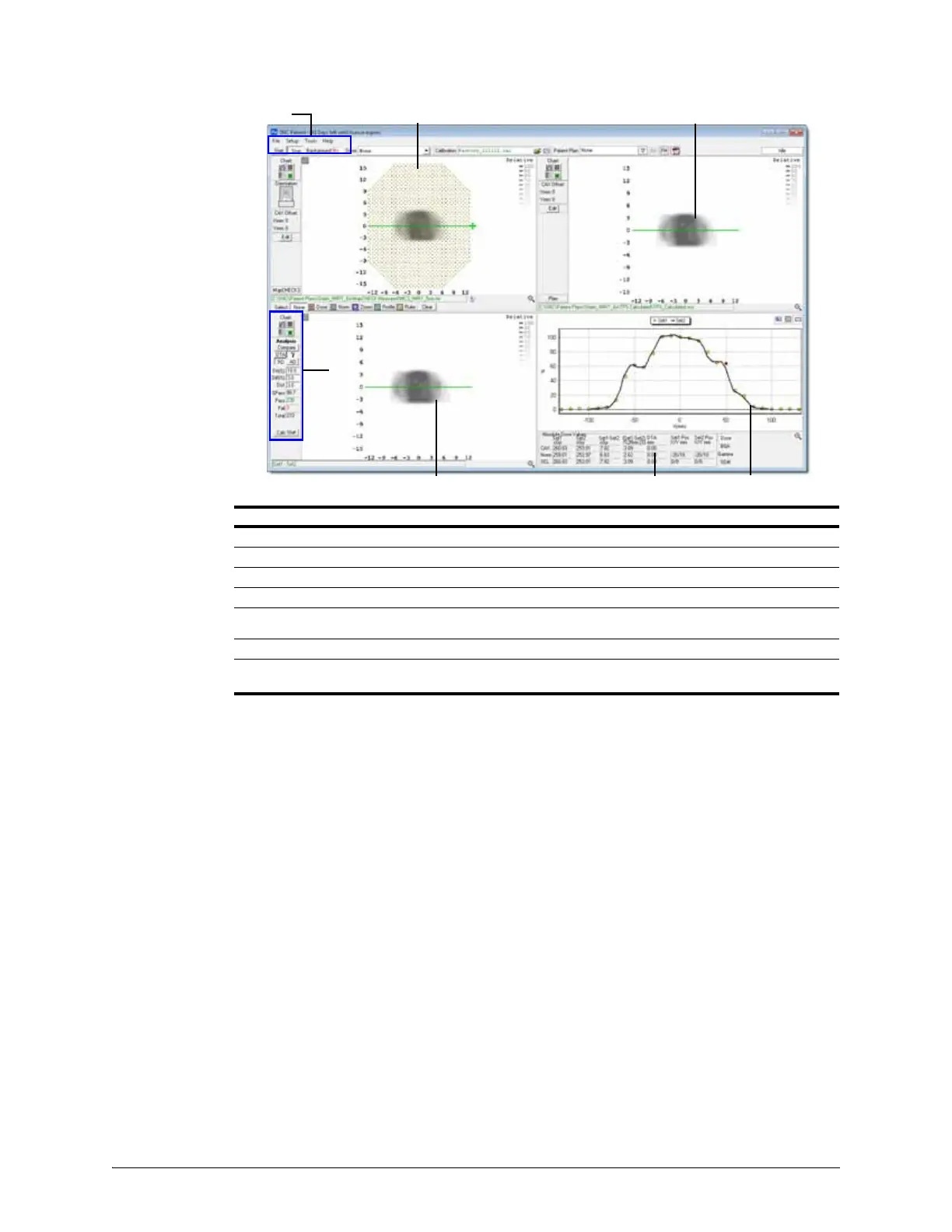
Figure 1-2. Example of MapCHECK 3 Data Displayed in SNC Patient Software
No. Description
1
Menu and toolbar
2 Set 1 panel – displays device measured data or other data types
3 Set 2 panel – displays planned dose data or other data types
4 Profile and Histogram panel – displays a profile across a selected axis or displays a histogram
5
Dose Summary/Statistics panel – displays absolute dose values or gamma/dose difference summary
index
6 Compare panel – compares the data loaded in Sets 1 and 2
7 Analysis panel – select analysis type, analysis criteria, and comparison results displayed in
Compare panel.


 To Next Page