8 Section 2. Operation
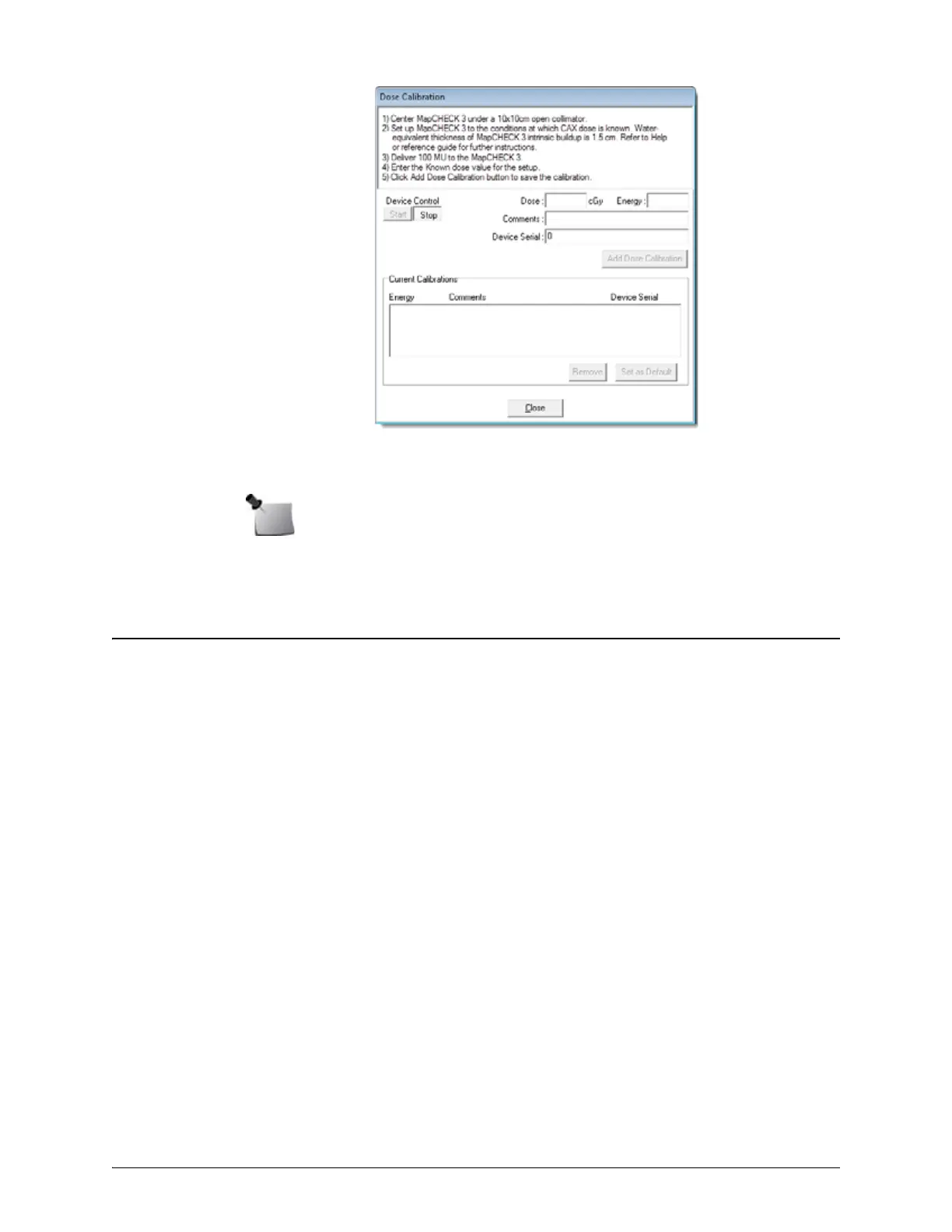
Figure 2-1. Dose Calibration Dialog Box
7 To select this absolute dose calibration as the default, click Set as Default.
8 Click Close to exit.
Absolute Dose for Rotational Deliveries
The MapPHAN accessory allows MapCHECK 3 to perform VMAT QA measurements during which
the gantry rotates around the phantom. It is recommended to use the virtual CT phantom of the
MapCHECK 3 in MapPHAN, provided by Sun Nuclear, for all MapCHECK 3/MapPHAN TPS
calculations.
Determine the Known Dose
1 Download a virtual CT phantom of MapCHECK 3 in MapPHAN from the Sun Nuclear Support
website. See Support Website on page 15.
2 Import images and structures into the TPS.
3 Set the isocenter to the locations marked by the fiducial markers. DICOM coordinates of the
isocenter are (0, 0, 0).
4 Verify that mass density overrides are set for each structure as defined in the provided
structures file and shown below.
• MapPHAN: 1.03 g/cm
3
• MapCHECK 3: 1.30 g/cm
3
• Virtual fiducials: 0.00 g/cm
3
5 Create a beam with field size 10 cm x 10 cm incident on the anterior surface of the
MapCHECK 3 in MapPHAN. For machines that do not support 10 cm x 10 cm field size, use
machine-specific reference field size.
6 Set prescription to deliver 100 monitor units for 1 fraction.
7 Calculate plan and record dose at isocenter.
8 Save phantom for later reference.
Note: If linac output has changed since known dose was calculated, consider scaling
known dose based on current linac output.


 To Next Page