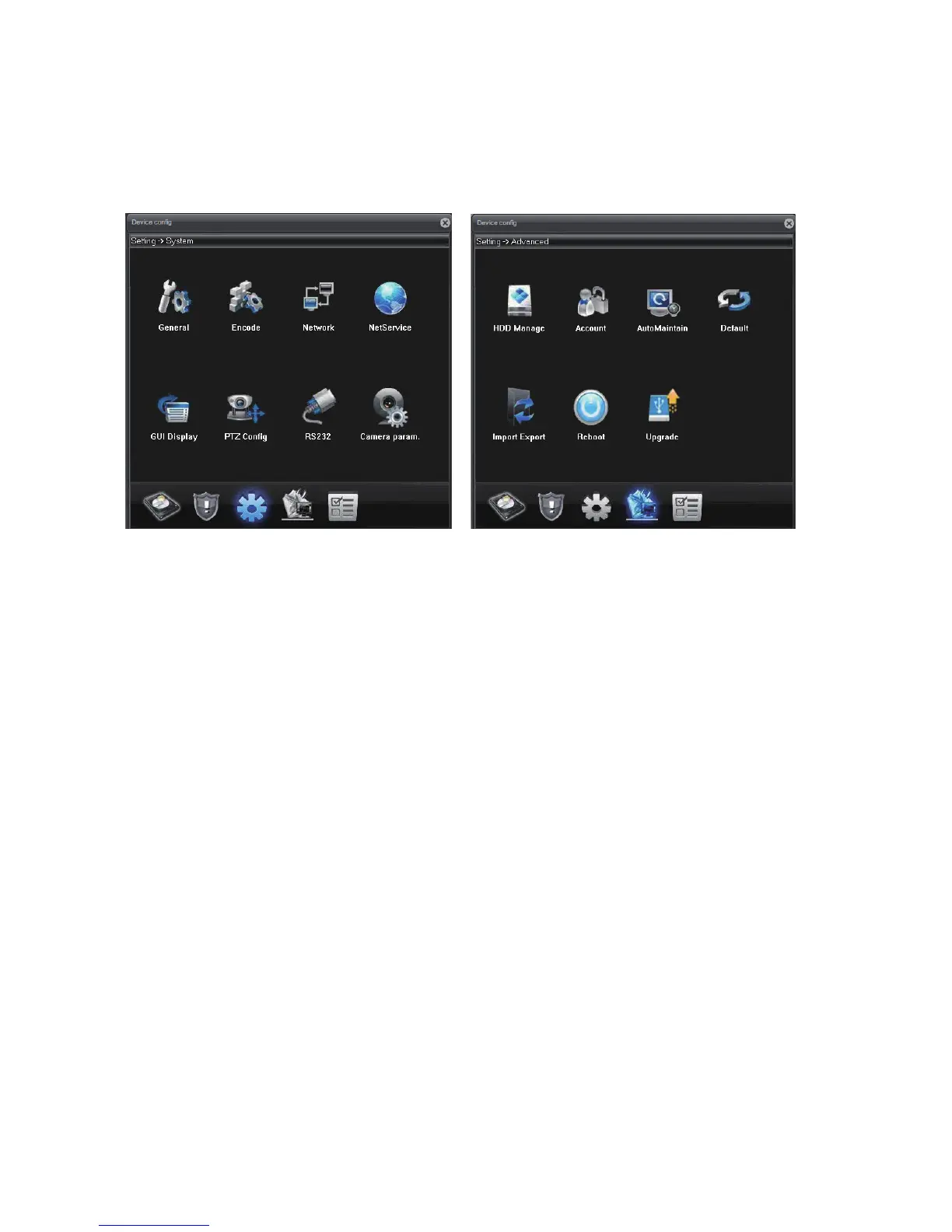
How to Access the Device Config:
For IE: Click “DeviceCfg”
For VMS: Choose Device Config
(PS: You must add the camera via Sunba protocol, not ONVIF)
- 23 -
General:
Change system language and date.
Encode:
Change resolution, bit rate and other factors that affect video quality and
connectivity. Enable/Disable audio.
Network:
Configure the camera's IP address, gateway, DNS etc.
NetService:
Configure NTP, email alert, WiFi and other services.
GUI Display:
Customize camera name, time title and other display setting.
Camera Parameter:
Configure camera parameter such as exposure level, wide dynamic range,
shutter speed, image direction (flip, mirror) etc.
HDD Manage:
Manage the storage device (TF card).
Account: Add, delete and change account info (username/password) and
their authority level.
AutoMaintain:
Set the automatic reboot plan and empty the cache of the camera.
Default:
Set the current camera configuration info to the default.
ImportExport:
Import/Export the configuration and log of the camera.



 To Next Page