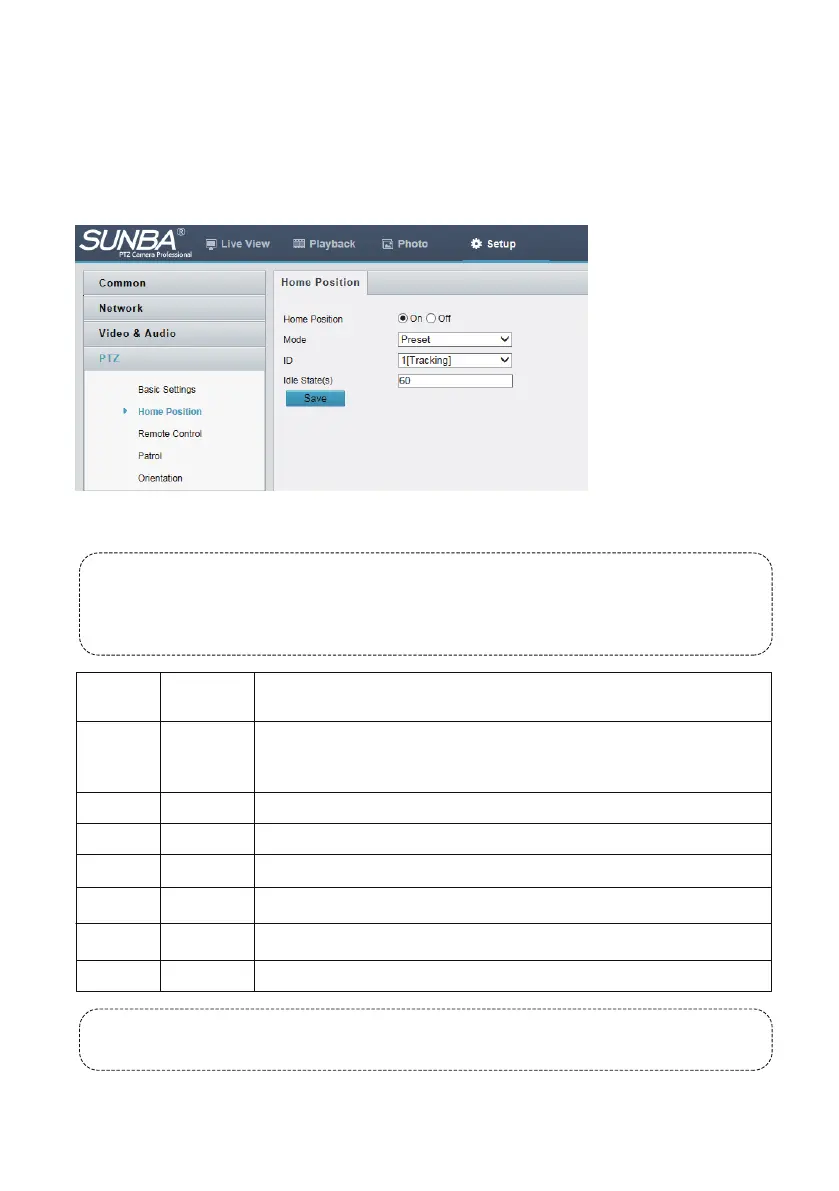
PTZ camera will return to home position if no operation is made within a specified period.
You need to add presets or a patrol route first. See Add a preset (Chapter 6.1) and Add a patrol route
(Chapter 6.2) for details.
1. Click Setup > PTZ > Home Position.
2. Select a mode and ID.
3. Click Save.
6.3 Setting Home Position
- 18-
6.4 Special Presets List
Special presets are preset numbers associated with advanced commands that cameras can follow
to enable settings such as changing infrared LED night vision mode, calibrating camera horizontal
and vertical position, etc. You can call the preset directly (no need to “add” a preset as they are
pre-existed) according to the List. And you cannot delete any special preset..
Note: Don't call preset 92 frequently. Frequent default will cause irreversible damage to the
camera.
81
83 Clear Preset
92 Default
100 IR ON
101 IR OFF
102
103
IR AUTO
IR ALL ON
Clibrate
Preset
Number
Command Description
Calibrate camera horizontal and vertical position. Perform 81+call when
the camera stuck in position and cannot pan/tilt further within its claimed
range.
Clear all presets
Reset the mainboard to factory setting
Turn o the infrared LED manually
Turn on the infrared LED manually
Automatically turn on/o the infrared LED in response to day/night switch
Turn on both sides of the infrared LED manually



 To Next Page