1
Full pre-designated view
- 28 -
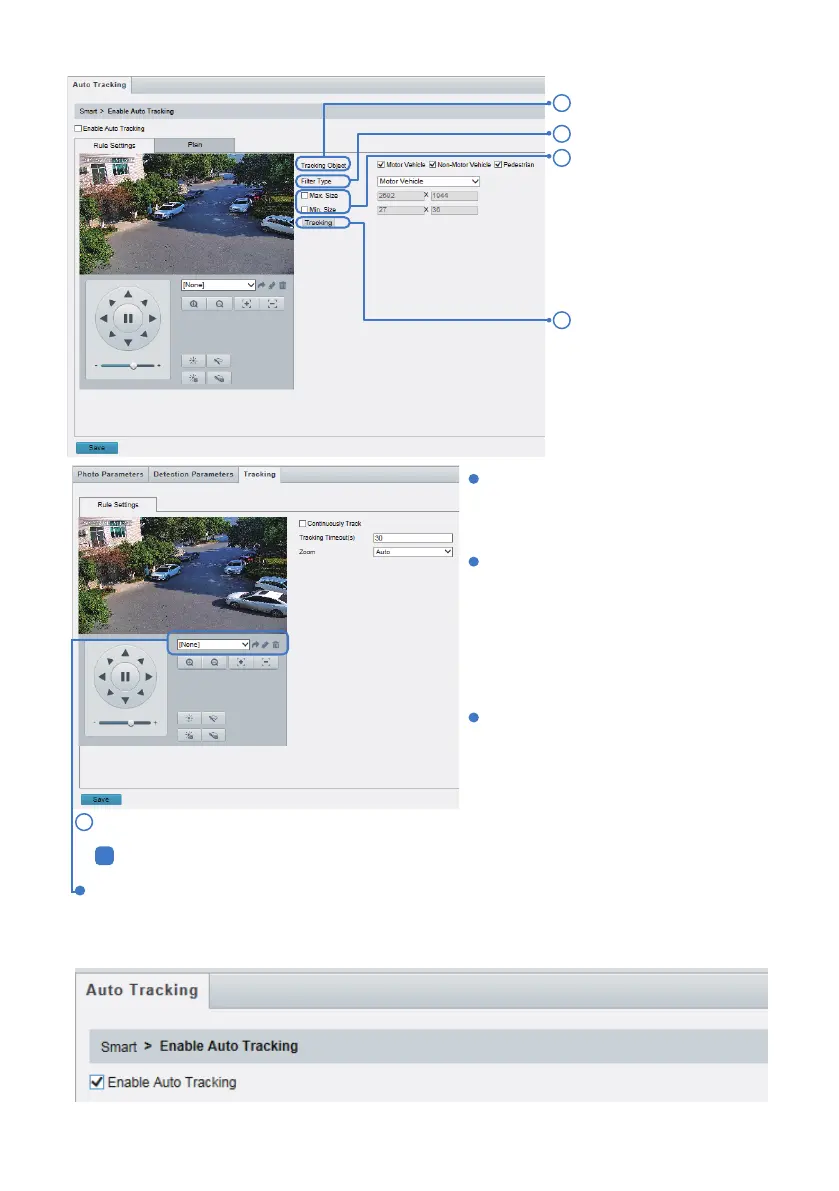
Click Save and the Enable Auto Tracking a° er completing the above settings.
If you would like to trigger auto tracking under full pre-designated view rule, please add a pre-designated
view as a home position preset for tracking. For example, set the pre-designated view as preset 1, and
then add preset 1 to the home position. please refer to Chapter 6.3 for detaills.
Set tracking timeout (unit: sec) and zoom
ratio.
With Continuously Track selected, the
camera continuously tracks an object
that triggers therule until target cannot be
detected.
Click Save.
Rule Settings
6
Select Filter Type.
Tracking settings.
Set Max. Size and Min. Size
under Filter Type. Only
objects within the size range
will betracked; others will be
filtered and not tracked. The
maximum width or height
must be greaterthan the
minimum width or height.
2
1
3
4
Select Tracking Object.


 To Next Page
 Loading...







