- 30 -
Entering a wrong date would result in the failure of generating a successful temporary access code.
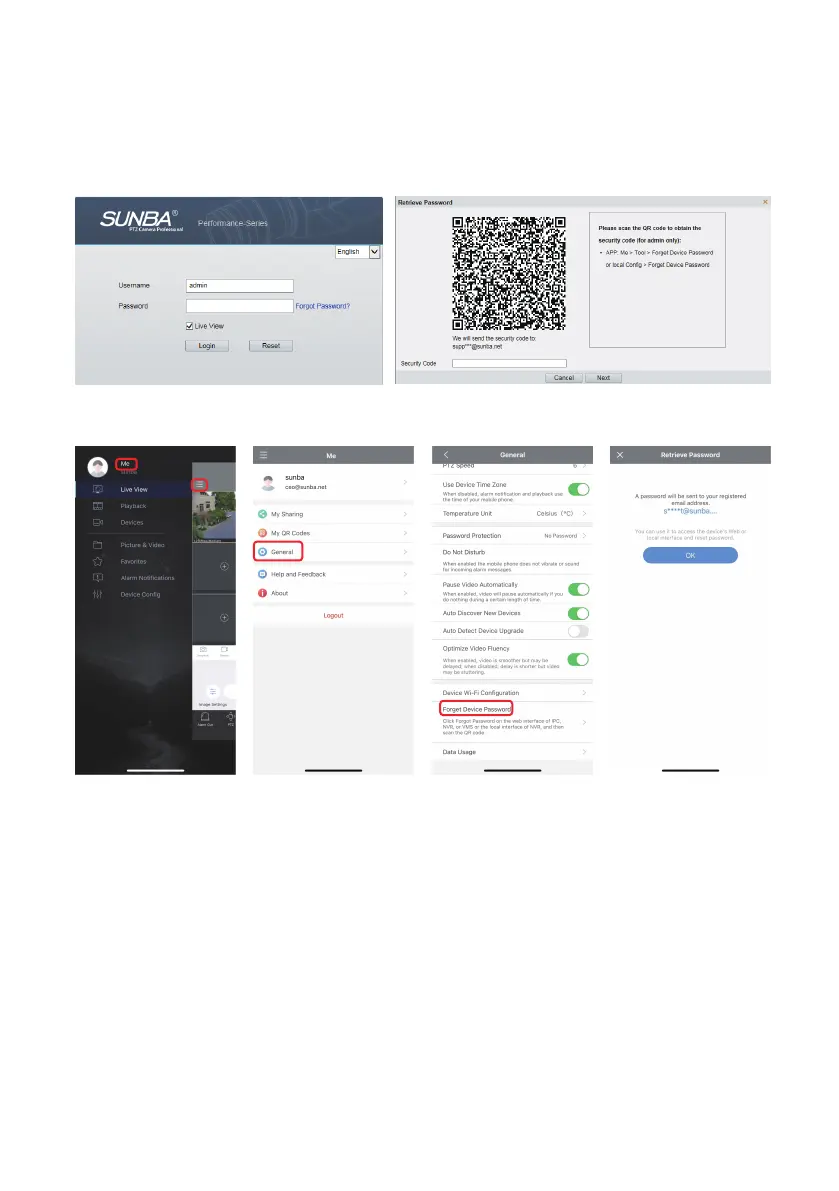
Please scan the QR code through Guard Viewer APP to obtain the security code (for admin only):
Me > General > Forget Device Password
If you set an email address for verification when modifying the initial password, then you can click "forget
password" to obtain a temporary access code.
Method B
If both of the above methods fail, please send the model, serial number, proof of purchase and date
appears on the IP camera to support@sunba.net obtain a temporary access code.
Method C



 To Next Page