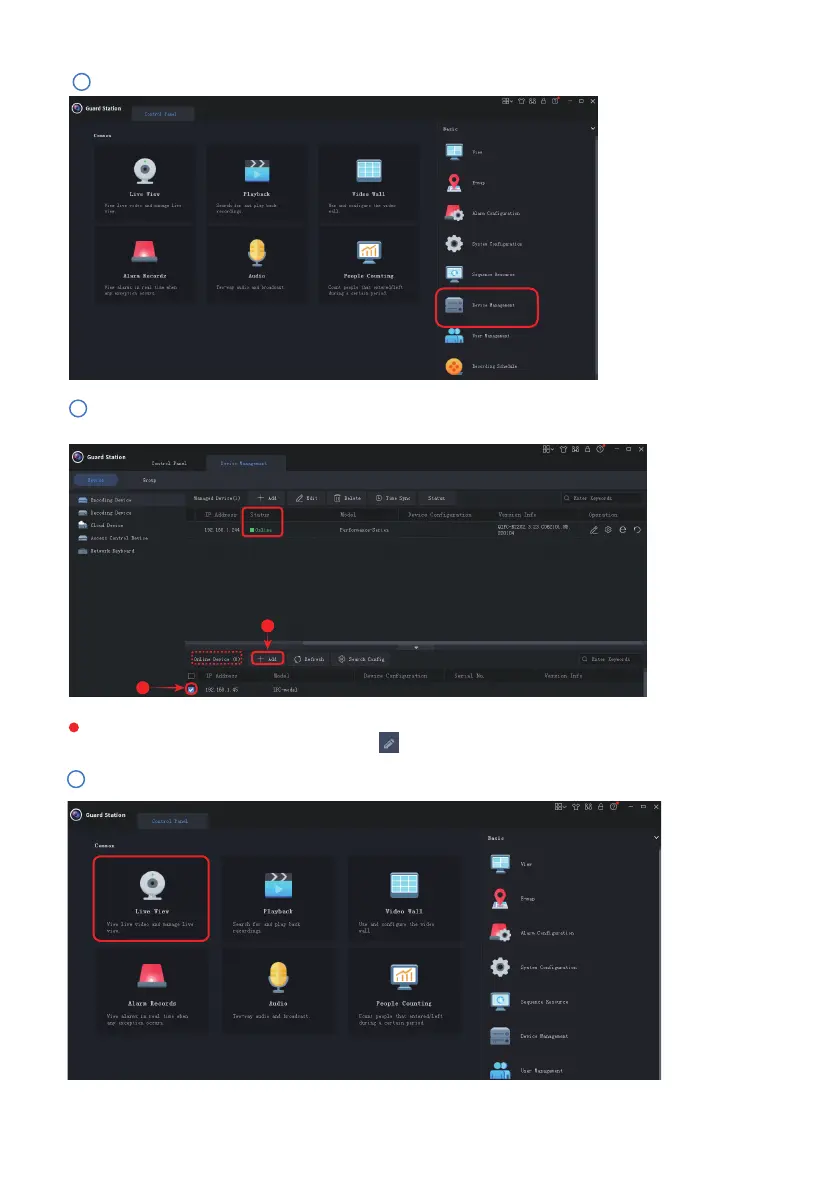
The camera should show “online” status if it has been successfully connected to the Guard Station
client, otherwise please click the pencil icon to modify values to establish a successful connection.
Please go to the Live View section under Control Panel:
2
4
- 06 -
Please proceed to the “Device Management” tab to add your IP camera to the client soware:
3
The IP camera should automatically display under “Online Device” on the lower section. Select the
camera, and click “+Add” to add the camera to the upper section.
2
1



 To Next Page