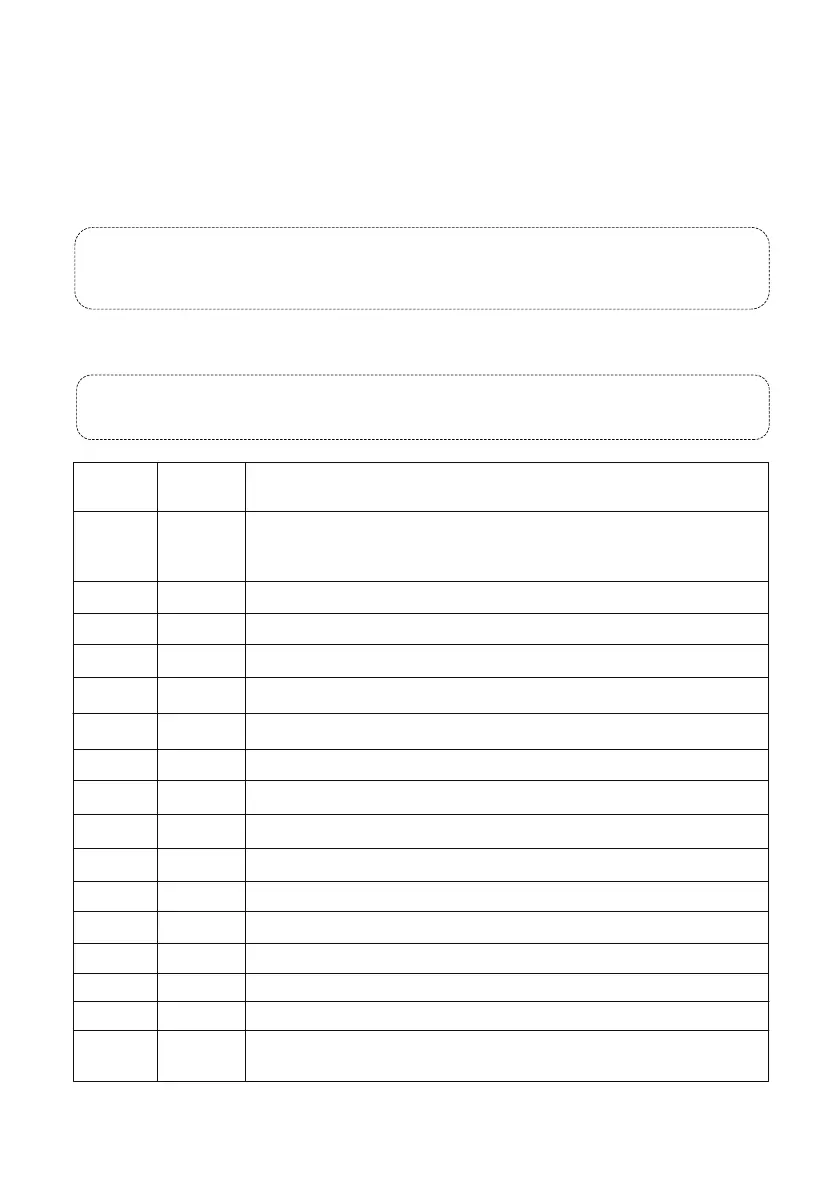
6.3 Special Preset List
Note: Even though special preset doesn’t correlate to a location, you still have to “add” the preset
first to the preset list and then “call” it.
When action type is set to Go to Preset, up to 64 actions are allowed.
When action type is set to Move Direction and Zoom, only 32 actions are allowed.
Thus, a patrol action created from the patrol panel include:
- Go to a preset and stay for a certain amount of time before going to the next preset.
- Rotate at the set speed in the set direction for a certain amount of time, zoom and stay at a
set position for a certain amount of time, or patrol repeatedly if Keep Rotating is selected.
Note: Guard Station only allows “go to preset” to be set as the actions of patrol. If you want to add
versatile actions such as move directions/zooms, it is recommended to use the web interface
(Chrome/Firefox/IE).
- 16 -
81
81 Set
82 Set
82 Call
83 Call
88
89
90
91
92
Call
Call
Call
Call
Call
98
100
101
102
103
Call
Call
Call
Call
Call
Call
Preset
Number
Command Description
Calibrate camera horizontal and vertical position. Perform 81+call when
the camera stuck in position and cannot pan/tilt further within its claimed
range.
Set the le boundary for auto scan
Set the right boundary for auto scan
Clear all presets
Run the auto scan (you must set a le and right scan boundary first)
Run the patrol for preset 1~10
Run the patrol for preset 11~20
Run the patrol for preset 31~40
Reset the mainboard to factory setting
Run the patrol for preset 21~30
360 degrees automatic scan
Turn on the infrared LED manually
Automatically turn on/o the infrared LED in response to day/night switch
Turn on both sides of the infrared LED manually
Turn o the infrared LED manually
97+180 Call
Call preset 97 and preset 180 consecutively to set the PARK ACTION to
NONE



 To Next Page