Page 24
Adjusting On-Screen Displays – Setting Menu
Parental Control
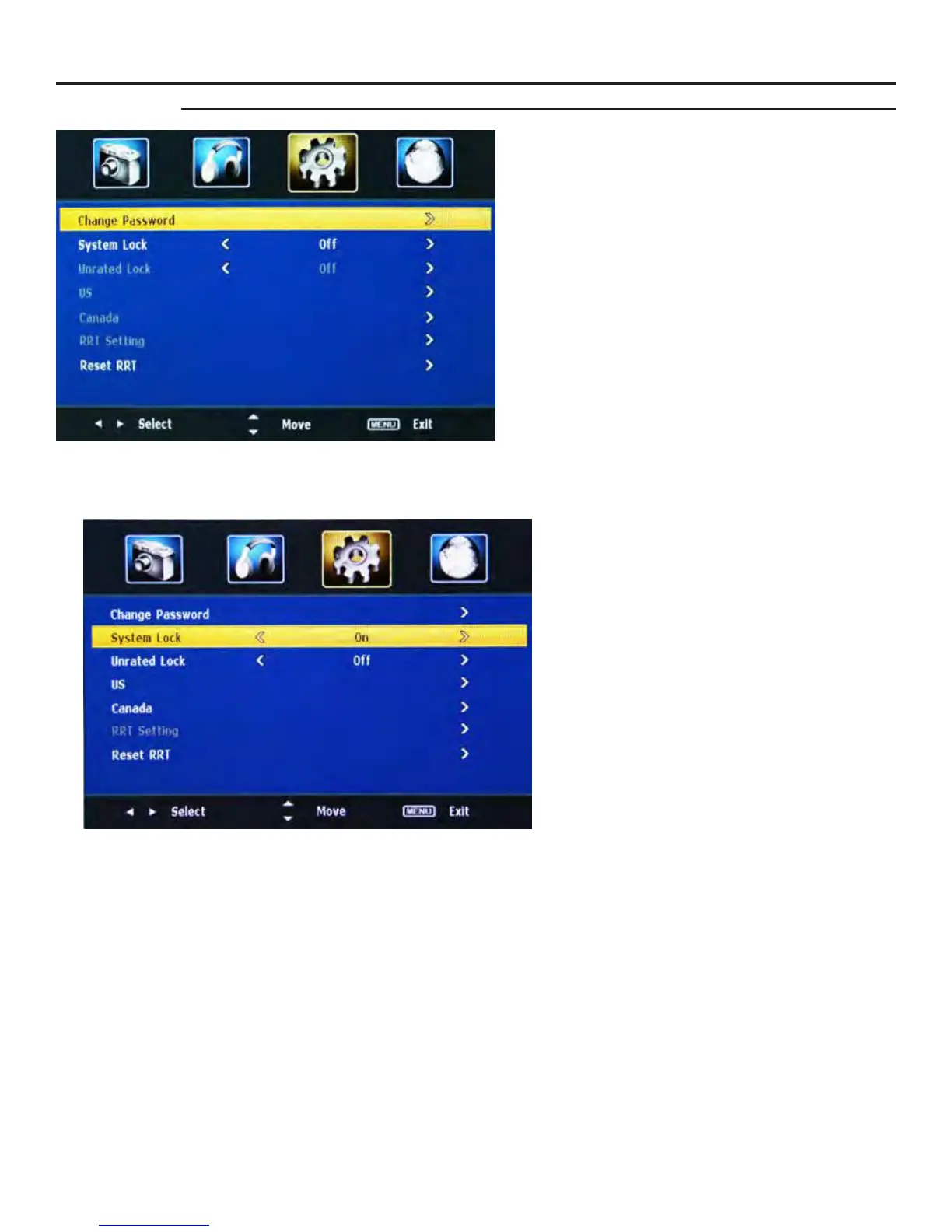
Change Password
The Parental Control Menu allows you to change
programming options. To change settings, you must
enter a password.
Press qp buttons to move the cursor to the Enter
Password selection.
Press “Enter Password” to enter the password. (The
default password is 0000.)
Press u button to enter the Change Password
submenu. Enter your old password, then enter the
new password and conrm it. The password will be
changed.
Note: If you change the password, write down the new
password, and keep it in a safe place
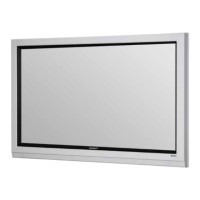
System Lock
The TV is set with the System Lock in the O
position. To turn the System Lock ON, press qp
buttons and then use t u buttons to select system
lock ON. When you do this, the menu options will
light up.
The Menu Items are: Unrated Lock, US, Canada
Reset RRI.
Parental Control Sub-Menu
Unrated Lock
Press qp buttons and then use t u
buttons to select system lock ON or OFF.
When System Lock is ON, Unrated
programming cannot be accessed
US
Press the u button to enter the submenu list
to set the US rating functions. (US Menu is
on the next page.)



 To Next Page