Operation manual of solar water controller SR868C8/SR868C8Q
---------------------------------------------------------------------------------------------------------------------------------------------------
- 32 -
Setup steps:
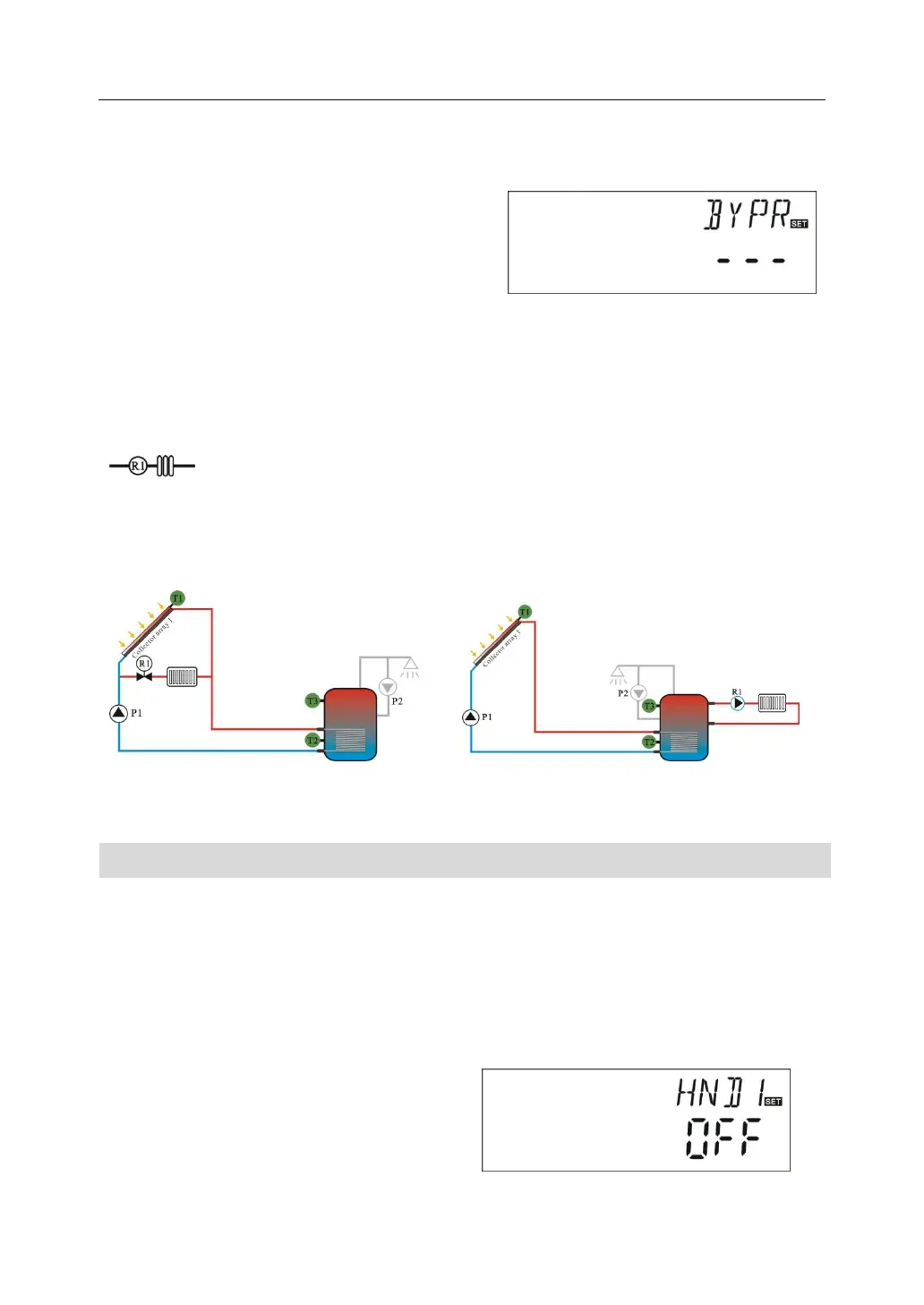
To access main menu FUN, then select submenu BYPR, “BYPR - - -” displays on
screen.
►Press “SET” button, “- - -”blinks on screen,
default set is “OFF”
►Repress “SET” button, to activate by-pass
function, “BYPR 80℃” displays on the screen, “80℃” blinks
►Press “+”“-” button to adjust this parameter, adjustable range (5℃~120℃)
► Press “ESC” button to exit the menu or wait for 20 seconds to exit automatically,
parameters are saved automatically.
This signal displays on the screen, it indicates by-pass function is
activated.
Application example
Picture1 Picture2
4.7 HND Manual mode
When using this controller first time or when debugging this controller, output of this
controller (P1,P2,R1,H1)can be triggered manually. “On, OFF” control.
Setup steps:
To access main menu HND,
►Press “SET” button, “HND1 off” displays on the screen, P1 output manually set
►Repress “SET” button, “HND1 on”
displays on the screen, P1 output is
switched-on
►Repress “SET” again, “HND1 off”


 To Next Page