Operation manual of solar water controller SR868C8/SR868C8Q
---------------------------------------------------------------------------------------------------------------------------------------------------
- 7 -
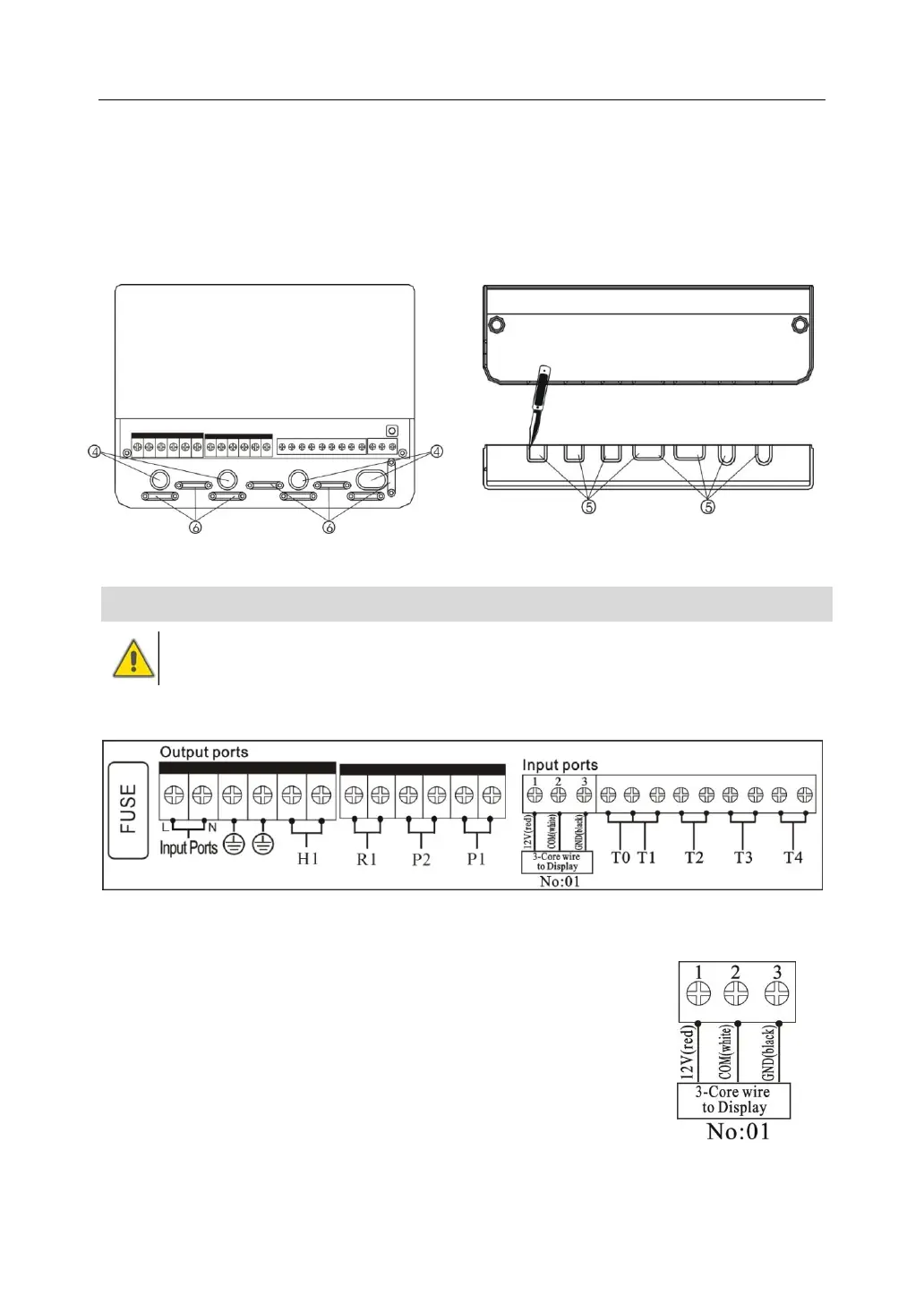
Cable come from the below⑤: cut the left and right plastic flaps using an appropriate
tool (e.g. knife) and break them out of the case.
Notes: the flexible wire must be fastened on the case using the clamps provided
2.5 Terminal connection
Before to open the terminal, please be sure to switch-off the power supplier
and pay attention to the local electricity supply rules.
Terminal layout
FUSE:2A/250V
Power connection
Power connection terminal is: Input ports
Ground line terminal is GND
Display connection
Port 1: connect red wire (+12V)Port 2: connect white wire ( COM)


 To Next Page